

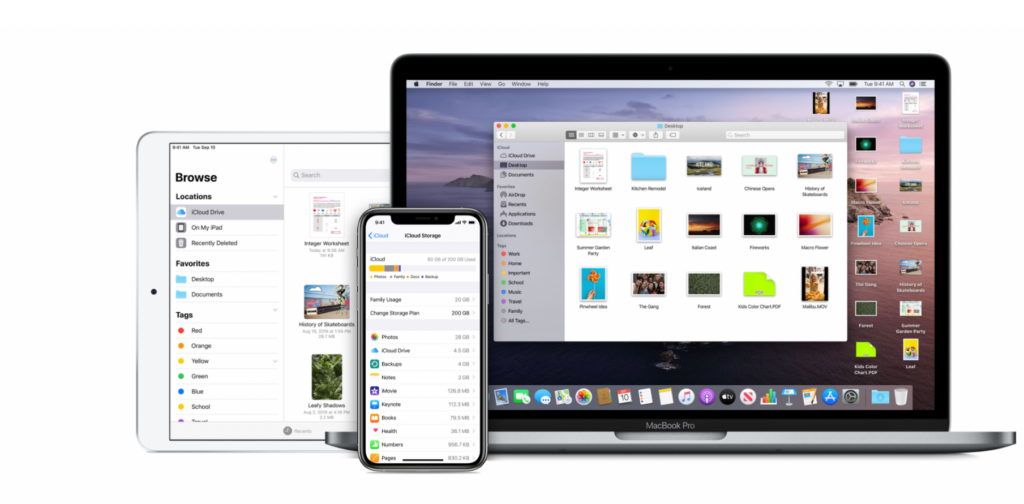
iCloud Documents and Data, launched in 2014, is a system that automatically syncs data from different apps and makes it available across a wide range of devices. Now, Apple has announced that this service has been discontinued and is now part of iCloud Drive.
See also: iCloud phishing scam may empty users' MetaMask crypto wallets

On a support page, the company explains that iCloud Documents and Data no longer exists:
iCloud Documents and Data, the legacy document syncing service, has been discontinued and replaced by iCloud Drive. If you used iCloud Documents and Data, your account has been migrated to iCloud Drive.
Apple had previously announced that it would discontinue the service, and now iCloud Drive is the perfect place for all your documents and data.
See also: iCloud Private Relay: Causes your original address to be leaked
As the company explains, “iCloud Drive lets you easily store, access, and share files with friends and family. The documents you store in iCloud Drive stay up to date across all your devices, and you can access them from your iPhone, iPad, iPod touch, Mac , or PC.”

This change comes just a month before Apple kicks off WWDC 2022. While the company announced few new features during the iOS 15 cycle, Apple could be preparing even more news for iCloud.
See also: iCloud+: Custom email domain feature available in beta (how to use it)
One thing that would please users would be if Apple announced a slightly better free plan, as the company only offers 5GB of cloud storage for free. Plus, there's a huge gap between the 50GB, 200GB, and 1TB plans. Apple could make it less expensive or offer more options in between.
How to enable iCloud Drive
On an iPhone or iPad with iOS 8 or later:
- Open the Settings app.
- Tap the user's name.
- Tap iCloud.
- Turn on iCloud Drive.
- The files will then be visible in the Files app.
On a Mac running macOS Catalina or later:
- Open System Preferences and select Apple ID.
- Select iCloud.
- Turn on iCloud Drive.
- You can find files in the Finder in iCloud.
On a Mac running macOS Mojave or earlier:
- Open System Preferences.
- Select iCloud.
- Turn on iCloud Drive.
- You can find files in the Finder in iCloud.
Information source: 9to5mac.com
