

MetaMask has issued a warning to iOS users about cryptocurrency wallet seeds being stored in Apple's iCloud if the app's data backup is active.
See also: USA: Lazarus group uses malicious cryptocurrency apps
MetaMask is warning its user community about potential phishing attacks via Apple’s iCloud service. In a tweet on April 17, the company warned its users that encrypted passwords for their accounts, called MetaMask vaults, will be uploaded to Apple’s cloud service if the iCloud backup option is enabled in the app. As a result, a phishing account that compromises a user’s iCloud account will compromise their passwords and therefore their crypto wallets.
MetaMask is a “hot” cryptocurrency wallet used by more than 21 million investors to store tokens and manage digital assets .
See also: Free decryptor released for victims of Yanluowang ransomware
In cryptocurrency parlance, a seed is a secret recovery phrase consisting of 12 words that protects access to the contents of the wallet.
Storing the wallet seed in iCloud practically means that if a hacker has compromised an Apple account, the owner's digital assets are also at risk.
Real phishing case
Unfortunately, the above scenario was already used against at least one MetaMask user who lost over $655,000 as a result of a well-designed phishing attack.
The target received multiple text messages asking to reset their Apple account , and the attacker followed up with a call from a fake Apple Inc. number pretending to be the company investigating suspicious activity on their account.
The victim followed the instructions and provided the fake support representatives with the six-digit verification code he received from Apple. Shortly after, his MetaMask wallet was emptied.
See also: Wikipedia editors want to block crypto donations
The hackers had already requested a final Apple account password reset, and all they needed was additional verification to access the victim's iCloud data, where the MetaMask seed was backed up. This allowed them to steal $655,388 worth of crypto.
What can you do?
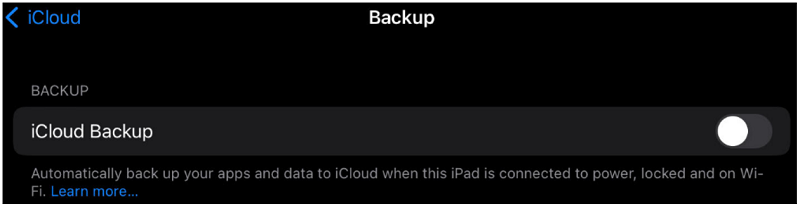
To keep your digital assets safe from such difficult attacks, be sure to exclude MetaMask from iCloud backups via Settings > Profile > iCloud > Manage Storage > Backups.
The two-factor authentication code is a secret that should not be shared with anyone, no matter how convincing a call, email, or SMS. Official company representatives would never ask for it.
Additionally, cryptocurrency users can keep their assets safer in a “cold wallet” if they are not trading instead of the MetaMask hot wallet.
Finally, keeping your investments off social media and other public channels puts you out of the picture of targets, as hackers track high-value victims.
Information source: bleepingcomputer.com
