

An SMS that claims to come from bank may look completely authentic. The message may use the bank's logo, business language, and a link that looks like a real login page. However, in reality, it may be part of a smishing attack, a form of phishing carried out via SMS.
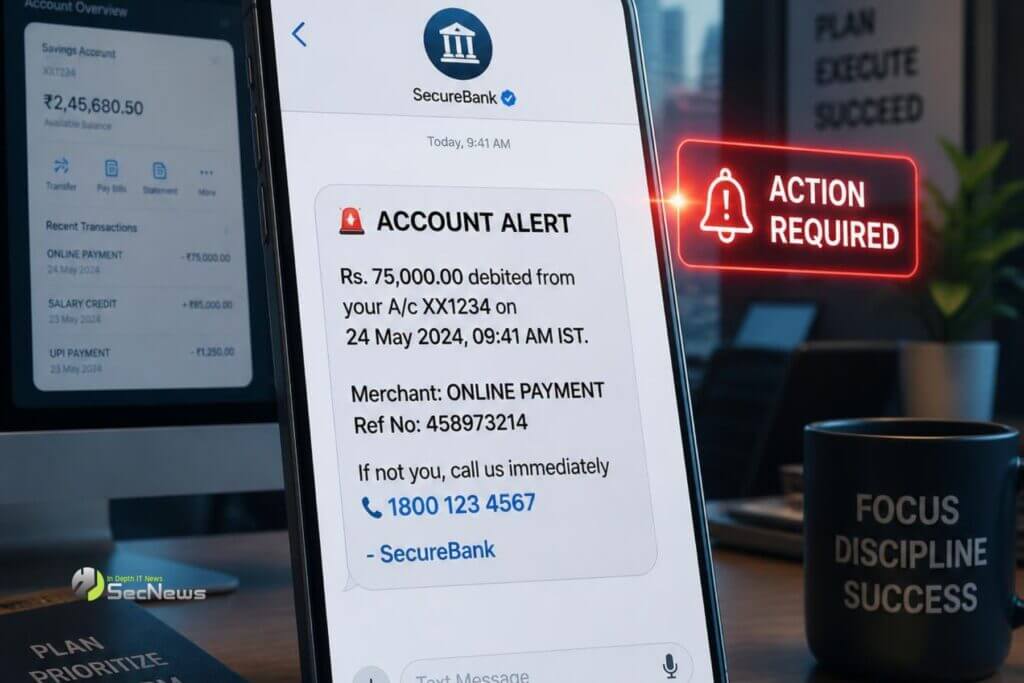
The goal of scammers is usually to get you to reveal passwords, card details, one-time codes or other sensitive data. Your most important weapon is to recognize the signs of fraud before you react impulsively.
Check the message first, not the link
The first mistake many users make is that they immediately click on the link to “check what’s going on.” That’s exactly what the scammer is waiting for.
Read the SMS carefully and ask yourself why you are being asked to take a certain action. Don't assume that just because the message appears in the same conversation as previous SMS from the bank, it is necessarily genuine. Attackers can exploit techniques that make a malicious message appear to come from a known sender.
See also: Active phishing targeting Eurobank customers: Fake SMS "9,428 points" leads to eurobanktes.vip
Pay attention to the sense of urgency
Fake banking SMS messages often try to create panic and time pressure. They may state that your account will be blocked, that a suspicious transaction , or that you need to immediately verify your identity.
The logic is simple: the less time you have to think, the more likely you are to follow the instructions.
A message that requires immediate action is not automatically a scam, but it is an important warning sign.
Look carefully at the link address
This is one of the most important steps. If the SMS contains a link, do not open it before checking the address.
Fraudsters use domains that look like the real ones, but contain extra characters, words, or different endings. They may also use shortened URLsto hide the real destination.
Even if a page has an HTTPS, that doesn't prove it's legitimate. HTTPS protects the connection, not the trustworthiness of the website.
Do not give passwords via SMS link
Particularly suspicious is a message that takes you to a page where you are asked for your username, password, card details, PIN or OTP code.
Criminals can create nearly identical bank pages and record what you type in real time. In some cases, they even try to steal one-time passwords to complete a transaction.
If you are asked to confirm something, open the bank's official app yourself or manually type the official address into the browser.
🔒 Protect your privacy with Proton VPN
Swiss VPN from the creators of Proton Mail — strict no-logs policy, strong encryption, and built-in NetShield that blocks ads, trackers, & malware.
- ✔ No-logs, based in Switzerland (except 14-Eyes)
- ✔ NetShield: blocks ads, trackers & malicious domains
- ✔ Covers all devices — free version available
The link is an affiliate link — SecNews may receive a commission at no additional cost to you. It does not affect the independence of our article writing.
See also: Rokarolla: Android malware steals PINs, SMS codes and money
Check if there is a real transaction
An SMS may indicate that a purchase or money transfer. Before you panic, check your mobile banking app.
If there is no corresponding transaction, do not follow the link in the message. If there is an unknown transaction, contact the bank immediately using an official phone number, not information included in the SMS.
What do you do if you already clicked on the link?
If you opened the link but did not provide any information, close the page and do not download any files or applications that may have been suggested to you.
If you typed in passwords or bank details, act immediately. Contact your bank, change the relevant passwords and check recent transactions. If an unknown application was installed, remove it and perform a security check on the device.
See also: Malware exploits Microsoft Phone Link to steal SMS OTPs

The best defense is composure
Smishing relies more on social engineering than technical sophistication. A well-crafted SMS can exploit your fear, curiosity, or concern about your money.
So, before clicking on any banking link, take a simple pause: who sent it, what is it asking me for, and can I confirm it from the official app?
These few seconds may be enough to distinguish a genuine alert from an attempt to steal your banking information.
