

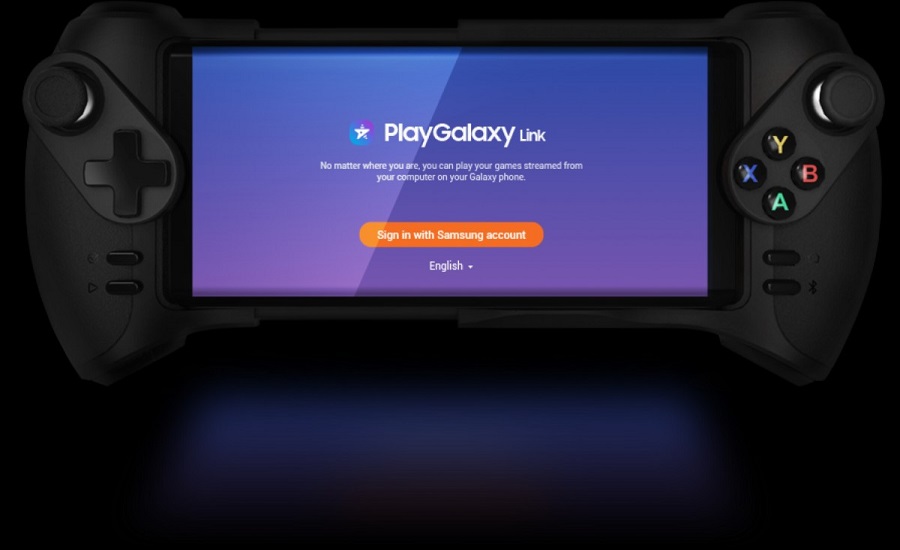
Samsung 's two new models , the Galaxy Note 10 and Note 10+, which were recently released, arrived with a very interesting new application, PlayGalaxy Link.
In the era of online game streaming, Samsung seems to be following a different path, as the new PlayGalaxy Link app allows users to stream games from their computer to their Samsung phone.
The technology company has released a beta version of PlayGalaxy Link, which gives us a first idea of what the app looks like and what it does.
This app lets you stream games from your computer to your phone, over your home Wi-Fi network, as well as over 4G and 5G. This means you can play PC even when you're not in the comfort of your own home!
It comes with support for Bluetooth- enabled controllers and keyboards . You can also use the Wake on LAN feature to turn on your PC, which is connected to the PlayGalaxy Link.
Additionally, Samsung has added support for the Glap Controller to Galaxy phones to make the experience even more immersive. These are Bluetooth-based controllers that can last up to 10 hours on a single charge and have an adjustable width of up to 178mm.
How will you use the PlayGalaxy Link app?
First, you'll need to download the app, both on your Windows 10 and your phone. It currently only supports the Note 10 series, but Samsung says it'll add support for more devices in the coming days. Your phone also needs to be running Android 9 or later.
On your computer, the app automatically searches for installed games that can be streamed, but you can also add games manually.
Finally, to take advantage of the features offered by the application, your computer must have the following specifications:
- Intel Core i5 CPU (or newer)
- GPU: Nvidia GTX 1060 (or above), AMD Radeon 550 (or above)
- RAM: DDR4 8GB
- AP: Gigabit Router
- Latest graphics driver installed
Currently, PlayGalaxy Link is only available in the US and South Korea. It is expected to be rolled out to more countries around the world in the coming days.
