

Android devices vary greatly in features, and the operating system itself can look very different depending on the manufacturer. Despite all this variation, there is one important consistency for security reasons. We'll show you how to check if your Android device is certified.
First of all, what does it mean to have a “certified” Android phone or tablet? Google has a list of requirements that must be met in order for the device to pass a compatibility test. Manufacturers submit devices, and if they pass the test, they are certified.
This compatibility test is intended to ensure consistency between Android phones and tablets. These devices have access to the Google Play Store and Google Play Protect, which is a security check for any apps and games you have.
An uncertified device may not receive the latest security updates, and there is no way to verify that the apps installed on it are authentic. Some Google apps are also prohibited from “working” on uncertified Android devices.
Most Android phones and tablets are certified. This is not something that the average Android user should worry about. The most common thing that can cause a device to not be certified is rooting or using a custom ROM.
Regardless of all of the above, you might want to know if your device is certified or not. Fortunately, it's very easy to check.
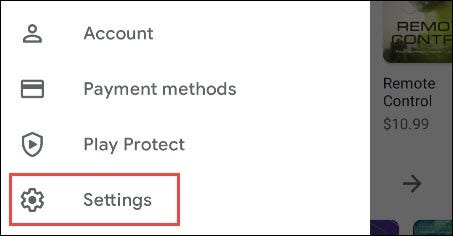
First, open the Google Play Store on your Android phone or tablet . Then, tap the menu icon in the top left corner to open the sidebar menu.

Select “Settings” from the menu.
Scroll down to the “About” section. Under the “Play Protect Certification” section, it will state whether device is certified or not.
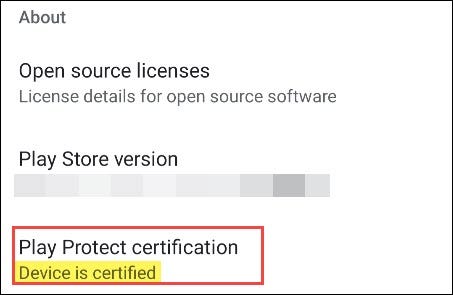
You're all set! If you find that your device is not certified and you haven't modified it, you can check Google's list of supported Android devices to see if yours is included
Source of information:
