

Your Mac has a distinctive startup sound that plays every time you start your Mac. Except for Macs sold between 2016 and 2020, it's the default option on every Mac. Here's how to turn the startup sound on or off.
Mac users running macOS Big Sur or later can now turn the startup sound on or off with the flick of a switch. If you're not familiar with the Mac startup sound, check out the video at the end of the article.
You can enable or disable the startup sound for your Mac very easily from the System Preferences menu.
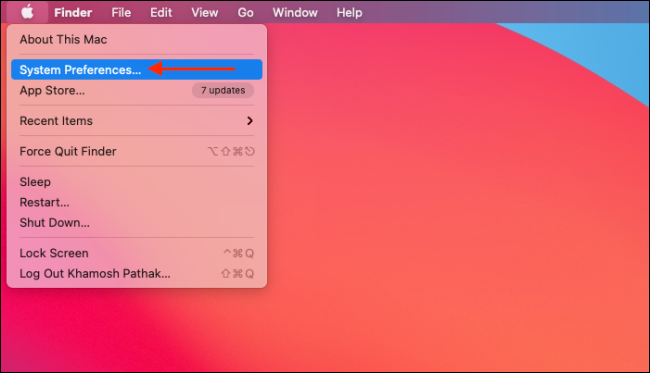
Click the Apple button on the left side of menu bar and select "System Preferences."
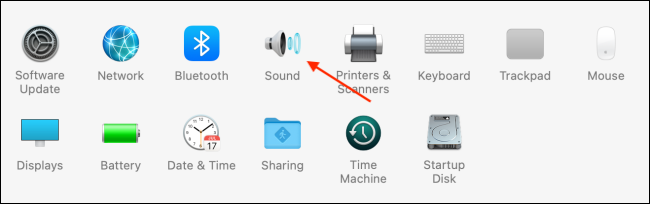
Here, click on the “Sound” button.
Now, from the “Sound Effects” section, select the check mark next to “Play Sound on Startup” to enable or disable the feature.
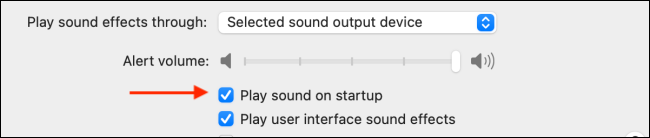
Mac or Macbook will play (or not) the Apple sound the next time you turn on laptop or computer .
Source: howtogeek.com
