

It is possible that someone is playing with you. Don't forget to ask for proof, such as messages you have sent or received. On the other hand, they may actually be spying on your phone. There are actually numerous android apps that can do this.

But first, let me make one thing clear: No one can track you through your phone's IP address. Take your phone with you on your morning jog and you'll notice that IP address will change three or four times before you get home.
For someone to track your phone, they need to install a spying app on it. This could be in the form of malware, like the recently discovered Godless, which can be downloaded as part of a seemingly innocent app.
Similarly, there are spyware apps that don't pretend to be anything. These are tools, like GPS Phone Tracker. And yes, you can download them from the Play Store.
Why doesn't Google block these apps? Because they serve no obvious purpose. If your employer gives you a company phone, they have every right to see what you do with it. And parents should monitor their children's internet .
Believe it or not, some people install these apps on their phones because they want to. The Couple Tracker app allows suspicious spouses to track each other's movements and messages.
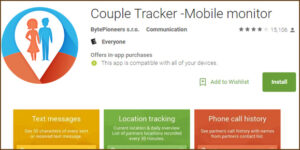
If you are an adult and you buy a mobile phone with your own money, only you have the right to install or not install such an application. But if someone else has physical access to your phone and knows your PIN or password or can log into your Google account, they can install any application they want without you knowing or noticing.
So how can you tell if you have a spy app on your phone? An unusually hot phone or a battery that suddenly loses all its power should be suspicious. But not too suspicious. These symptoms can be signs of some other, smaller malicious problems.
If you want to be sure, you can run Anti Spy. It finds spying applications and gives you the opportunity to uninstall them.
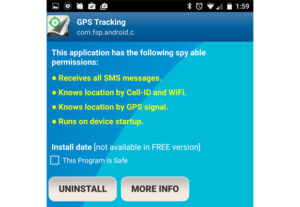
And use common sense. Make sure no one else has unlocked your phone or logged into Google account (except for places you trust, of course). Finally, don't forget to only download apps from the Play Store and try to control your digital footprint.
