

Maybe this holiday season, you should opt for an iPad with keyboard combo instead of the usual Chromebook!
Next year, Apple will introduce an even more affordable MacBook model to better compete with Chromebooks. It's expected to cost around $699, offer an A18 Pro chip, and a 13-inch LCD display. While that's likely to be a great deal, many people who buy Chromebooks are aiming for even lower prices.
See also: Google adds AI capabilities to Chromebook Plus devices
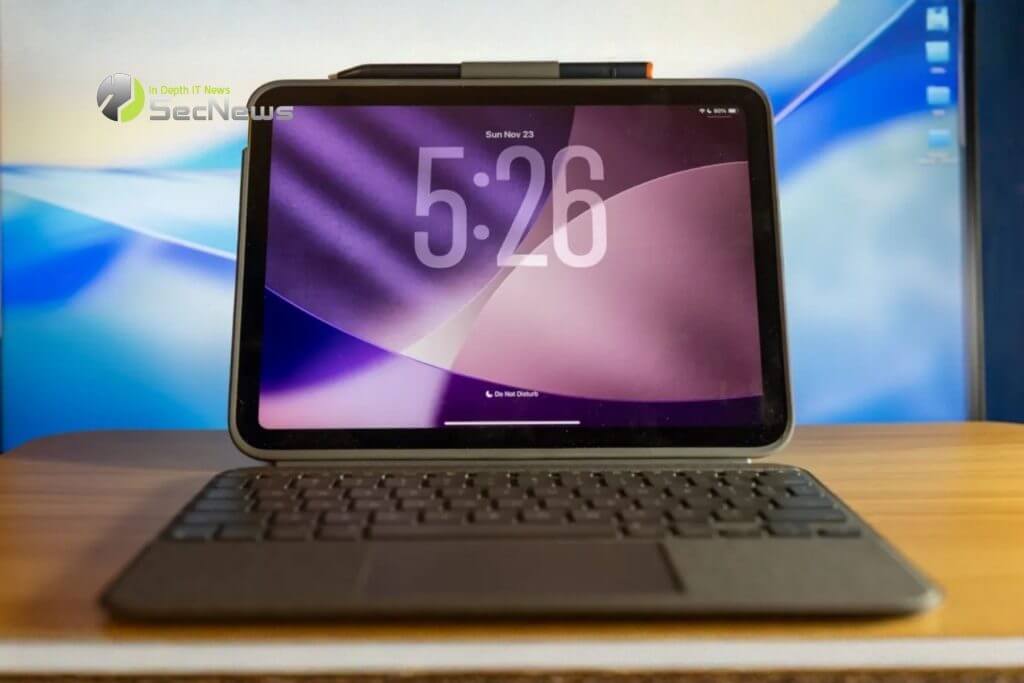
Apple already has a great solution for some of these potential buyers: the iPad, paired with a keyboard of your choice.
This holiday season, many parents and relatives around the world will be buying their kids new laptops for school, and many of those laptops will likely be Chromebooks under $500. While Chromebooks certainly have their place in the market, many kids already love iPads, and many don't realize the potential iPads can offer, especially in recent years.
Apple's cheapest iPad is the iPad (A16). Priced at $349, it offers an A16 chip, a high-resolution 11-inch display, 128GB of storage, 6GB of RAM, an aluminum chassis, and high-quality stereo speakers. It comes with the Logitech Combo Touch, an affordable keyboard and trackpad accessory for the iPad that uses Apple's Smart Connector, which means you don't have to worry about charging the keyboard.
iPadOS 26 brings a key feature to Apple's cheapest iPad for the first time: windowed apps. Apple has always offered windowed capabilities to some extent, most notably in the form of Stage Manager. However, this was limited to select iPads, including the A12X/Z iPad Pros, as well as any iPad with an M1 chip or newer. This meant it was never available on Apple's cheapest iPad, until now.
Now, you can easily open multiple Safari windows or have a Google Docs window next to Mail. Finally, the limited multitasking capabilities of iPadOS are starting to be unlocked.
See also: Chromebook: How does it protect schools from cyberattacks?

iPads support the incredibly versatile Apple Pencil, as well as third-party options like the Logitech Crayon. This means you can easily take notes, sketch, annotate a document, and more. While many Chromebooks offer touchscreens, it's rare for them to have premium pen offerings.
There's another advantage to using an iPad as a Chromebook alternative: you probably already enjoy using an iPad. It's familiar, and you can use all the iPhone and iPad apps you already love, unlike a Chromebook that's primarily web-based. Sure, some Chromebooks support running Android apps, but that's not a fantastic experience.
The Logitech Combo Touch also offers a nice feature: the ability to detach the keyboard. So when you're not working or typing a document, you can simply use your iPad as a tablet and take advantage of the Combo Touch's excellent stand.
The A16 Bionic chip will be significantly faster than any chipset you'll find in a budget Chromebook. Additionally, many Chromebooks will only offer 4GB of RAM, compared to 6GB in the iPad. Finally, Apple's internal storage will be much faster than the eMMC storage offered in budget Chromebooks.
In short, the iPad will feel more responsive and last longer before it starts to feel slow.
See also: HP: Just released new Chromebooks with prices starting at $299

If you're thinking about gifting someone in your life a budget Chromebook, you might want to consider giving them an iPad and the Logitech Combo Touch. It's more versatile and offers a much more enjoyable experience than a sub-$500 Chromebook would.
