

Mozilla Firefox 102 was released today with a new privacy feature, Query Parameter Stripping, which removes parameters from URLs used to track you across the web.
Many companies, including Facebook, Marketo, Olytics, and HubSpot, use custom URL query parameters to track link clicks. For example, Facebook adds an fbclid query to outbound links to track clicks, with an example of one of these URLs shown below.
https://www.example.com/?fbclid=IwAR4HesRZLT-fxhhh3nZ7WKsOpaiFzsg4nH0K4WLRHw1h467GdRjaLilWbLs

With the release of Firefox 102, Mozilla added the new “Query Parameter Stripping” that automatically removes various query parameters used for tracking from URLs when you open them, either by clicking on a link or simply pasting the URL into the address bar.
Once enabled, Mozilla Firefox will now remove the following tracking parameters from URLs when you click links or paste a URL into the address bar:
- Olytics: oly_enc_id=, oly_anon_id=
- Drip: __s=
- True: true_id=
- HubSpot: _hsenc=
- Marketo: mkt_tok=
- Facebook: fbclid=, mc_eid=
While this is a great start, there are additional unfiltered trackers that the Brave Browser currently blocks.
See also: Firefox: Total Cookie Protection is released by default to all users worldwide
The new Query Parameter Stripping feature is part of Firefox's Enhanced Tracking Protection
To enable Query Parameter Stripping, go to Firefox Settings, click Privacy & Security , and then change Enhanced Tracking Protection to Strict.
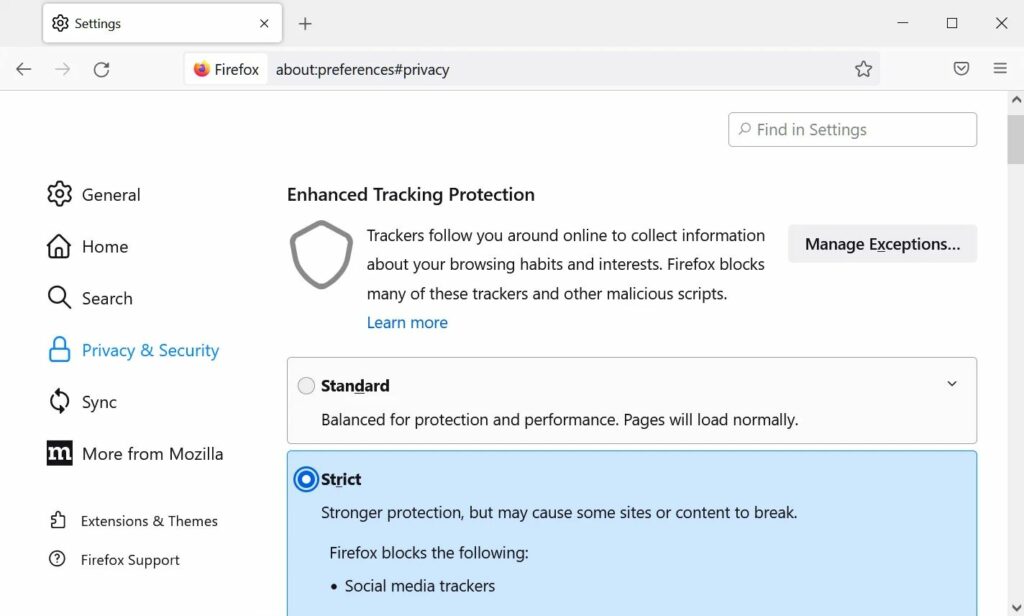
However, these tracking parameters will not be removed in Private Mode even with Strict Mode enabled.
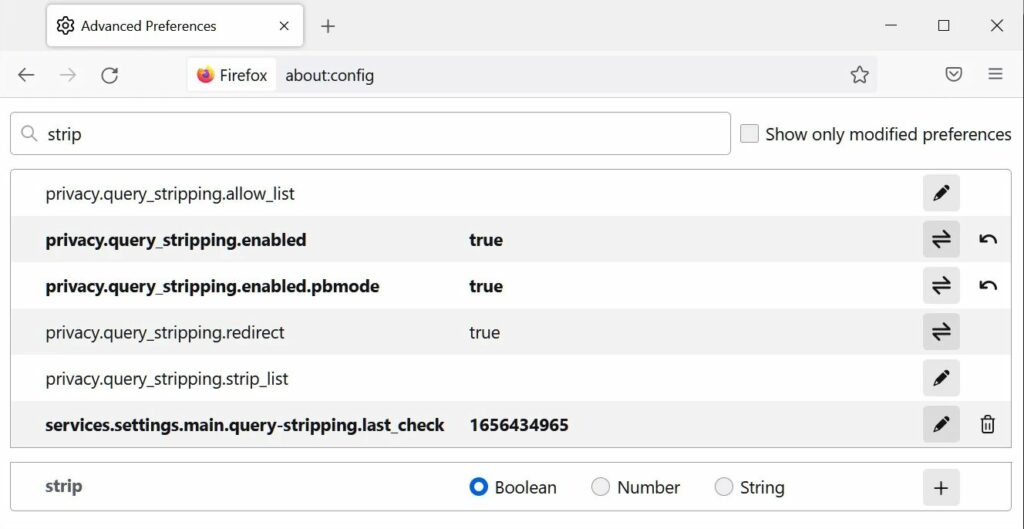
To also enable the feature in Private Mode, type about:config in the address bar, search for strip, and set the 'privacy.query_stripping.enabled.pbmode' to true, as shown below.
Read also: Firefox 100 released on desktop and mobile
It should be noted that setting Enhanced Tracking Protection to Strict may cause problems when using certain sites.
If you enable this feature and find that websites aren't working properly, simply reset it to Standard (disables this feature) or the Custom setting, which will require some tweaking.
Source: bleepingcomputer.com
