

Twitter is one of the most popular platforms , offering its users the opportunity to share their opinions and news with their friends. However, like all applications, it also has its downsides.

If you use the Twitter app on your iPhone or Android, you might be tired of hearing those cute sound effects when you do certain tasks, like refreshing your feed. Luckily for you, it's easy to turn off these sound effects. Here's how you can do it.
First, open the Twitter app on device . Then, tap the icon with the three horizontal lines (on iPhone) or your profile picture (on Android) in the top left corner of the screen.
In the menu that appears, select “Settings and privacy“.
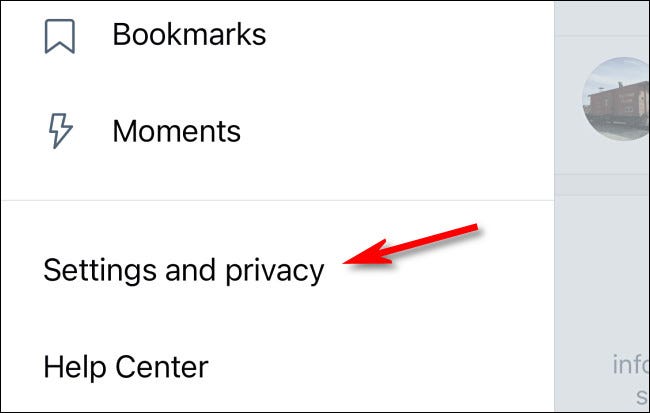
In the “Settings & Privacy” section, scroll down to the “General” section. Tap “Appearance & Sound.”
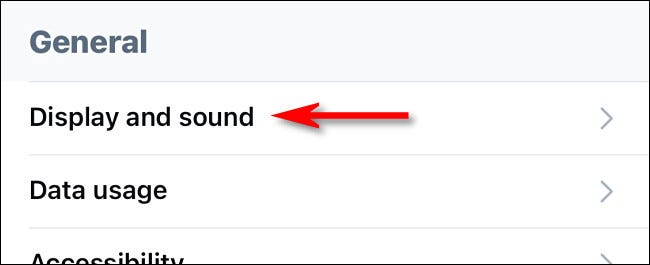
Under “ Display & Sound ,” find the “ Sound Effects ” setting and turn it off (on iPhone) or uncheck it (on Android). After that, go back twice to exit Settings. Sound effects are now turned off.
Now you can enjoy the features that the app , without being disturbed by sounds.
Twitter is a dynamic social networking platform that allows users to share short messages, known as tweets, which can contain text, images, and links. Characterized by its fast-paced and real-time nature, Twitter allows for immediate communication and engagement with a global audience. Users can follow accounts, participate in trending topics, and use hashtags to increase the visibility of their tweets. The platform serves as a powerful tool for news dissemination, social commentary, and networking, making it a vital space for conversations on a variety of topics.
