

Apple has decided that in Safari 14.0 and later, it will display favicons in tabs. Don't like the look? Here's how to turn them off on your Mac.
Mac users using Safari 14.0 or later (available to users running the latest version of macOS Mojave, Catalina, Big Sur , and later) will see a new design in their tabs.
Like other modern browsers like Google Chrome and Microsoft Edge, the new tab management feature allows Safari to collapse tabs and display the favicon only when you have more than a dozen tabs open at once. Now you can see all your open tabs without having to “horizontally scroll” in the tab bar.

However, if you don't like it, you can disable favicons and return to the previous tab (as you can see in the screenshot).

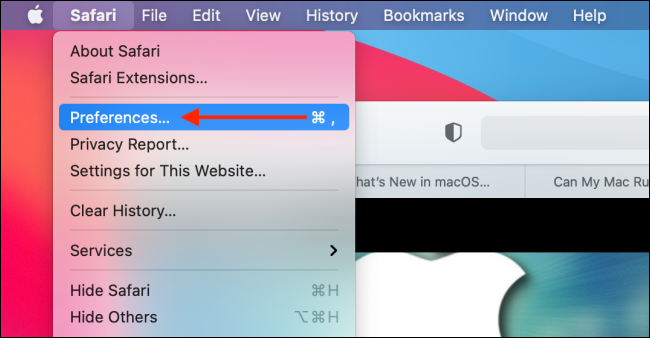
To do this, open the “Safari” app and from the menu bar, go to Safari > Preferences.
Here, go to the “Tabs” section and uncheck “Show Website Icons in Tabs”.
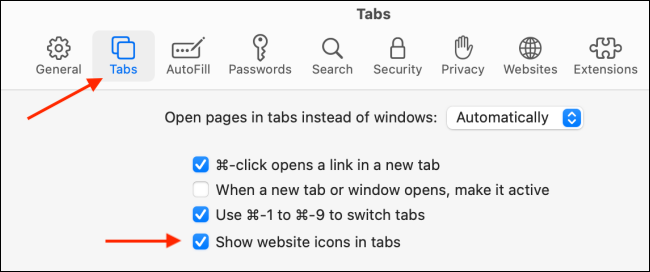
And so, the favicons will disappear and the old look will return.
Source: howtogeek.com
