


At the Microsoft Build 2020 conference , Microsoft announced PowerToys 0.18, which contains two new tools that allow you to easily find/launch applications , as well as easily manage keyboard shortcuts.
The first tool is called PowerToys Run and allows you to search for and open various files and applications with ease. The second tool, known as keyboard manager (remapper), allows you to change your keyboard shortcuts, as well as create new ones.
PowerToys Run
As mentioned above, PowerToys Run is a tool that allows you to search for and open various applications and files, or even manipulate already open applications. The application is opened with the shortcut Alt+Space. By pressing it, you will see a search field, in which you can type the name of the application you want to open.
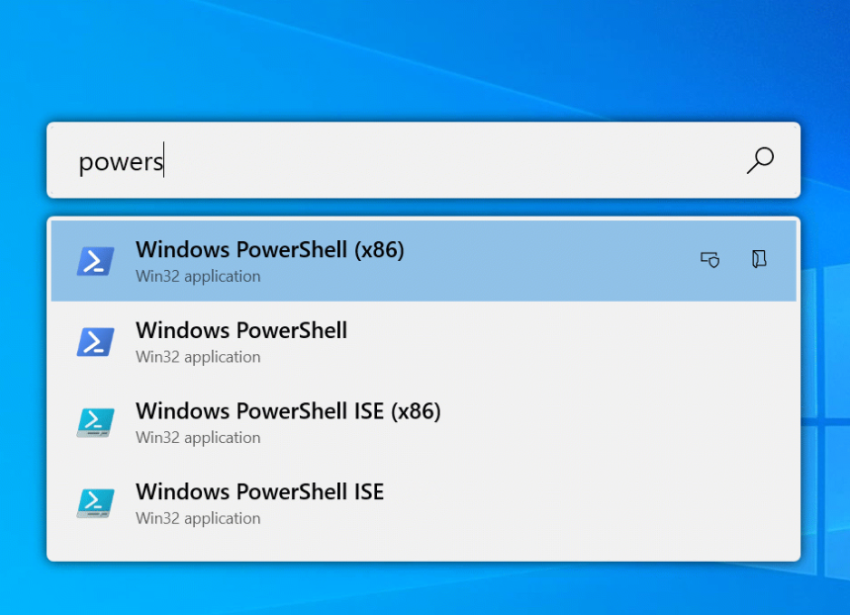
In the search field, you can type the names of programs, files, folders, or applications that are already running on the system. If there are multiple results, they will all be displayed in a list below the search bar. In addition, PowerToys Run allows you to open all executable results with administrator privileges.
In case you want to open an application with additional arguments, you must type the “>” symbol before the search. For example:
- > Notepad++ c:\users\secnews\example.txt
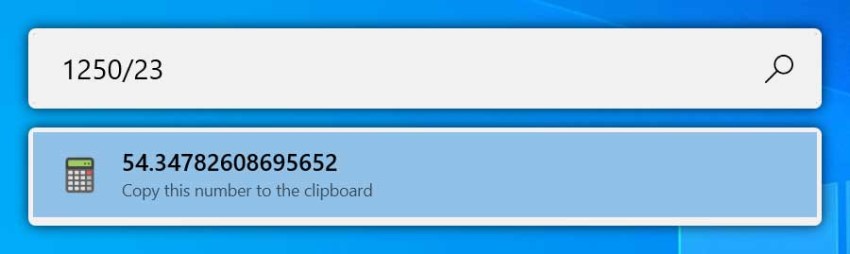
In addition to finding and launching programs, PowerToys Run can also perform basic mathematical calculations, as shown below.
PowerToys Keyboard Manager
As its name suggests, Keyboard Manager is a tool that allows you to change keyboard shortcuts and keys . The program is easy to manage
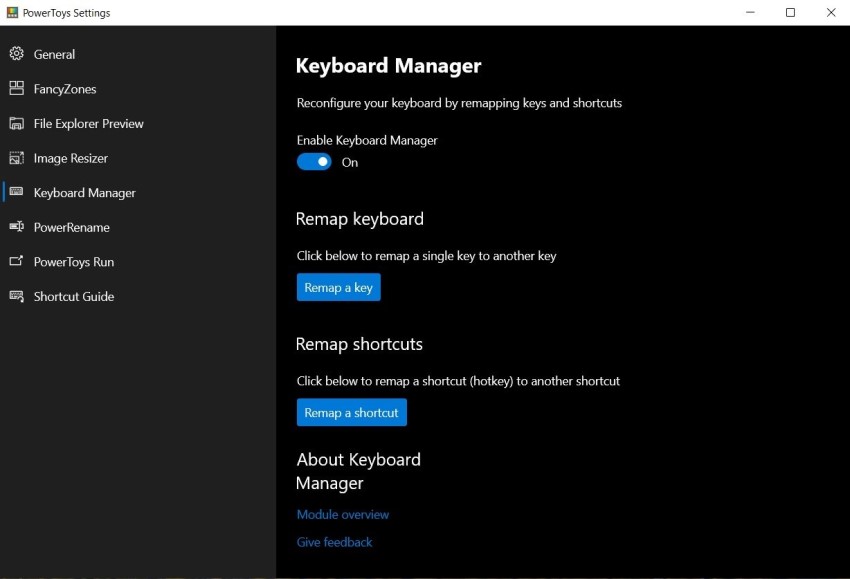
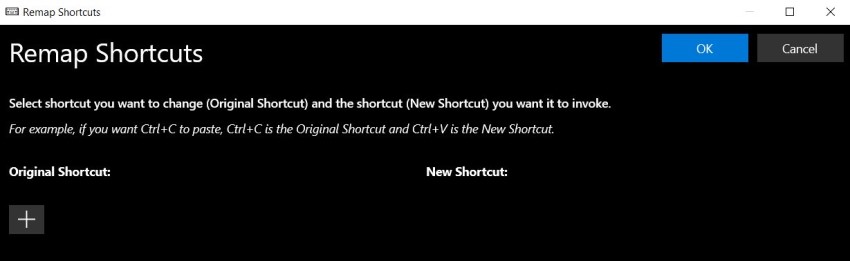
To use PowerToys Keyboard Manager, you'll first need to open settings , then select Keyboard Manager from the menu on the left side of the window. Here you'll see two options: Remap Keyboard and Remap Shortcuts.
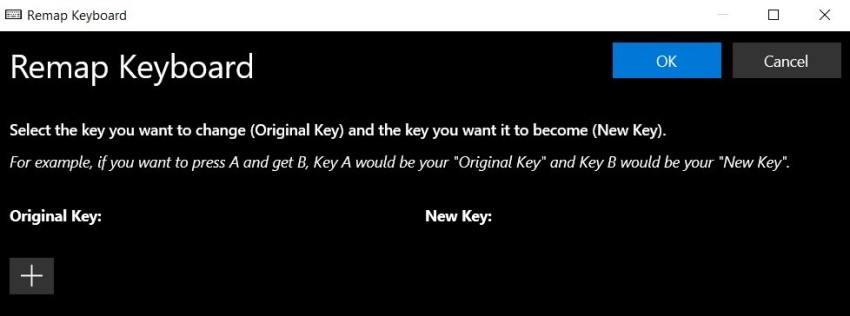
With the first option, we can remap a key to another key on the keyboard. With the second option, we can change the existing keyboard shortcuts.
The new version of PowerToys is now available. You can download it by clicking here.
