


Mozilla , starting yesterday, enabled DNS-over-HTTPS (DoH) by default for US users, with the aim of providing them with encrypted DNS resolution and increasing privacy.
What is DNS-over-HTTPS?
This is a new standard that allows browsers to perform DNS resolution over encrypted HTTPS rather than through common plain text DNS lookups.
There are countries that block certain websites or censor content by monitoring DNS traffic. DoH will allow users in these countries to bypass the blocks and increase the privacy of their DNS requests.
As Mozilla stated, the feature will be rolled out gradually, which means it will be done over the coming weeks to make sure there are no issues with usage as more and more users are able to use it.
Once enabled, Firefox will use the Cloudflare DNS provider by default, however users will be able to switch to NextDNS or a custom provider if they wish, from Firefox's options.
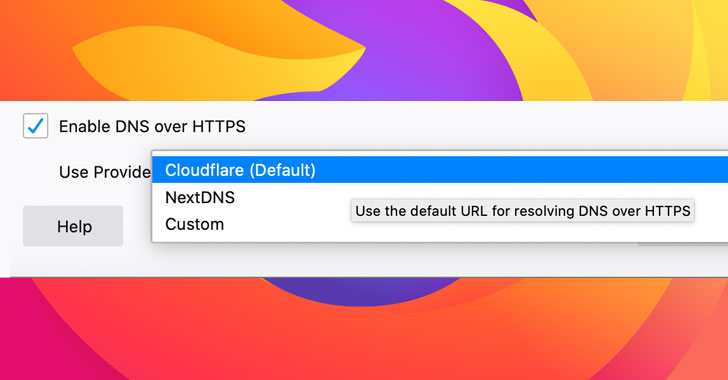
When Mozilla's plans were first announced, they were met with criticism, as Cloudflare was the only DoH provider used by Firefox. Many security researchers and privacy advocates are uncomfortable with so much user data being in the hands of a single DNS provider.
To address these concerns, users can use a custom DoH provider or disable it entirely.
In Firefox 73, Mozilla also added NextDNS as an additional DoH provider to give users more options.
Check if DoH is enabled in Firefox
After the release of DoH, it is somewhat difficult to tell whether it is enabled or not, as activation is done through a system addon that manually changes the about:config preferences.
To see if the DoH addon is installed, you can go to about:support in the Firefox address bar and scroll down to the “Firefox Features” list.
If you see “DoH Roll-Out,” then DNS-over-HTTPS is enabled by default.
Due to the confusion caused by releasing this feature through an add-on system, Mozilla plans to eventually integrate it directly into Firefox.
