

Fedora 28: The Fedora Project team has announced the release of the new beta 2 for the next major release of the famous distribution. The new final version of the Fedora 28 distribution will be officially released on May 1, 2018 (the date preferred by developers) or on May 8, 2018 if something goes wrong. Fedora is one of the most popular GNU/Linux distributions. It is the result of the Fedora Project, a large community of volunteers and is funded and generally supported by the famous Red Hat. This of course means reliability… RedHat. Fedora is free for anyone. So anyone can use, modify and distribute it. It is developed by people all over the world who work together as a community. The Fedora Project, or Fedora Project, is open and everyone is welcome to become a member. Fedora releases a new version every 6 months and you can see the Fedora life cycle in detail on the relevant project wiki page.
Today I decided to install the new beta version, although I believe that as a cutting edge distribution and beta there may be some instability.
The easiest way to install is from the Live DVD that includes the relevant application (Anaconda) for installing Fedora, but since I already have the previous stable version of the distribution installed, I decided to upgrade using dnf. Below we will see how to upgrade the system without downloading an ISO.
The installation can also be done with the netinstall CDs that the distribution publishes, but with the Live DVD it is much faster, since it does not download packages from the internet.
Let's start with dnf:
Before we start, it would be a good idea to create backup copies of your important data. Any change to your system is potentially dangerous, and you should be prepared. In case you update a stable version, it would be a good idea to download a Live ISO and make sure that your hardware (graphics card, wifi, etc.) works well with the latest kernel (the kernel used by the Fedora distribution in version 28 is the latest one released: linux 4.16.2) and drivers.
Update your system using the standard dnf command:
sudo dnf upgrade --refresh
After updating, we recommend that you restart your computer, especially after installing a new kernel.
Install the Package-x-generic-16.pngdnf-plugin-system-upgrade package:
sudo dnf install dnf-plugin-system-upgrade
Download the updated packages:
sudo dnf system-upgrade download --refresh --releasever=28
If you are upgrading to Rawhide, you will need to import the rpm gpg key (the way we describe in this post does not require the next step. The key will be obtained semi-automatically by asking for your permission).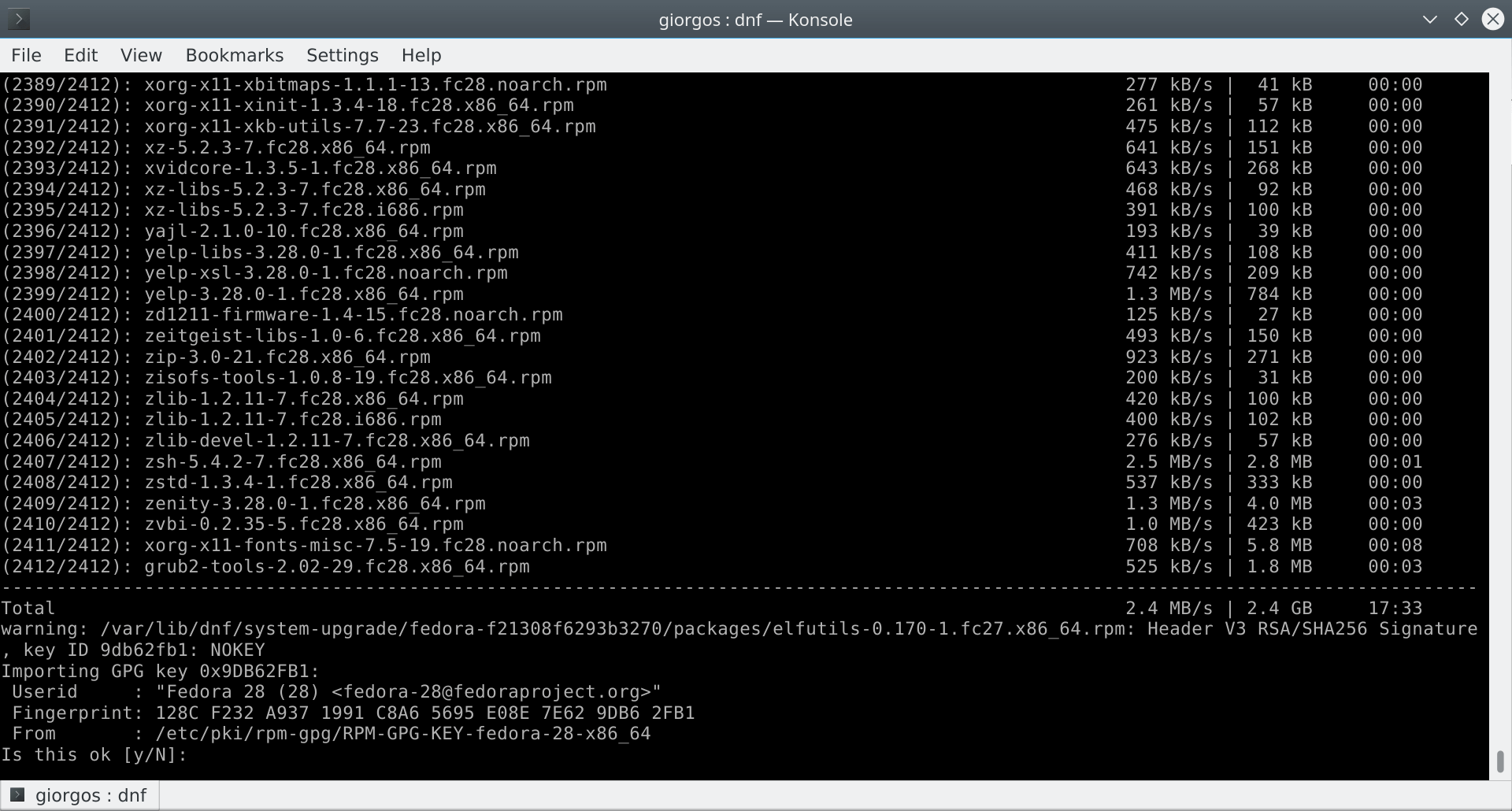
sudo rpm --import /etc/pki/rpm-gpg/RPM-GPG-KEY-fedora-29-primary
Don't worry about the 29 above, if it doesn't exist rpm will import the next smallest key.
If you have packages installed from third party repositories they won't be installed. However, none of them should be necessary for the system to function. If there are some that you need, you can install them later.
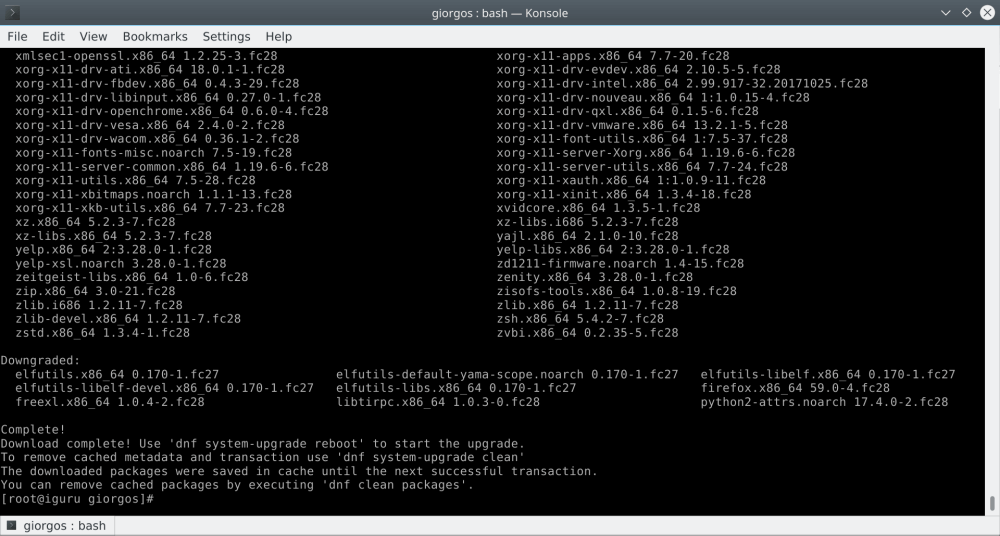
Let's continue with the upgrade process. After all the necessary packages are downloaded to your computer, you can start the upgrade with the command below. Due to the complete upgrade of your system, a reboot will be required.
sudo dnf system-upgrade reboot
The command will immediately reboot your machine. Fedora will boot using the same kernel, but this time, you will see the upgrade process on the splash screen. Wait until the upgrade to Fedora 28 is complete.
