

If you have an old, low-powered computer and it's running very slowly when you run Google Maps, there's a way to find the information you want quickly and without consuming a lot of system resources. Just use Google's Maps Go.
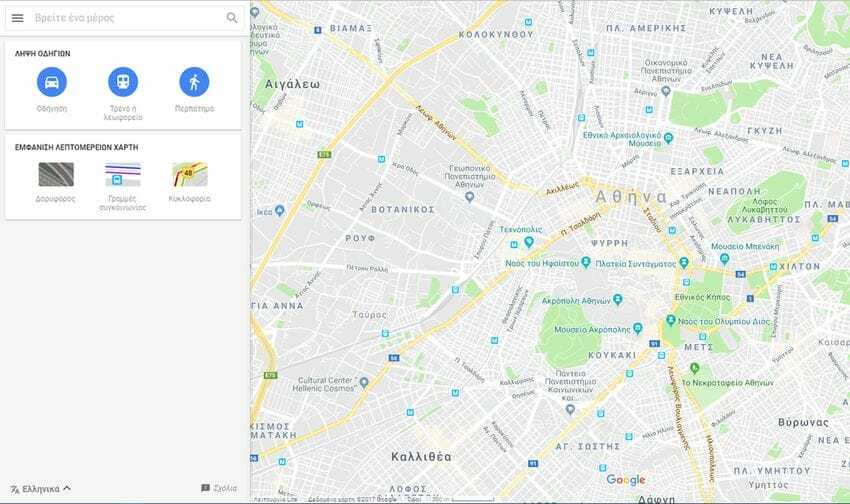
Google recently introduced Android Go as a specially designed version of Android for low-end devices. As with all such “lite” versions, it’s not available everywhere. The main reason for limiting access is simple: Google and other companies want users to use the basic features of each app.
However, lite apps have many advantages over full apps. They don't use many system resources, which is particularly useful for battery, network consumption, uptime, and resource savings on older devices or on overloaded units.
Google has brought several of its apps and services to Android Go. Google Maps Go is one of its latest releases. While it is available on Google Play, it is not available for download and installation unless you are using an Android Go device.
Although you can't install Google Maps Go directly on a regular Android device, you can access the service as it is a web app. This means that if you know the URL of the Google Maps Go service, you can access it using any browser on your device. And so you can benefit from its low resource usage, even without installing it as an app on your device.
All you have to do is open a browser (or a new tab in the one you're reading this article in now) and go to this link to access Google Maps Go. If you're on a mobile phone then you can load the URL in a new tab in your browser and avoid opening the installed Google Maps app on the device.
Google Maps Go supports many of the features of Google Maps. You can search for places around the world, see what's in the location you're interested in, user ratings, and comments.
You can see traffic, and get directions just like you would on the regular version of Google Maps. If you sign in to a Google account, you can access your places and other data associated with your account.
What Google Maps Go doesn't currently support is driving directions (where to turn and when).
Conclusion
Google Maps Go is a handy lite version of the Google Maps program that anyone can access without having to install it as an application on an Android device. In fact, you can also use it from any computer or other Internet device, regardless of whether it runs on Android, Windows, Linux or another operating system.
The service is convenient if you notice slowdowns on your computer when using the main Google Maps application.
