

There is a little-known feature in Windows 10 that can show you recently modified files from a specific application. This way, you can find a file you were looking for much faster. Let's see how it can be done.

As you may already know, Windows 10 collects lists of recently used files and most used folders in a new default location in File Explorer. The special “Quick Access” virtual folder keeps links to pinned folders and links to recently used locations and files. If you modify or create a lot of files, it can be difficult to later locate the required file in this folder, because the list of files will be huge.
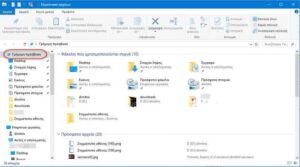
However, you can use search to filter recently used files by application.
This little-known ability in Windows 10 is provided by Cortana, which is represented by the search box on the taskbar. To see recently modified files from a specific app in Windows 10, do the following.
1. Click the search box on the taskbar to activate it. You can also find Search in the apps list.
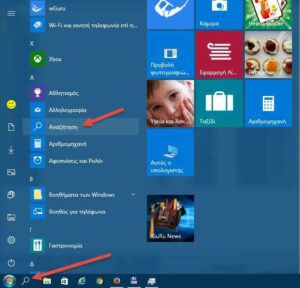
2.Type the name of the application you are interested in in the search box.
Tip: Even if you have disabled the search box, you can type anything directly after opening the Start menu! Even if you don't see any search box!!!
3. Once Cortana finds the app, the list of recently created and modified files will appear under its name.
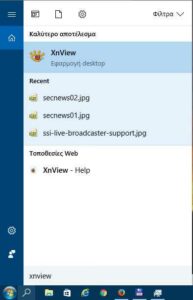
In the example above, we used the image viewer XnView to find its recent files. The same can be done for Acrobat Reader and any built-in or third-party design application.
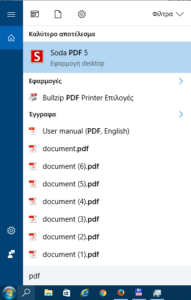
Please note that some applications do not support this useful feature. They may prevent Windows from tracking their recent files. For example, if an application does not have a file association, the list of recently modified files will be empty for that application.
The ability to search for recently created or modified files relies on the jump list feature. If the jump list is disabled, you will not see anything.
