

Safe Web Browser? First of all, let me point out something that I have said many times in my previous topics. 100% anonymity on the internet does not exist!
The only way to be safe is to be careful and not to be complacent! When we connect to the internet, we should think of it as if we were deciding to go out for a coffee at any public cafe. 
Many will see us and possibly listen to our every conversation. The logical reaction when we talk in public is to speak with hints and not specifically, so that only our interlocutor gets the point. For the same reason, our contacts on the internet should also follow similar practices. Especially when our every move remains stored (perhaps forever) on a server!
Which Web Browser should we use?
In both Google Chrome & Opera browsers, WebRTC cannot be disabled (even via plugins), which means that the user's real IP can be found through a website despite the use of VPN, socks, proxy, etc.
The only Web Browser known to me to disable WebRTC is Mozilla Firefox.
How to ensure anonymity in Firefox Web Browser?
- Disable Geolocation API
Geographic location can be determined with relative accuracy. Depending on the hardware available, computers can be used to determine the location of WLANs by area or by GPS. In the worst case, the location can be determined only by the IP address. The API uses Javascript.
Current versions of Firefox ask before allowing access to the Geolocation API. However, I feel better when it is disabled completely. This is done in the following way, in “about:config” the following variable
Geo.enabled = false
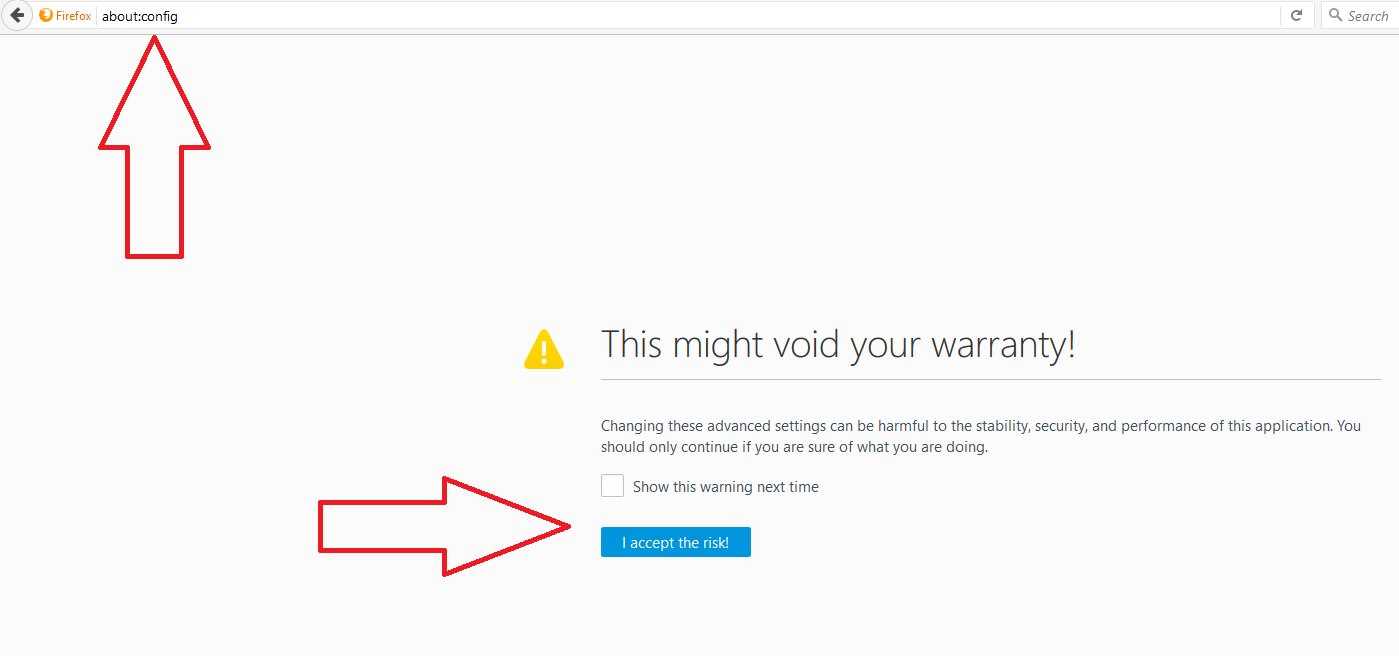

This setting is important when you already use VPNs or other forms of anonymization.
- Disable WebGL
WebGL provides a JavaScript API for rendering 3D objects. It can be used for fingerprinting, hardware graphics performance, and OpenGL implementation. WebGL fonts can also be loaded from the web. This is a security risk because it can allow attacks on the operating system. Errors in the rendering of font libraries can allow remote code execution.
In Firefox you can disable WebGL in the same way I described earlier by searching for:
webgl.disabled = true
webgl.disable-extensions = true
- Disabling WebRTC
WebRTC is a technology that allows for instant telephony and video chat via the browser. With WebRTC, the local IP address of the computer on the network and the public IP address can be determined. VPN connections can also be spoofed. In addition, the presence of a camera and microphone can be targeted.
In Firefox you can disable WebRTC in “about:config” by searching for:
Media.peerconnection.enabled and setting the boolean value = false.
- Disable access to battery status.For unknown reasons, the HTML5 standard provides an API for viewing battery status for laptops. This makes it possible to check the battery charge status and the status of the power connection. The threebrowsers have implemented this API. To prevent this API from monitoring your system power, you can do so in the following way in Firefox. Again in“about:config” and disable:
Dom.battery.enabled = false
- Disable gamepad.Since Firefox 28, the gamepad API is enabled by default. It can be used to get statistics for the browser. via“about:config” be disabledDom.gamepad.enabled = false
- Disable video statisticsVideo playback statistics (framerate, etc.) can be used to obtain browser information. In “about:config” you can disable this feature:Media.video_stats.enabled = false
- Disable HTML5.A browser can send data for analysis to the web server, which is collected via JavaScript, by closing a web page. To disable it, go back to “about:config” :
Beacon.enabled = false - Download the Safe Browsing Database.Starting with Firefox 34 it is no longer enough to disable the use of Google's Safebrowsing database in the settings dialog. Additionally, you should disable the database from “about:config” if you don’t want connections to Google.
Browser.safebrowsing.downloads.enabled = false
No system is truly secure!
