

Have you wondered what will happen to your Facebook account when you depart for the Lord? Okay, it may be a bit early to think about it, but we inform you that Facebook has taken care of that as well.

Although it is not a pleasant subject to contemplate one's death, it is nevertheless a matter that must cross your mind. Of course, you will then be between the third and fourth clouds in the sky, praising the Most High with a harp in your hands and the whole matter will not concern you. But you will certainly have left behind an online legacy. The question is: do you want to be remembered and continue to fill your online profile or do you want to be lost forever in the oblivion of eternity? In any case, Facebook gives you both options. You can either choose to delete your account when you die, or leave it as a legacy for future generations. Let's look at these options:
Converting your account to “Memorial”.
When you choose to convert your account to “Memorial” you designate (while you are still alive) another Facebook user you trust as responsible for maintaining and operating your account. According to Facebook’s guidelines, they will be able to do things like pin a post to your Timeline, respond to new friend requests and change your profile picture. They will not be able to post under your name or see your messages.
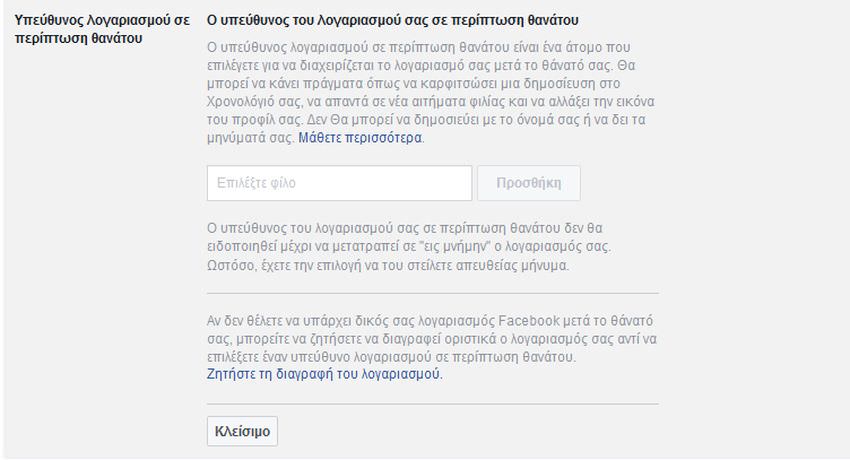
When a Facebook account is turned into a “memorial” account, then your friends and relatives will be able to collect your memories from your timeline and additionally it will have the following basic features:
- The phrase In memory appears on the profile of the person who has died, next to their name
- Depending on the account's privacy settings, the deceased's friends may be able to share memories on the Timeline that has been turned into “in memoriam”.
- The content that the deceased had shared (e.g., photos, posts) remains on Facebook and is visible to the audience it was shared with.
- Profiles that have been turned into “in memoriam” do not appear in public spaces, e.g., as suggestions in the “People You May Know” section, in ads, or in birthday reminders
- No one can log into an account that has been turned into “memorial”
- Accounts that have been turned into “memorial” and for which no responsible person has been designated for the account in case of death cannot be modified
- Pages with a single administrator whose account has been memorialized will be removed by Facebook if it receives a valid request
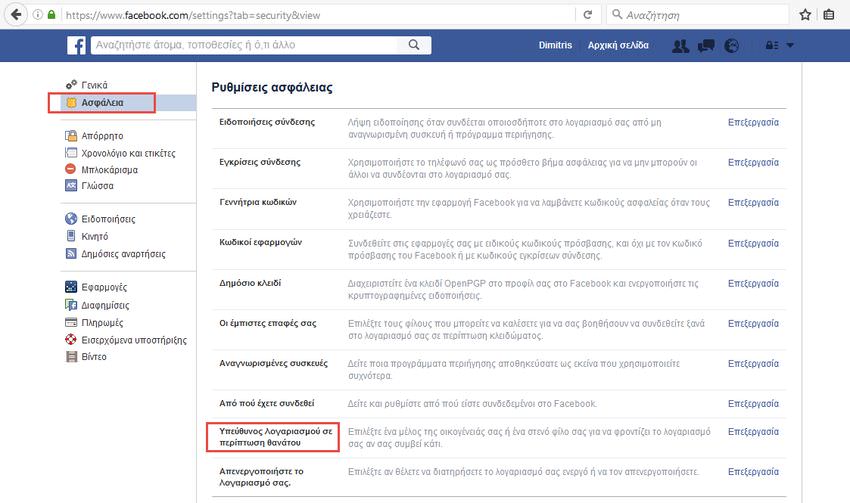
To set your account to be “Memorialized” (while you still have time), you need to go to Settings > Security > Account Manager in case of death. From there, you will designate a friend or family member you trust to follow your final wishes. Make sure they are over 18 years old. Now, if you both die in a plane crash… what can we say? You gambled and lost.
Once you die, Facebook, to confirm that they aren't playing some nasty joke on you, will require your name, the date you lost your life, and optionally some form of proof, such as a copy of your death certificate or a link to your obituary. Once your account becomes “In Memoriam” the person responsible for your account will be notified to take the necessary actions.
Deleting your Facebook account after your death.
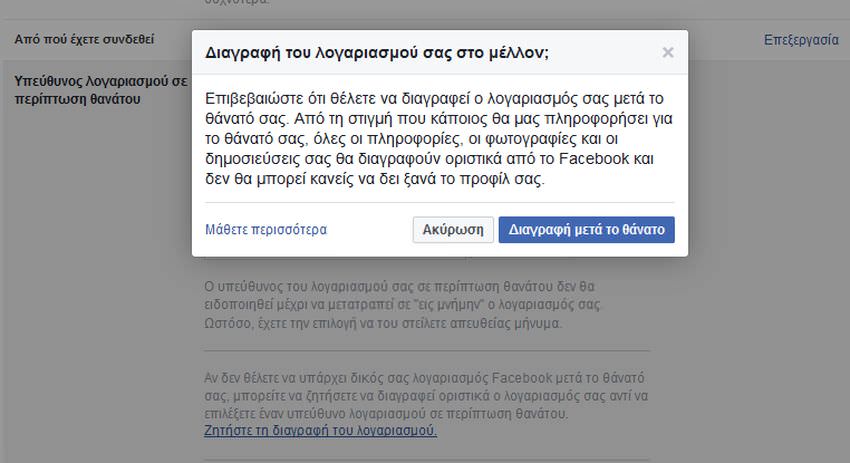
The simplest solution is to instruct that your account be deleted after you pass on to another dimension. To do this, open Settings > Security, click on “Account Manager in Case of Death” and this time click on “Request Account Deletion.”
As soon as you click, a new message will appear and will ask you to “Confirm that you want your account to be deleted after your death. From the moment someone notifies Facebook of your death, all your information, photos and posts will be permanently deleted from it and no one will be able to see your profile again.”.
However, when you ring the bell of heaven's gate, someone will have to notify Facebook via a special request form. It's best to appoint someone, regardless of whether they're in your contacts, to deal with this matter. Make sure they let them know your wishes for how your account should be handled. Regardless, if you state that you want it deleted, you'll need to take care of how Facebook will be notified when you're "looking at the radishes upside down."
