

We continue our previous article with the rest of the new features of iOS 9. Small changes that can bring great convenience to the daily use of our device. Let's see them together:
14 Low Power Mode for extra battery life
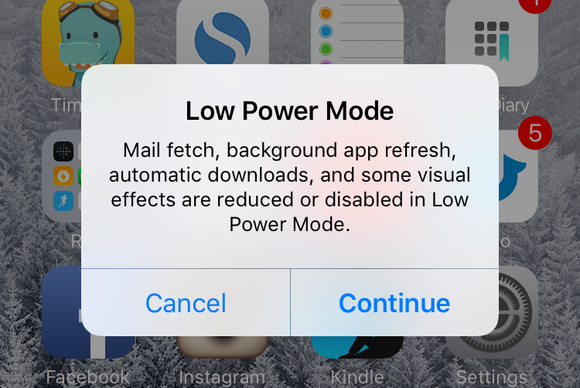
We can't help but write good words about Low Power mode. We like that at 20% and then at 10% it asks us to activate it, and then it turns off by itself when we charge our device above 80%. And we can still use almost all the functions of the phone, such as: Wi-Fi, Bluetooth, Location Services, GPS, everything. The screen will go to sleep a little faster than before, and AirDrop or Continuity will not be able to be activated…
15 Automatically organize selfies in Photos
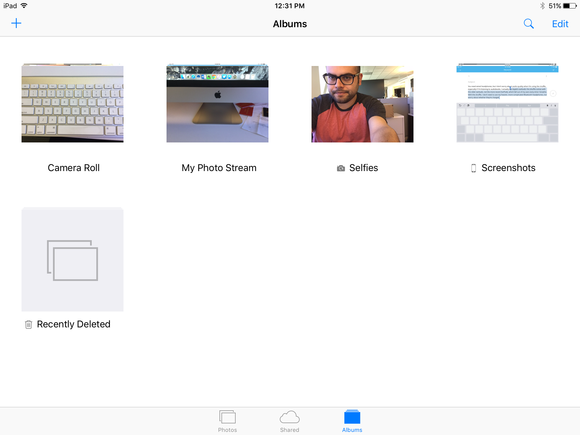
A small change to the Photos app in iOS 9 makes it easier to organize your images, especially if you're a selfie fan. Photos taken with the front-facing camera are automatically in a "Selfies" folder, while screenshots taken by pressing the Home button and power button are placed in their own separate folder.
16 The new advanced San Francisco font
The custom font designed by Apple and first used in the Apple Watch interface is now coming to iOS 9. This new San Francisco font is used in Settings, Spotlight search, and native apps. You can choose it as the default font from the iBooks collection.
17 Finally an intuitive Shift key
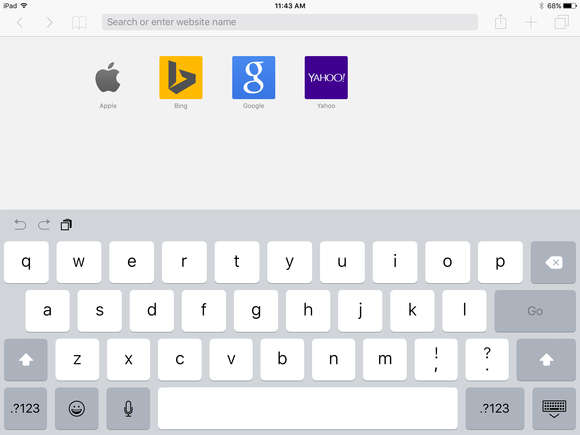
I love the tweaks to the standard iOS keyboard—especially the new Shift key. I know, it's far from anything 'revolutionary,' but it's much easier now to see if caps lock is off or when the entire keyboard is displaying letters in uppercase or lowercase.
18 Go back to previous apps with the tiny, new Back button

The Back button really breaks it! If for example I'm on Twitter, and a notification from Instagram appears, I can tap on that notification, go to Instagram, browse through Instagram, and on top of that I'll be able to go back to Twitter with a single tap! I could definitely do this before, with the application switcher, but the back button is really much more convenient!
19 Sharing content in Notes becomes a game
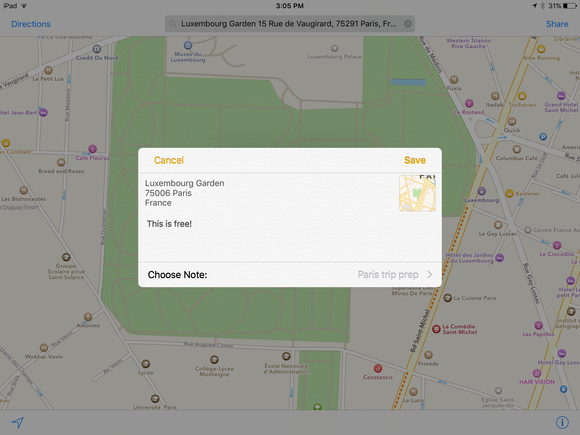
The Notes share sheet is a game, allowing us to insert websites, maps, and photos into our to-do list. Once third-party apps support share sheets, our notes will become richer and much more useful than they have been so far.
20 Siri: our personal DJ
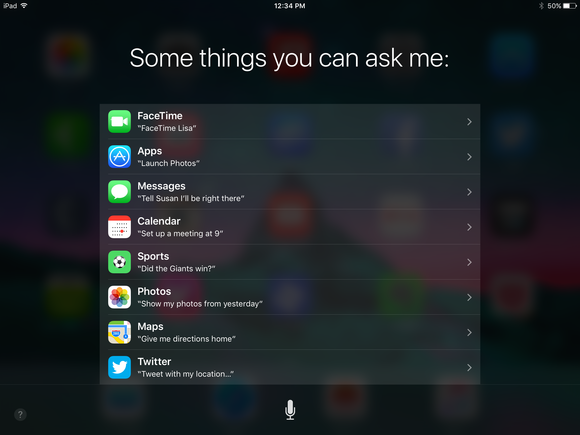
In iOS 9, Siri gets a little smarter. Not only does it provide us with weather information or directions, but it can also answer more complex questions, like “Show me photos from last summer.” The most interesting point, however, is how well it knows our Apple Music collection . You can ask it to play a specific song, artist, or “the hottest songs since 1986.”
21 Want to change Settings? Just search!
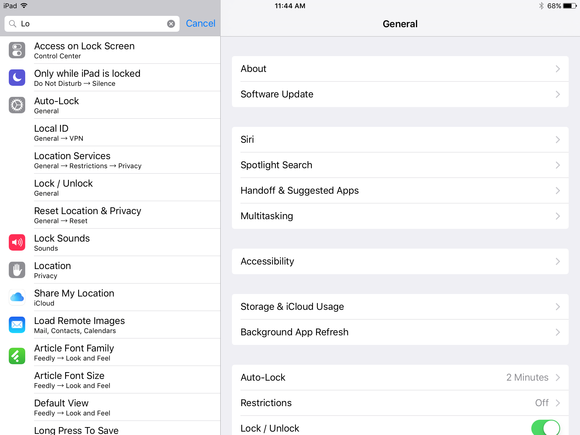
A Settings app that you can search for is another new feature of iOS 9. It's so small, yet so useful that I can't tell you for sure why Apple hasn't included it yet!
22 Drive, walk or take public transport

For years, Maps users had to rely on third-party apps to get reliable transit information. That's changed. iOS 9 finally includes Transit view, which includes subway, bus, and other transit schedules. Transit, however, is available in a select few cities: Baltimore, Chicago, New York, Philadelphia, San Francisco, Washington, DC, Mexico City, London, Berlin, Toronto, and 300 cities in China.
23 You can find cool articles quickly in News
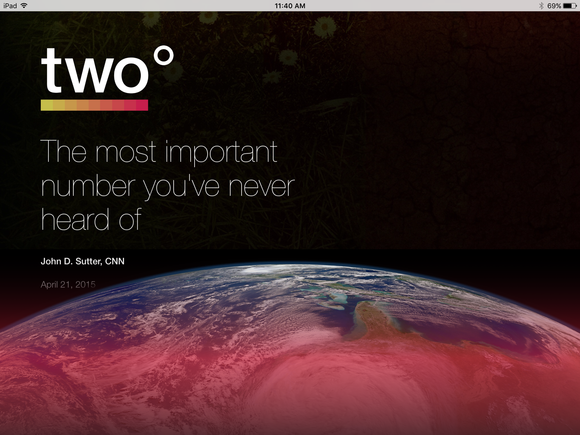
Some publishers are adopting the Apple News Format to create cool articles in the News app with large images, animations, and videos. Luckily, it's easy to find these articles simply by subscribing to the Apple News Selections channel.
24 Integration with Apple Watch Activity achievements
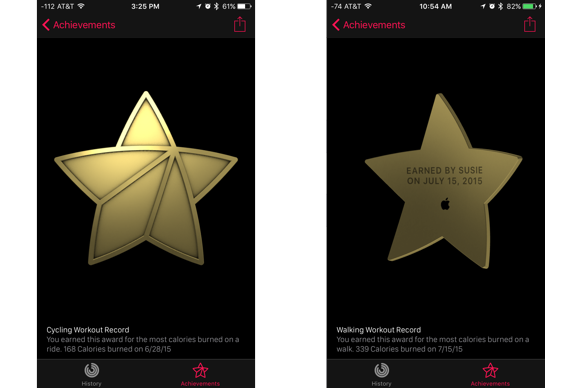
For Apple Watch users only: It's really cool that achievement medals in the Activity app are engraved with the date you earned them. Just swipe one with your finger to flip it over! It's a small change, almost imperceptible, but very cool!
25 For iPads Only: Easily Edit Large Texts
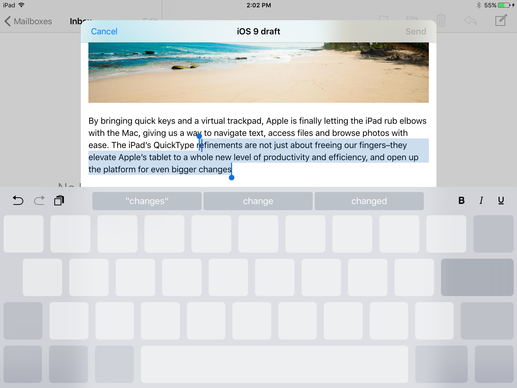
With iOS 9, you can press two fingers on the keyboard and it instantly turns into a trackpad, allowing you to select large text with a single swipe. The new QuickType bar tools will help you edit text or cut/copy/paste it with just one tap.
26 For iPads only: Anti-distraction with picture-in-picture mode
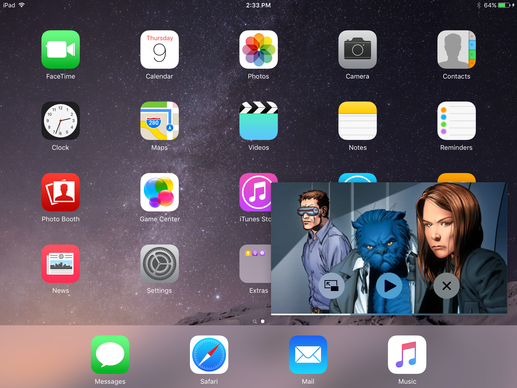
If we go back to our school days, most of us will surely remember hiding a magazine inside a book, so that we could read it at our leisure… iOS 9 and the iPad give us the ability to distract ourselves with the picture-in-picture function. Now you can search for a project for your work while watching Cartoon Network at the same time.
