

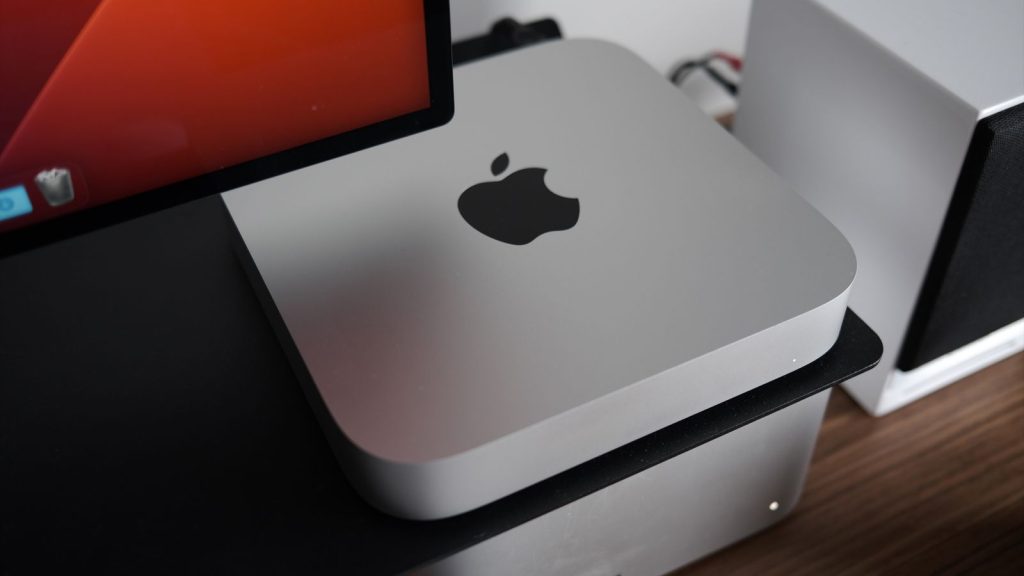
The new Mac Mini refreshes its 2020 predecessor with next-generation M2 and M2 Pro processors. This affordable, plug-and-play system is also powerful enough to meet the demands of any content creator – all conveniently packed into a small package!
Apple today just released its groundbreaking M2- series MacBook Pro and Mac mini models , powered by the new M2 Pro and Max chips . We had the privilege of testing one of these devices ourselves – an M2 -equipped Mac mini – to see how it compares to other machines in Apple ’s lineup! To give you a better idea, we put the device through a series of benchmark tests.
The two base Mac mini models are equipped with either an M2 or M2 Pro chip . While the recently discontinued Intel model has four Thunderbolt 4 ports , the M2 machine only has two of those ports. Aside from that major difference, both versions look exactly the same on the outside – equipped with two USB-A ports , a 3.5mm headphone jack , and an HDMI 2.1 port, as well as an Ethernet port .
See also: Former Apple engineers: Apple and Google are in a “silent war”
To better understand the power behind Apple 's move from Intel chips to the new M2 Pro chip in the high-end Mac mini , we decided to run some benchmark tests, comparing it to the already impressive M1 Max Macbook Pro . Our tests not only showed that the other M -series chips outperformed previous Intel models , but they also highlighted just how much more powerful and faster this new chip is!
Equipped with a formidable 10-core processor and a GPU , the MacBook Pro M1 Max delivers groundbreaking performance. Meanwhile, its higher-end counterpart – the Mac mini , which houses an equally impressive M2 Pro – is equipped with a 10-core processor and a 16-core graphics unit.
Let's take a look at the test results:
Speedometer (Web Responsiveness)
- M2 Pro Mac Mini – 383
- M1 Max MacBook – 319
Cinebench
M2 Pro Mac Mini:
- Multi-core – 11696
- Single core – 1642
M1 Max MacBook Pro:
- Multi-core – 12240
- Single core – 1528

Geekbench
M2 Pro Mac mini:
- Single core – 1886
- Multi-core 11862
- OpenCL – 38712
- Metal – 45831
M1 Max MacBook Pro:
- Single core – 1787
- Multi-core – 12721
- OpenCL – 55866
- Metal – 67403
Naturally, the M1 Max 's GPU is far superior to that of the more modestly equipped M2 Pro Mac mini . With twice the GPU cores , however, it doesn't exactly double the performance – but it comes a lot closer than you might assume.

See also: Apple Watch saves a pregnant woman's life
If you're looking for an affordable desktop machine that can handle video editing, 3D rendering , and other power-intensive tasks with ease – then you should consider investing in the M2 Pro Mac mini for just $1299 ! This offers incredible performance value.
If you're torn between choosing the affordable M2 or opting for an M2 Pro, let us help you out. If all you need is basic tasks like browsing the web, sending emails and video calling, then the regular M2 will be enough - however, we'd recommend investing in one with 512GB of internal storage, as reports suggest that SSD may be slower than expected if you stick with a standard model - which is true for both the MacBook Air and MacMini.
For video and photo editors , the M2 Pro is a great desktop option that won't make you feel like you're being pushed to your limits. Plus, access to additional ports is always handy. However, for intensive 3D rendering or motion graphics work, the Mac Studio with the M1 Max chip would still be the best choice.
With the release of the M2 and M2 Pro, Apple addressed a critical gap in its product lineup that it had previously ignored. While Macs are easy to use, you can't upgrade them like traditional desktop PCs —which could seriously limit your flexibility down the road.
Source: macrumors.com
