

Spotify is much more than just a music streaming service. It also has many social features, including mixed playlists and followers. If you don't want anyone to see your Spotify account, you can block them.

See also: Spotify brings real-time lyrics to all users worldwide
The ability to block other Spotify users has been a feature that users have been asking for for a long time. It's possible to block artists you don't like, but until November 2021, it wasn't possible to block individuals. We'll show you how it works.
Blocking fellow users is available on the Spotify mobile apps for iPhone, iPad, and Android, as well as the desktop and web app.
See also: Spotify: How to delete a list from Recently Played
First, you need to find the user you want to block. There are a few ways to do this.
For example, you can search for their name or username from the “Search” tab and select their profile.
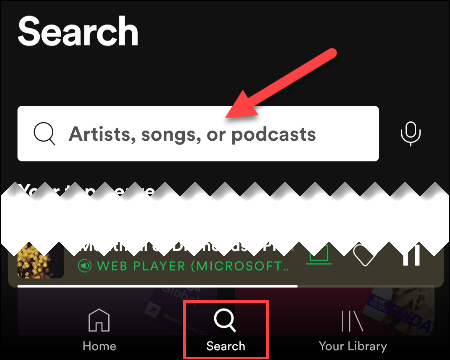
Or, if this user follows you, you can go to your list of followers—which is on your profile page—and select their profile from there.

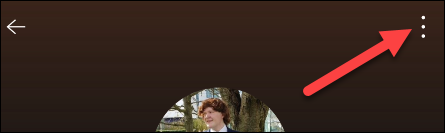
Once you're on the user's profile page, tap or click the three-dot menu icon.
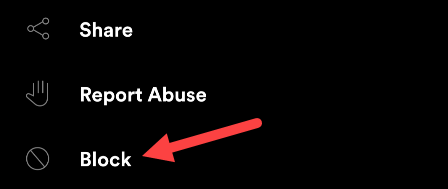
Select "Block" from the menu.
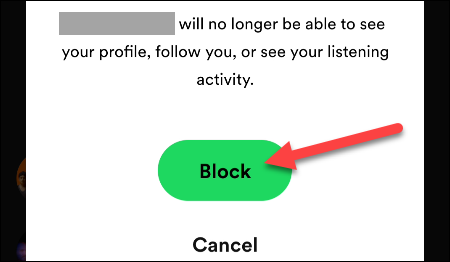
Spotify will ask you to confirm that you want to block the user.
See also: iPhone battery life is short? Spotify could be to blame
You're done! The person will no longer be able to see your profile, follow you, and see your playlists or listening activity.
Information source: howtogeek.com
