

Apple Watch Series 6 and later come with blood oxygen monitoring. It even records blood oxygen levels in the background. Not using the feature and want to save battery? Here's how to turn off blood oxygen monitoring on your Apple Watch.

How to turn off blood oxygen monitoring
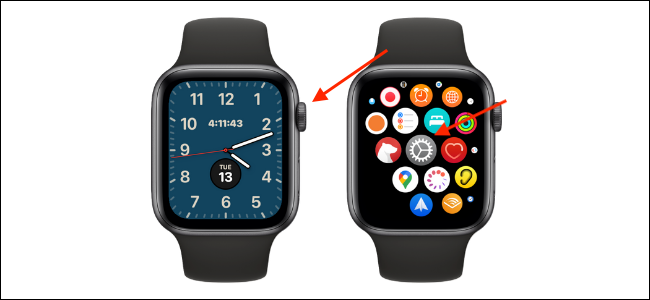
You can turn off tracking from the Settings app on your Apple Watch. Make sure you're viewing the Apple Watch watch face and press the Digital Crown. From the app drawer, open the Settings app.
Here, scroll down and select the “Blood Oxygen” app. Tap the toggle next to “Blood Oxygen Measurements” to turn the feature off
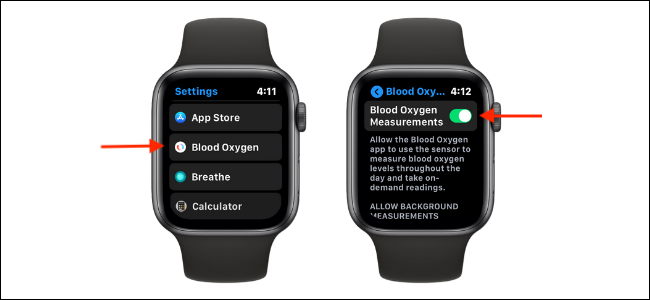
Now, the Blood Oxygen app, along with the background “readings,” will be disabled.
How to delete the Blood Oxygen app from Apple Watch
After disabling the blood oxygen monitoring feature, you may want to delete the app.
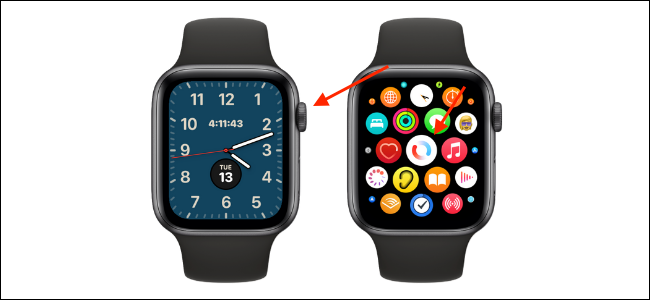
Press the Digital Crown on your Apple Watch to open the app drawer. Here, press and hold the “Blood Oxygen” app.
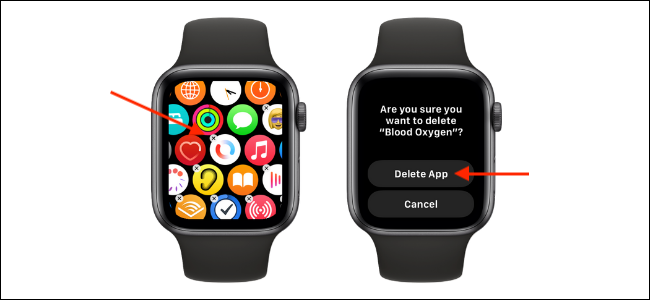
Now, tap the small “X” button at the top of the Blood Oxygen app, then select the “Delete App” option.
If you are using list view, swipe left on the Blood Oxygen app, tap the “Delete” button, and then select the “Delete App” option.
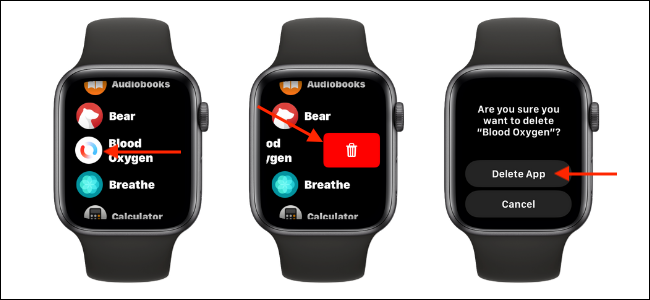
The Blood Oxygen app will now disappear from apps .
How to Turn Off Blood Oxygen Monitoring on iPhone
You can also turn off blood oxygen monitoring using the Watch app on your iPhone.
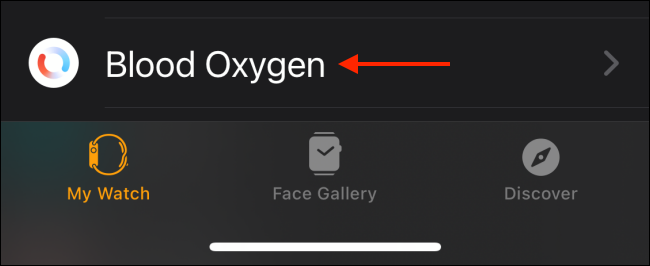
From the “My Watch” tab in the “Watch” app, select the “Blood Oxygen” option.
Then, tap the toggle next to “Blood Oxygen Measurements” to turn the feature off.

Information source: howtogeek.com
