

The volume panel of Android devices has undergone many changes over time. However, users could not easily adapt to the changes as they differed on each device based on the design aesthetics provided for each of them by OEM (Original Equipment Manufacturer). For this reason, many designs for the volume panel have been released, which, however, did not allow users to give it a different look than that provided by the device OEM. The solution to this is provided by Volume Styles, an app created by XDA senior member, TomBaley1, allowing users to change the look of the volume panel on their Android device, with many different customizations.
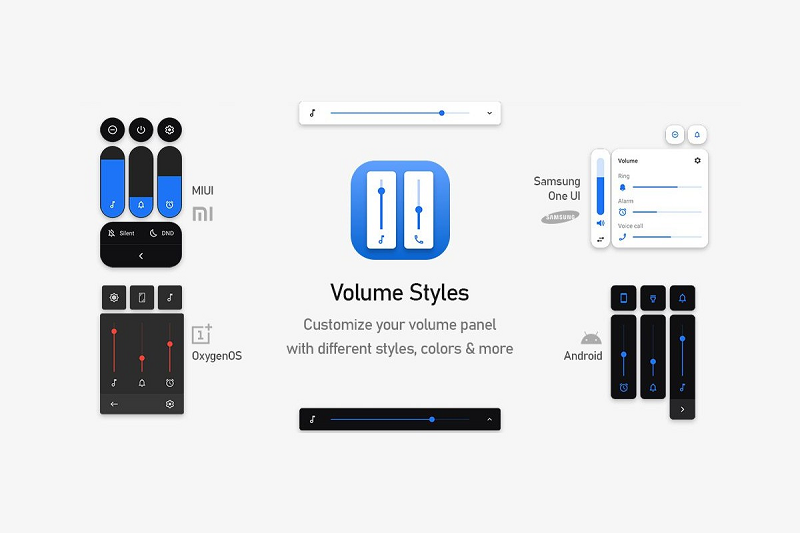
Specifically, users can choose from the pre-existing styles available in the app, such as Stock Android, Samsung One UI, iOS, MIUI, OxygenOS, EMUI, Wave design, Windows 10, Android Horizontal, Elastic design, and Emoji design. In addition, the Volume Styles app offers some paid options, such as full color customization and setting the volume panel to automatically open. However, there are other options that are more affordable and largely meet the needs of users. Specifically, after selecting the main style, users can do the following:
- To activate, if they wish, the dark mode.
- Change the angle of the panel.
- Move the panel to the left or right.
- Choose the slider that will be visible or hidden.
- Change the panel display timeout.
- Choose the location of the sliders, at the top or bottom of the screen .
- Change the vibration that sounds when they select a shortcut in the panel.
- Change the automatic brightness.
- Blur the background of the panel.
This app's settings allow users to have control over how the volume panel appears and functions on their Android device.
