

A new feature (dark theme) that we expect in the upcoming Windows 10 concerns File Explorer, Microsoft's default file manager. The company announced earlier this year that a new dark version has also been developed.
The new feature will be released with the October 2018 Update this fall.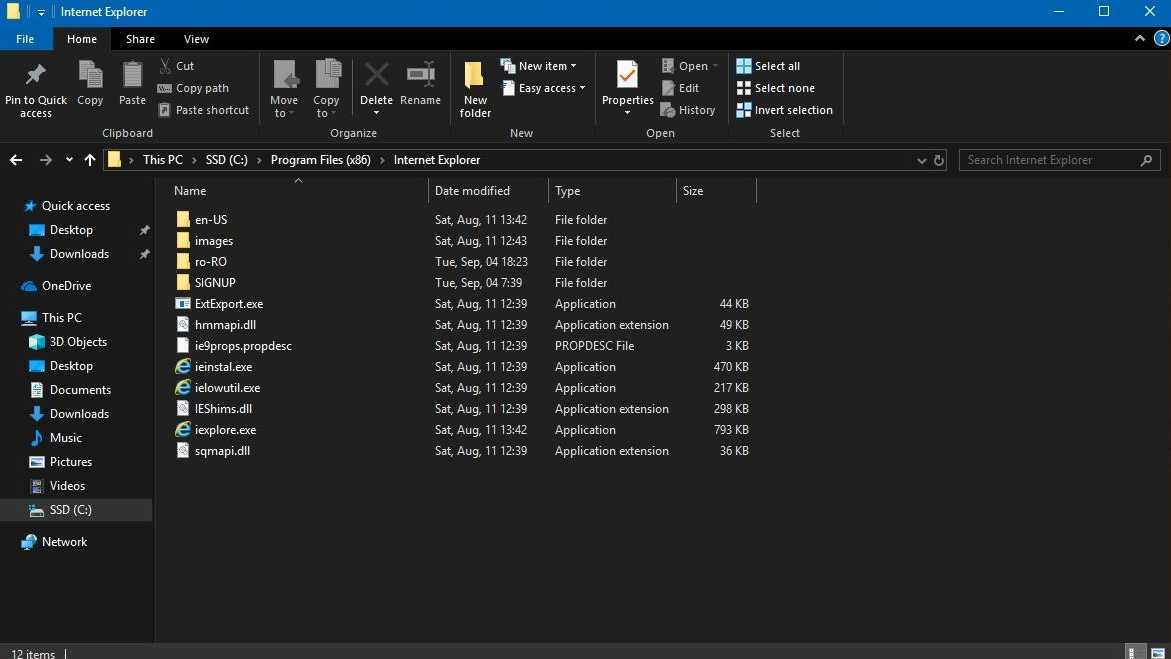
How to enable the new dark theme
What is important to know is that the dark theme does not come enabled by default and you will have to enable it manually from the settings.
Microsoft has not given the File Explorer dark theme a standalone setting, and you will have to look for it in the visual style used in Windows 10.
In other words, to use the dark theme, you need to enable the visual style in Windows 10. To do so, open the Settings app – Personalization – Colors and Choose your default app mode – Dark.
Or for those using English Settings – Personalization – Colors – Choose your default app mode – Dark.
This will make all Windows 10 apps dark theme.
________________________
- Disable background apps in Windows 10 version 1803
- Netflix: testing ads between episodes
- Does the Tesla Model S fly?
- Parrot 4.2.2 stable version released
- YouTube what is your favorite song in a video?
- Facebook two-factor authentication without a phone number
