
If you want to download files directly from the Linux command line, then there are two applications that immediately come to mind: Wget and cURL. Both have many features in common but are certainly not exactly the same.

These programs have slightly different roles and different use cases, making each one better in certain situations. But let's look at their similarities, differences, and which one you should use each time.
cURL vs Wget: Similarities
Both programs, namely Wget and cURL, help you download files. Basically, that's what they do. They can make a request to the internet and download the requested item, which could be a file, an image, or even the first page of an HTML web page.
Both programs are also capable of making HTTP POST requests. This means that they can send data to a website, such as filling out a form.
Since both are command line tools, they are designed to accept parameters and be included in scripts. You can include both programs, as commands, in a script file, which will run automatically and download what you need.
Wget Advantages
wget is simple and easy. It is ideal for quick downloads, and it does a great job. Also, wget is a single standalone program and does not require any additional libraries. Because wget is tailored for direct downloads, it allows you to download everything from a page or all the files from an FTP directory at once.
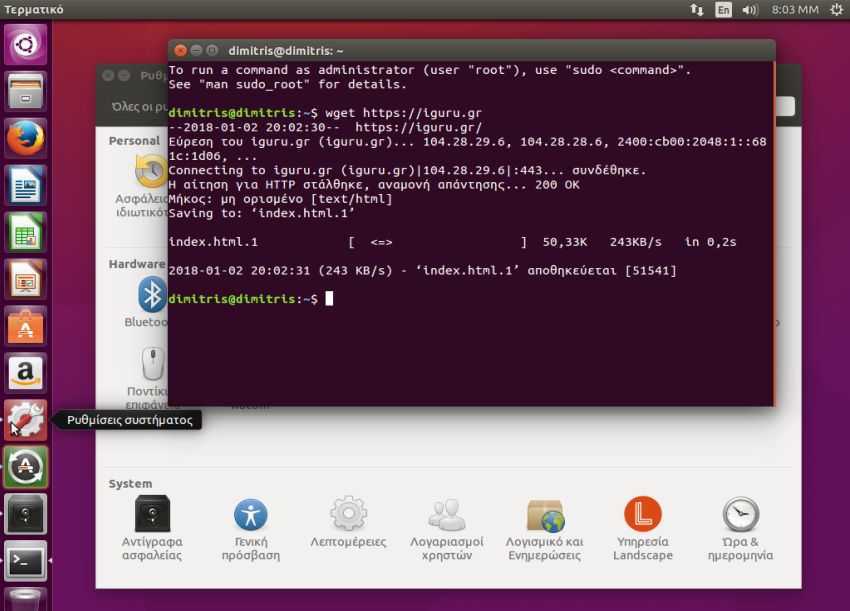
wget's defaults are also smart. They determine how the program handles many things, like a normal browser would with cookies and redirects, without having to add any configuration.
cURL Advantages
cURL on the other hand, is a multi-tool. Sure, it can download content from the internet. But it can do much more than that.
cURL is powered by the libcurl library. This means that you can write an entire program based on cURL, which will rely on libcurl and get access to all its features.
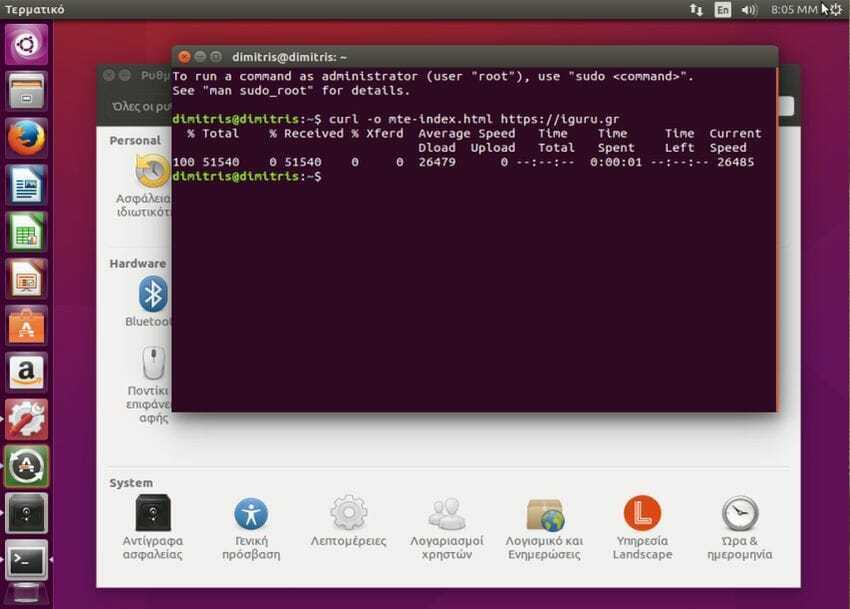
The wide range of protocols that Curl has is perhaps its biggest advantage. It supports FTP, FTPS, HTTP, HTTPS, SCP, SFTP, TFTP, TELNET, DICT, LDAP, LDAPS, FILE, POP3, IMAP, SMTP, RTMP and RTSP while wget only supports HTTP, HTTPS and FTP. Curl can give you access to websites via HTTP, HTTPS and FTP and can handle both directions. That is, you can download and upload one or more files. It even supports Samba. You can use cURL to send and receive email.
cURL also has some security features. It supports SSL / TLS libraries. It also supports Internet access through proxies, including SOCKS. This means that you can use cURL on Tor.
Finally, Curl also supports gzip compression for easier sending of large amounts of data.
in summary,
which one should you use? cURL or wget? It depends!!!. If you want to download something quickly without having to worry about parameters, switches, and flags, then you are better off going with wget. It is simple and downloads what you want without having to think about it. If you want to do something more complex, then cURL should be your choice.
cURL allows you to do a lot more. You can think of it as a command in a web browser. It supports every protocol you can think of and can give you access and interact with almost any online content. The only difference is that a browser responds to the responses it receives, while cURL does not.
cURL vs Wget: What are the differences and which one should you use?

📧
Subscribe to the SecNews Newsletter
