

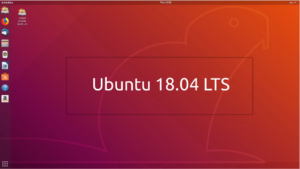
 After months of development and Alpha/Beta releases, and a last-minute setback, Canonical has finally released Ubuntu 18.04 LTS “Bionic Beaver.” This is the seventh long-term release of the world’s most popular open source operating system and is available for Desktop, Server, Cloud, and Core.
Since Ubuntu 18.04 is an LTS release, users will receive updates for 5 years, i.e. until April 2023. Ubuntu Desktop, Ubuntu Server, Ubuntu Core, and Ubuntu Kylin will receive 5 years of support. Ubuntu Studio will receive 9 months of support. All other versions will receive 3 years of support.
New features in Ubuntu 18.04 LTS
It goes without saying that 18.04 offers many stability improvements and bug fixes for Linux enthusiasts . The new release brings many changes and new features that will improve the overall user experience.
The main features of 18.04 LTS are as follows:
- GNOME 3.28 desktop
- Linux kernel 4.15
- Xorg by default
- New minimal installation option
- New installer for Ubuntu Server
- Color emojis
- Faster boot time
- zstd compression support
- New wallpapers
If you like stability and haven't upgraded from Ubuntu 16.04 LTS, 18.04 is going to be a completely new experience because of the GNOME desktop environment.
Upgrade to Ubuntu 18.04 from 16.04 or 17.10
You can upgrade your current Ubuntu installation in the following way:
- Open “Software & Updates” in System Settings
- Select the “ Updates ” tab
- Set the “Notify me of a new Ubuntu version” menu to “For any new version”
- Type “update-manager -cd” in Terminal
- The Update Manager will open and show: “New distribution release '18.04' is available“
- Now click Upgrade and follow the instructions
- Download Ubuntu 18.04 LTS ISO files and torrents
You can visit this link for release notes and download links. On the same page there are also links for Kubuntu, Lubuntu, Lubuntu Alternate, Ubuntu Budgie, Ubuntu Kylin, Ubuntu MATE, Ubuntu Studio and Xubuntu.
