

Yes, easily with Street View! Flat, two-dimensional photos are a thing of the past. The future is 360-degree photos that allow you to see what's happening around the frame.
Currently, you can share 360-degree photos from Facebook for your friends to see. Unlike 360 videos, they can be easily created using the phone you already have.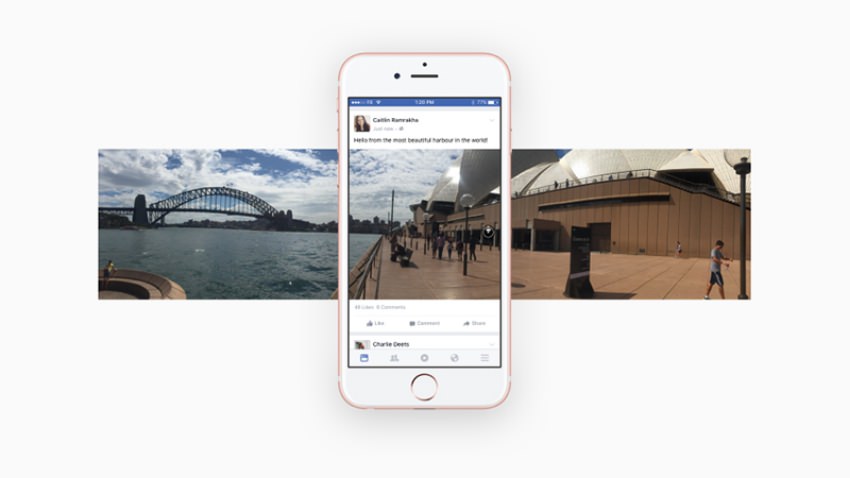
Let's see how it's done:
First, you'll need an app. The best one out there right now is Google's Street View for Android or iOS, but you can also use the Photo Sphere feature of Android's camera or the Surround Shot feature on Samsung devices.
The Street View app has a large orange icon. Tapping it will access your camera, so the app will guide you through the process.
Essentially you have to stand in one place and start taking photos until you fill the sphere at the bottom.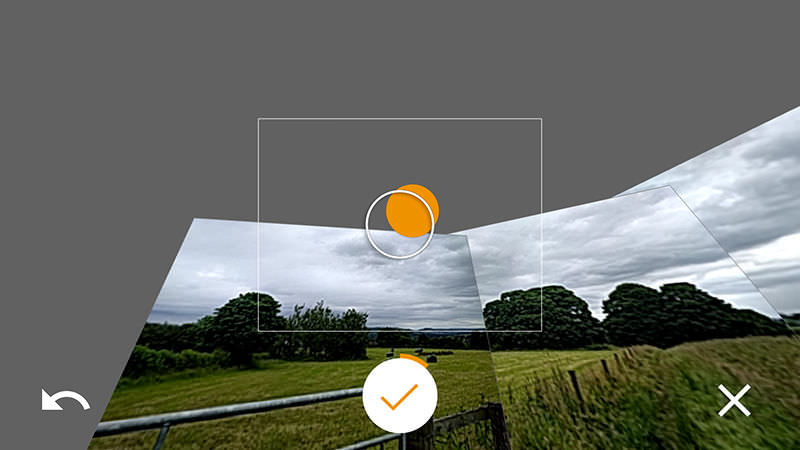
The images come automatically when you're in a designated position (no need to press the shutter button), and once you're done, the app will do all the hard work of editing.
If you also have Google Photos installed, you will be able to see the 360-degree photo you created in all its glory.
