

Blocking someone on Viber is a great way to protect your privacy and prevent unwanted contacts from contacting you.
If you use Viber on an Android phone , you can quickly and easily block someone in your privacy settings. As a result of blocking that user, they will not be able to contact or call you through the app, as well as add you to any group chats. Life just got simpler!
Viber is a widely used cross-platform communication tool, accessible on Android, iOS, Windows, Linux and MacOS , devices . It is free to use and allows users to send messages or make calls over Wi-Fi or mobile data connection. Furthermore, it has an excellent security feature that offers end-to-end encryption for messages.
Want to stop certain contacts from messaging you on Viber? It's easy! By blocking the person, they won't be able to see your profile updates or see that you're online. Even better: They can no longer add you to a group chat. Here's how it works on Android.
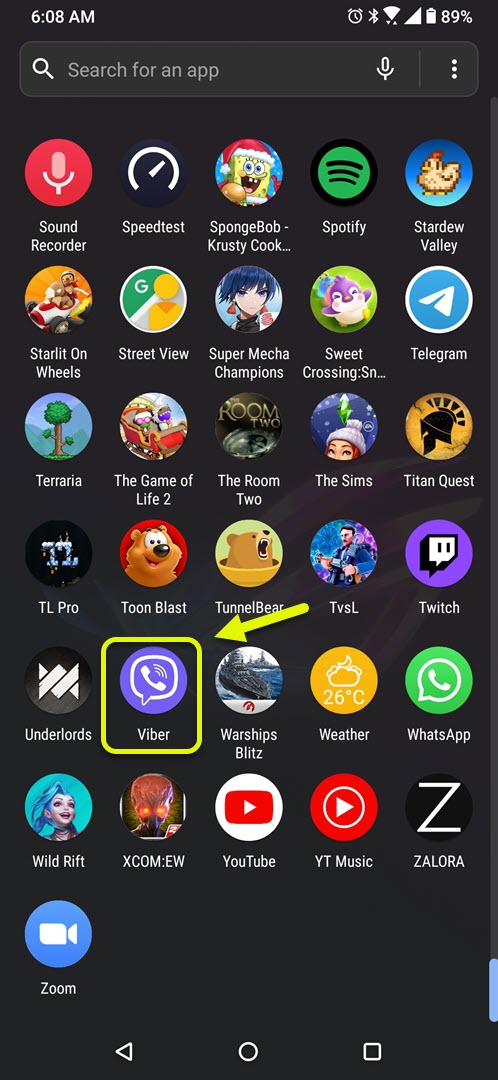
- Open the app.
You can easily do this by swiping up from the home screen and tapping the app icon.
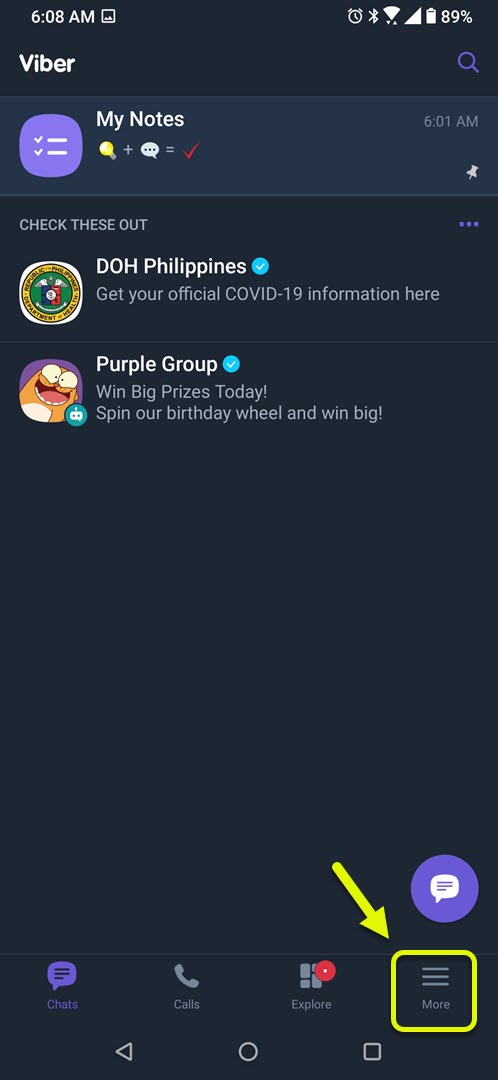
- Tap More. It's the three horizontal lines in the bottom right of the screen.
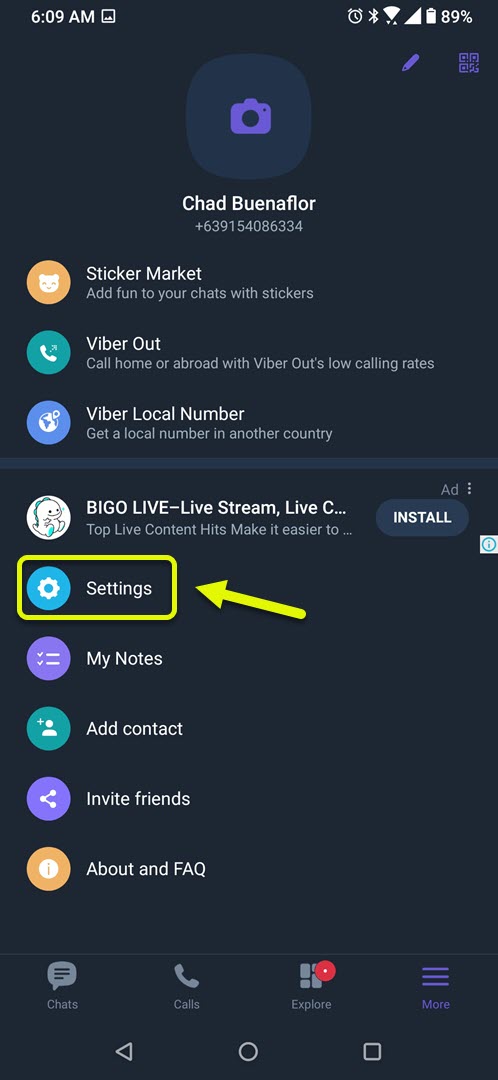
- Tap Settings. This will allow you to manage the various settings of the app.
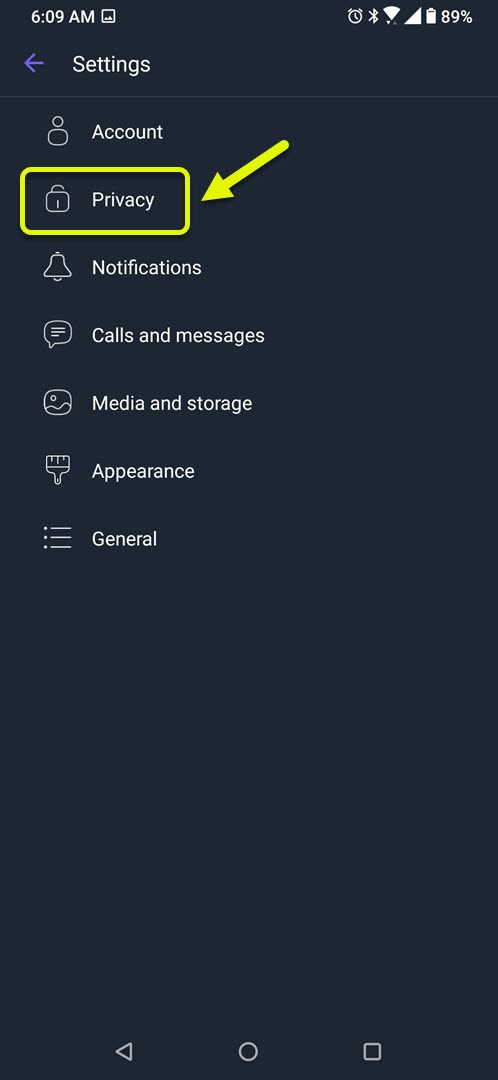
- Tap Privacy. This will allow you to manage the app's various privacy settings.
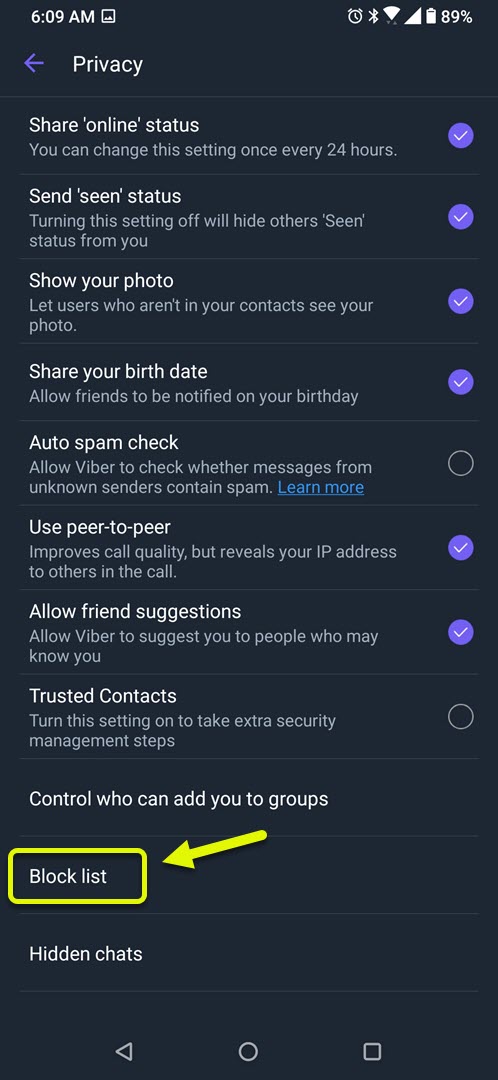
- Tap Block list. This will show you a list of contacts you have blocked.
- Tap the Plus (+). This will allow you to add a contact to the block list.
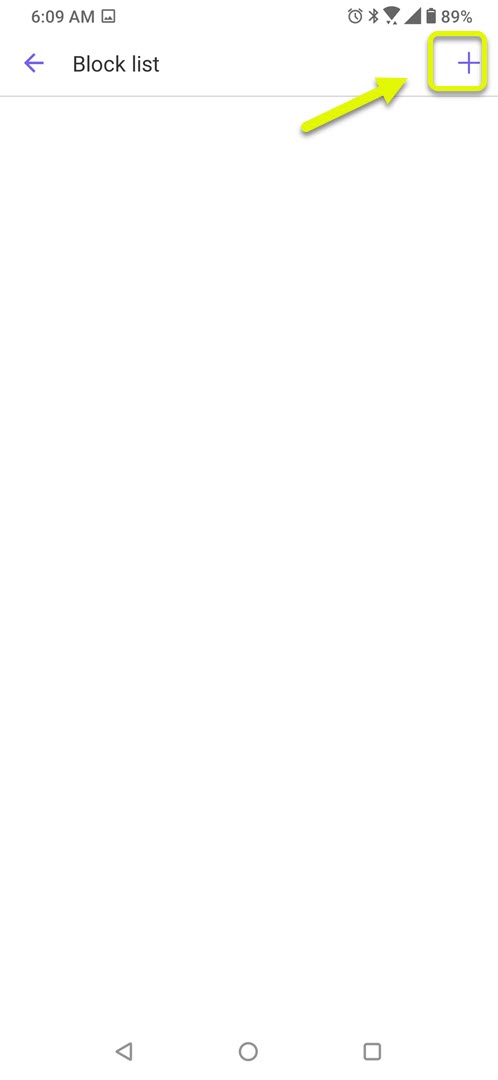
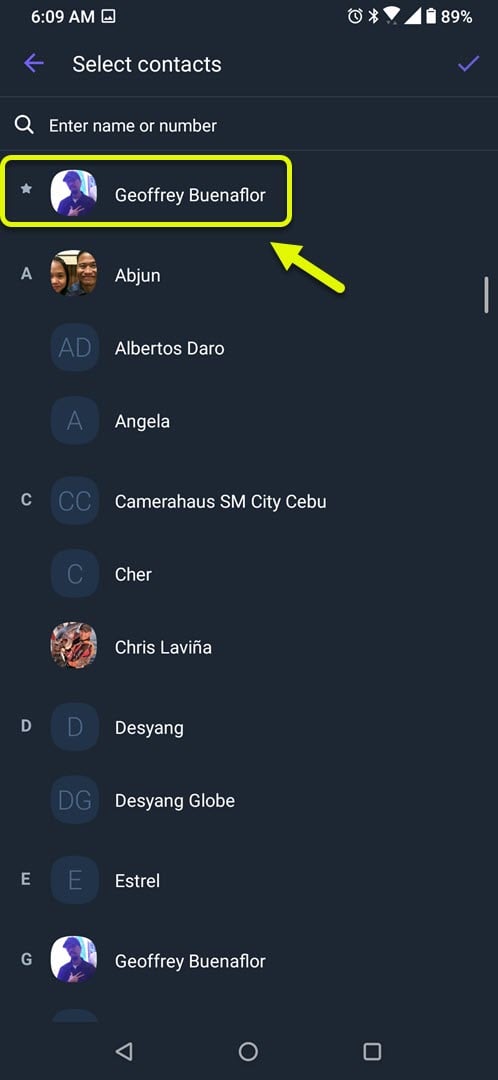
- Tap a contact. This is the contact you want to block from Viber.
- Tap the check mark to confirm your action. This is located at the top right of the screen.
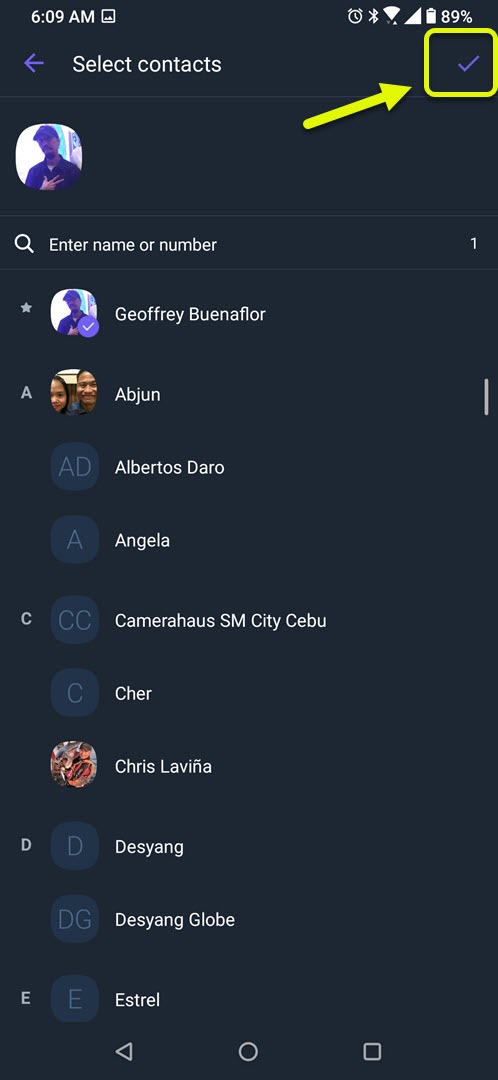
Once you block a contact on Viber, you won't be able to receive messages or calls from them unless you unblock them again in the future. So, if there's someone bothering or harassing you, blocking them is an easy way to put a stop to it!
Do you want to unblock someone on Viber or do you think you made a mistake in blocking them? It’s easy – just follow the steps below! First, open the Viber. Then, go to “More”, followed by “Settings” and then select the tab labeled “Privacy” and then “Block list”. After that, find the contact you want to remove from your block list and tap “unblock” for them. Congratulations – You have now successfully removed a user from your block list with ease!
Source: thedroidguy.com
