

Developers, sysadmins, security researchers, and hobbyists who copy-paste commands from webpages into a console or terminal are being warned that they are at risk of having their system compromised.
A technologist demonstrates a simple trick that will make you think twice before copying and pasting text from websites.
See also: Hackers use Slack API to steal “airline data”
Backdoor in your clipboard?
Recently, Gabriel Friedlander, founder of the security awareness training platform Wizer, demonstrated an obvious but surprising hack that will make you be careful when copying and pasting commands from websites.
It's not uncommon for novice and expert programmers to copy commonly used commands from a website (ahem, StackOverflow) and paste them into their applications, a Windows , or a Linux terminal.
But Friedlander warns that a website could secretly overwrite the contents of what appears in your clipboard, and what actually ends up being copied to your clipboard would be very different from what you intended to copy.
Even worse, without the necessary due diligence, the developer may only realize their mistake after pasting the text, by which time it may be too late.
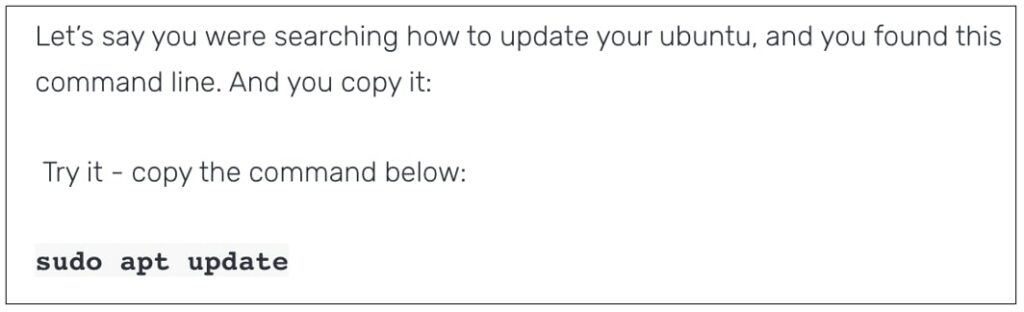
In a simple proof of concept (PoC) posted on his blog, Friedlander asks readers to copy a simple command that most sysadmins and developers would be familiar with:
See also: 7 important commands for every Linux user
Now, paste what you copied from Friedlander's blog into a text box or Notepad and the result is likely to surprise you:

Not only do you get a completely different command in your clipboard, but to make matters worse, it has a newline (or carriage return) character at the end of it.
This means that the above example will execute immediately when pasted directly into a Linux terminal.
Those pasting the text may have been under the impression that they were copying the familiar, harmless sudo apt update command used to retrieve up-to-date information about the software installed on your system.
But that's not exactly what happened.

The magic lies in the JavaScript code behind the PoC HTML page setup from Friedlander's blog.
Once you copy the text “sudo apt update” contained in an HTML element, the code snippet shown below is executed.
See also: Microsoft has fixed a vulnerability in Azure Container Instances
What happens next is a JavaScript "event listener" that records the copy event and replaces the clipboard data with Friedlander's blog's malicious test code:

A simple, but nonetheless, an important lesson in everyday safety.
Information source: bleepingcomputer.com
