

SMART ( Self-Monitoring, Analysis and Reporting Technology ) is a monitoring and control system for internal drives. When your Mac 's Disk Utility reports a hard drive failure , you can't partition the drive without third-party software . However, you can erase the red line by following these simple steps.

- Open Disk Utility, select the disk with the problem, and click “Repair Disk Permissions.” If that doesn’t work, boot your computer from the Mac OS X installation disc and proceed to step two.
- From the program on your DVD/ USB , select Utilities > Disk Utility, and then try step 1 again. If that also doesn't work, you will need to erase the disk.
- Keep a backup of your files on an external storage drive.
 Erase the files on the disk by clicking “Erase”, selecting Mac Os Extender Journaled, and clicking “Erase” again.
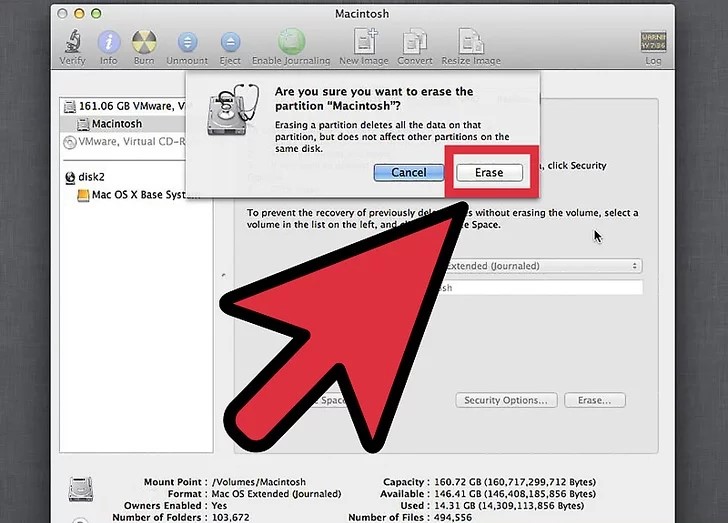 Erase the files on the disk by clicking “Erase”, selecting Mac Os Extender Journaled, and clicking “Erase” again.
Now, your drive should be as good as new and have SMART as “Verified.” If for some reason the last step also doesn’t help, you will need to replace the drive.
📧
Subscribe to the SecNews Newsletter
