

In this day and age, loss can be devastating. Fortunately, there are some programs that can recover your lost data in a matter of minutes. So, if you have accidentally deleted data that you need, you can use iBoysoft Data Recovery. With this data recovery software, you can easily recover photos, documents, videos, audio, emails, etc.
APFS Drive Data Recovery
APFS is the default file system in the latest version of macOS, including macOS Mojave, High Sierra. If you accidentally delete APFS partitions on an external drive, you can recover your files with iBoysoft Data Recovery. Once you install the software, you will need to click on the “Find Lost APFS Partitions” option.
Recover data from external drive
One of the most common cases of accidental data deletion is data loss from external hard drives. Now, with iBoysoft Data Recovery software, you can easily recover deleted data from an external hard drive. The software can perform data recovery on Seagate, WD, Toshiba and other brands of external hard drives. In addition to external hard drive data recovery, iBoysoft Data Recovery can recover lost data from USB, SD cards, memory cards, CF cards, SanDisk cards, etc.
Recover data if your computer won't turn on
In case your computer cannot be turned on, iBoysoft Data Recovery can help you recover your data, whether from a Windows device or a MacOS device.
Supported storage devices
iBoysoft Data Recovery software can recover data from various devices, such as hard drive, external hard drive, USB drive, USB stick, flash drive, SD card, CF card, memory card, etc
Available for Windows and MacOS
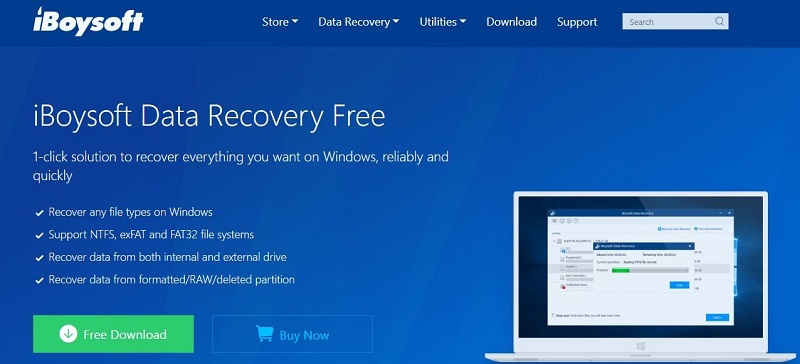
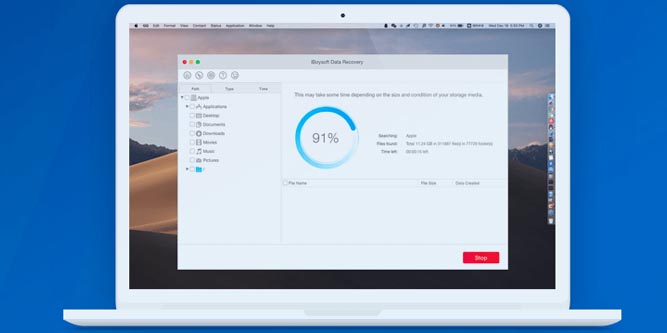
You can download iBoysoft Data Recovery for Windows and macOS. The software is also available for macOS Catalina.
Intuitive interface
One of the reasons that makes iBoysoft Data Recovery software easier to use is that it is user-friendly and offers an intuitive interface. There are only three steps in the process: Select, Scan and Recover. You can also preview the files before recovering them.
