

The setting that WhatsApp is considering to integrate on Android is the so-called Dark Mode in the conversation . Other applications from Facebook, Messenger and Instagram, have already integrated this specific setting , which is available on Android . In the past, despite attempts to add this setting to WhatsApp, it seems that no solution was found by the application. WhatsApp is now starting Dark Mode with the latest version of the Android Beta program. Specifically, WhatsApp recently submitted a new update (v.2.20.13) through the Google Play Beta program , which includes a new Dark Mode. In the Beta, there is the possibility of activating the new “dark theme” by going to the application settings, tapping on conversations and then selecting the Dark option under the “ Theme ” section.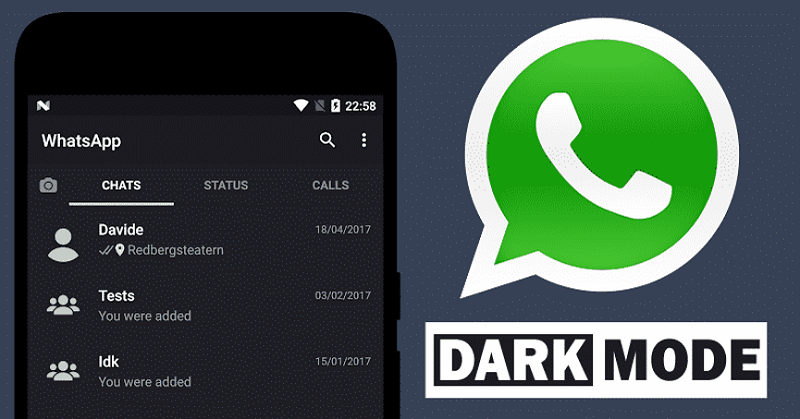
Once Dark Mode is enabled, the desktop background color darkens , but it doesn't go completely black. While green elements remain the same color, white elements turn a dark gray, and the font changes from black to white. Chat " boxes ," which were previously white and green, are now dark gray and have a darker green tint.
Additionally, users who are experimenting with the Beta version of WhatsApp can download the latest Beta update from the Play Store and apply the Dark Mode setting. However, if someone has not enrolled in the Beta program, they can enroll through registration . In case a user does not receive the updated version, they can download the latest WhatsApp beta APK from the link “WhatsApp Beta for Android (v.2.20.13)” and disable the app on phone . 
Therefore, the options users have are to have the WhatsApp application permanently turned on Dark Mode or to have it activated when they select the global Dark Mode from the settings on devices with the Android 10 operating system
