

Calculate Linux is a family of three distributions based on Gentoo. The Calculate Directory Server (CDS) distribution supports Windows and Linux clients via LDAP+SAMBA, providing proxy servers, mail servers and Jabbers with simplified user management.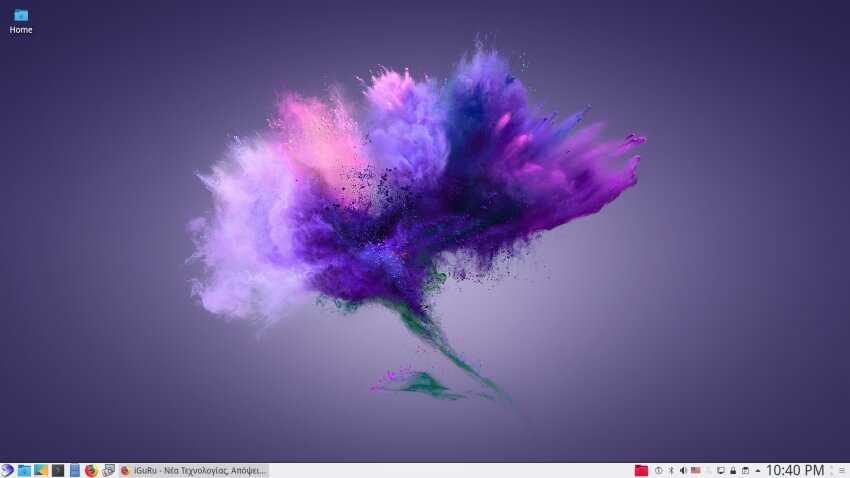
The Calculate Linux Desktop (CLD) distribution is a workstation that comes with a KDE, MATE or Xfce desktop. It includes a wizard to set up connections for the Calculate Directory Server.
The Calculate Linux Scratch (CLS) distribution is a live CD that gives you the ability to create a custom distribution, however you imagine it.
I installed the Calculate Linux workstation and was impressed. Those of you who think they don't want to mess with Gentoo and compiling every application they want to install Calculate Linux will be surprised.
Click to enlarge
Before we start looking at the first steps after installation, let me mention that the distribution is not for novice Linux users although the motto of the distribution is “easy linux from the sources.”
However, it does not use Systemd, and you can choose to use pulseaudio or alsa very easily during the installation.
The distribution’s installer is different from all the others you may have encountered so far (Anaconda-Calamares).
You don’t need to be a nuclear scientist to install it, as long as you pay a little attention to the specifics of the installer, especially at the point of partitioning. 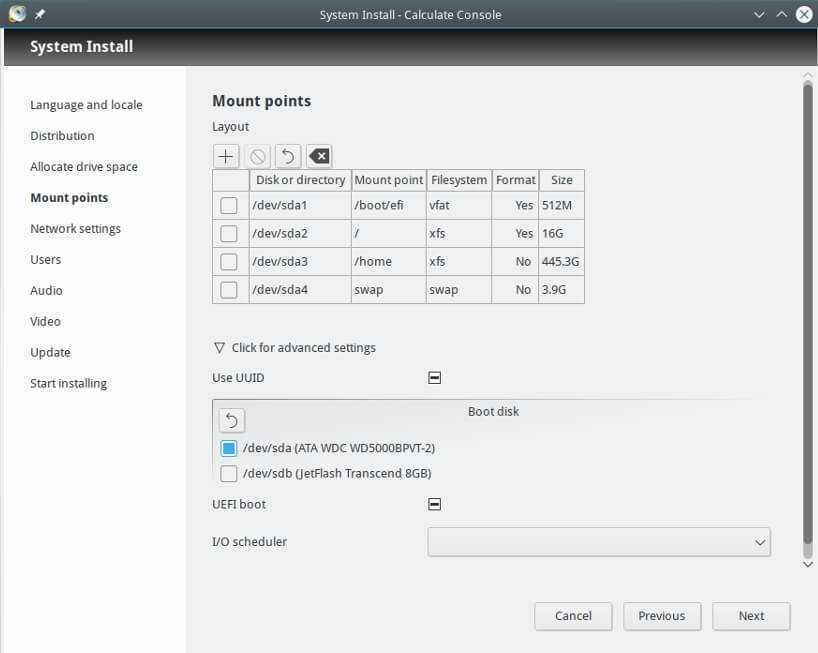
Below we will see how you can install an installer with a GUI, as the distribution as it comes does not have a graphical interface for installing applications.
Open the terminal and log in as root with the su command.
Immediately after that you can check if the graphical installer is available with the command:
eix porthole
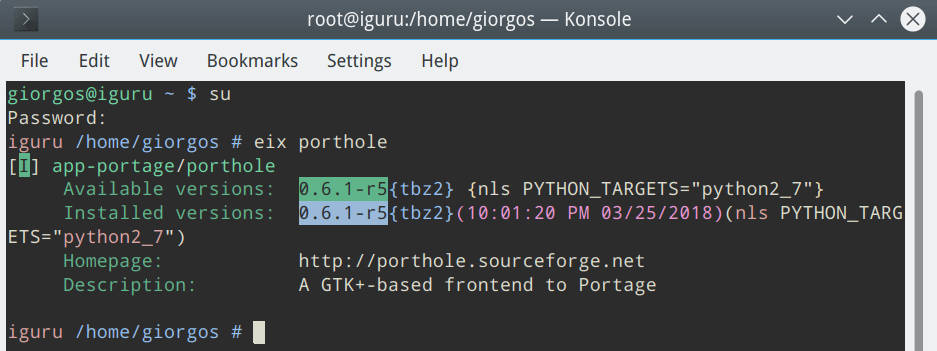
With the following command you can perform a virtual installation to see if there is any problem:
emerge --pretend porthole
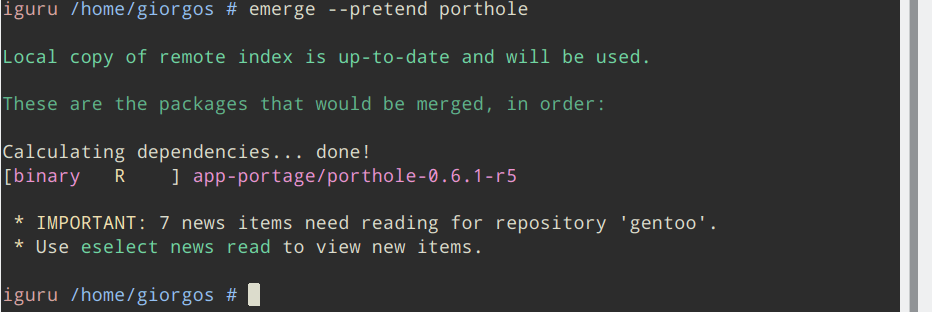
Let's proceed with the installation:
emerge porthole
After installation, if you try to run the application, a message will appear telling you that in order to run it you must open it as root. No problem:
Note: I use KDE Plasma.
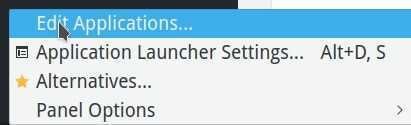
Right-click on the Application Launcher (menu) and select Edit Applications:
In the window that opens, select the Porthole application, it is under the System application group and open the Advanced tab. Check Run as a different user and write root in the box, as you see in the image below.
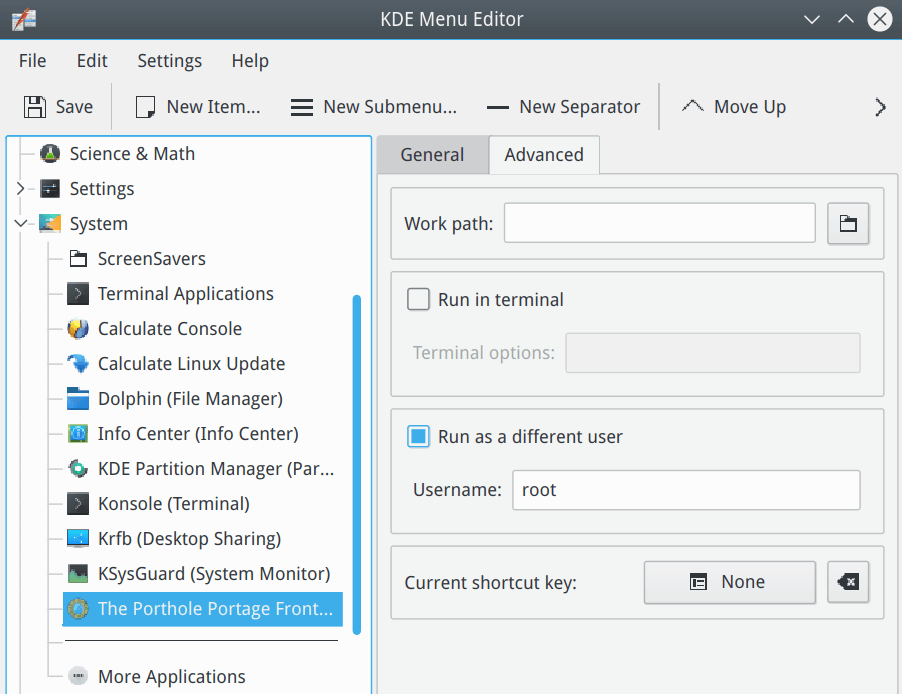
After the changes, click Save from the top left corner of the window.
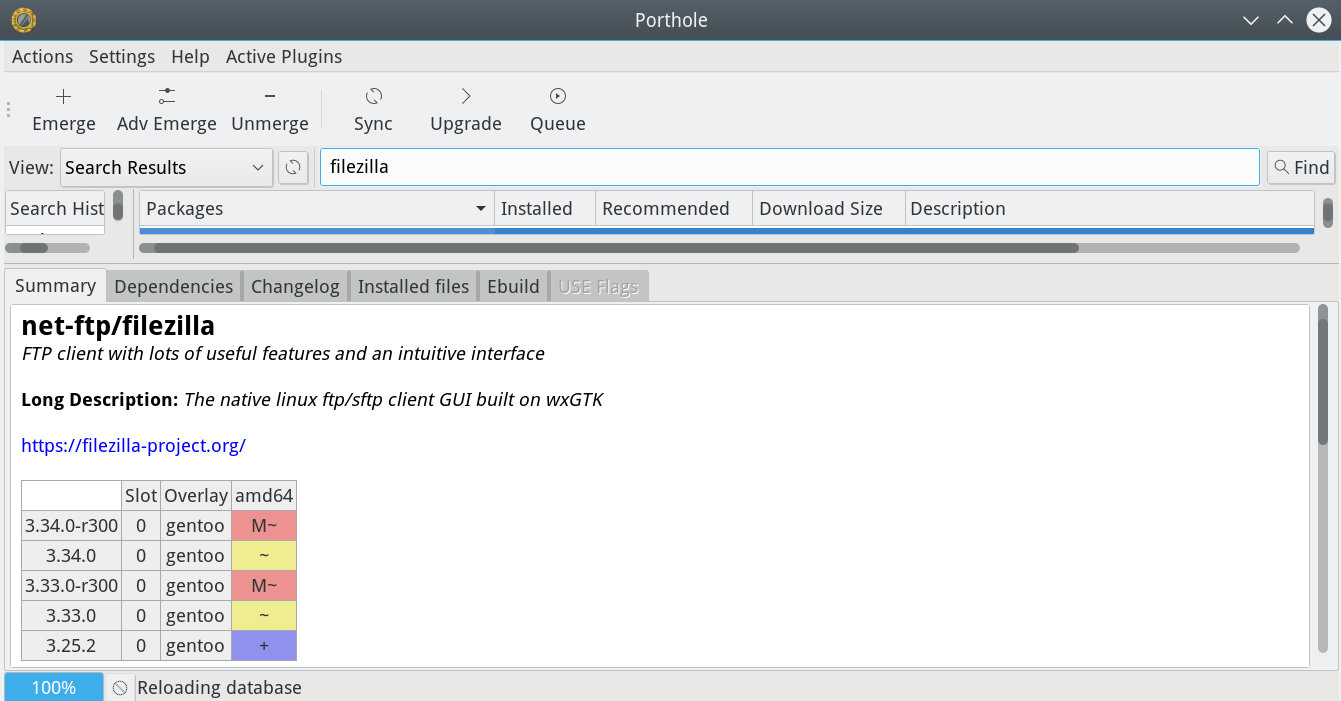
You are ready:
To install the application you are interested in, type its name in the search box, and click Emerge in the top left:
If any of you dare to try the distribution, let us leave our impressions in the comments..
Download the distribution
BitTorrent
Calculate Linux Stable
- Calculate Linux Desktop 17.12.2 KDE:
- x86_64 (2,1G) MD5, SHA1, Package list
- i686 (1,9G) MD5, SHA1, Package list
- Calculate Linux Desktop 17.12.2 Cinnamon:
- x86_64 (1,9G) MD5, SHA1, Package list
- i686 (1,8G) MD5, SHA1, Package list
- Calculate Linux Desktop 17.12.2 MATE:
- x86_64 (2,0G) MD5, SHA1, Package list
- i686 (1,8G) MD5, SHA1, Package list
- Calculate Linux Desktop 17.12.2 Xfce:
- x86_64 (1,8G) MD5, SHA1, Package list
- i686 (1,7G) MD5, SHA1, Package list
- Calculate Directory Server 17.12.2:
- x86_64 (814M) MD5, SHA1, Package list
- i686 (764M) MD5, SHA1, Package list
- Calculate Linux Scratch 17.12.2:
- x86_64 (947M) MD5, SHA1, Package list
- i686 (827M) MD5, SHA1, Package list
- Calculate Scratch Server 17.12.2:
- x86_64 (599M) MD5, SHA1, Package list
- i686 (549M) MD5, SHA1, Package list
________________________
- New MX Linux 17.1 x64 Custom ISO from iGuRu.gr
- Q4OS 2.5 Scorpion for Windows users who want a change
- CAINE 8.0 Blazar with complete digital forensic environment
- Slackware 14.2: installation and a first look
- Siduction linux 2018.1.0: the stable unstable Debian sid
