

Today we will present you with a list of 105 photo editing programs that deserve your attention.
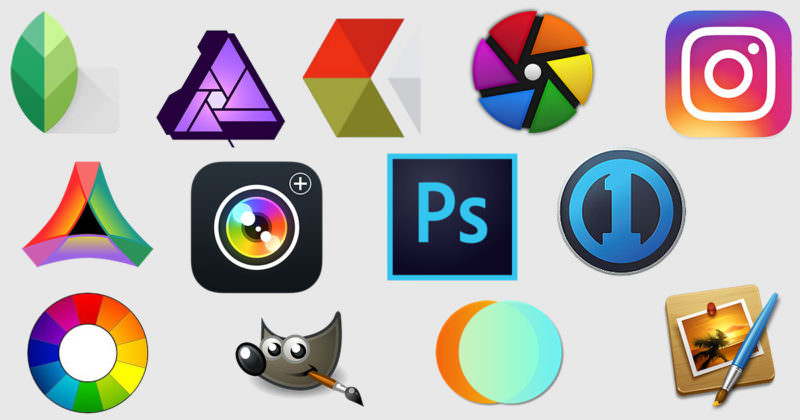
The following list is numbered by type and specialization of each program, as well as by their cost. The article only concerns photo editing, that is, photo editing, and not painting, image editing, and new image design programs (although sometimes one overlaps the other). We believe that this information is particularly useful for professional photographers, but not for amateur friends who love editing.
Table of contents
- Photo editors (1-3)
- Online Editors (4-21)
- Free desktop editor programs (22-26)
- Paid desktop editor programs (27-41)
- HDR photo editors (42-54)
- Cross-platform photo editing applications (55-58)
- Photo Filter Programs (59-67)
- Mobile photo editing apps (68-86)
- RAW photo editors (87-97)
- Photo viewers and managers (98-100)
- Others (101-105)
Photo Editors
1. Perfectly Clear – Edit photos with a range of automatic correction presets for Windows and Mac ($149)
2. Softcolorsoftware – Automatic photo editing program for correction through enhancement, editing and color management.
3. Photolemur – Automated photo enhancement solution. Powered by a dedicated AI algorithm that corrects imperfections in images, without human intervention (beta).
Online Editors
4. Pixlr – High-end photo editor and fast filtering through your browser (free)
5. Fotor – A complete photo editing solution in one easy-to-use package (free)
6. Sumopaint – The most versatile photo editor and painting program that works in a browser (free)
7. Irfanview – A photo viewer with additional image editing and format conversion. Rename a huge number of files in seconds, and resize them. Free (for non-commercial use)
8. Lunapic – A simple free online photo editing program
9. Photos – Photo viewing and editing application for OS X and comes free with the Yosemite operating system (free)
10. Fastone – Fast, stable, user-friendly image browser, converter, and editor. Provided as free for personal and educational use.
11. Pics.io – Very simple online photo editor (free)
12. Ribbet – Ribbet lets you edit all your photos online and you’ll definitely love it (free)
13. PicMonkey – One of the most popular free online photo editing programs
14. BeFunky – Online photo editor and collage maker (free)
15. pho.to – Simple online photo editor with preset photo effects (free)
16. piZap – Online photo editor and collage maker ($29.99/year)
17. Fotostars – Edit your photos using stylish photo effects (free)
18. Avatan – Free online photo editor and collage maker
19. FotoFlexer – Free photo editing and advanced effects
20. Picture2Life – This is an Ajax-based photo editor that focuses on capturing and editing images that are already online.
21. Preloadr – It’s a Flickr-specific tool that uses the Flickr API, even for account login. The service includes basic cropping, sharpening, color correction, and other tools to enhance images.
Free editor programs for desktop
22. Photoscape – A simple, unusual editor that can handle photos and more
23. Paint.net – Free image and photo editing software for PC
24. Krita – Digital painting and illustration program with CMYK support, HDR painting, G'MIC integration and more
25. ImageMagick – A software suite to create, edit, compose, or convert your images.
26. G'MIC – Full-featured image editing program with different user interfaces, including a GIMP plugin to convert, manipulate, filter, and visualize image data. Available for Windows and OS
Paid desktop editor programs
27. Photoshop – The mother of all photo editing programs ($9.99/month)
28. Lightroom – A photo and image editing program developed by Adobe Systems for Windows and OS X ($9.99/month)
29. Capture One – It is a professional raw photo conversion and image editing software designed for professional photographers who need to process large volumes of high-quality images in a fast and efficient workflow (279 euros)
30. RadLab – Combines intuitive navigation, gorgeous effects, and a super-fast photo editor ($149)
31. Affinity – Professional Photo Editing Software for Mac ($49.99)
32. DXO Photo Suite – Powerful photo editing software ($189)
33. Pixelmator – Pixelmator for Mac is a powerful, fast, and easy-to-use image editor ($29.99)
34. On Photo 10 – Professional photo editor with easy-to-use interface ($89.99)
35. Corel AfterShot Pro 3 – Professional photo editor with the world’s fastest RAW photo processor ($79.99)
36. Zoner – Everything from downloading to your computer to editing and sharing, all in one program. Windows only ($99)
37. Acorn 5 – An image editor for MacOS 10.10 and higher ($29.99)
38. Photosense – Quick and Easy Photo Editing Software for Mac and iOS ($18.97)
39. Photo Plus – Easy-to-use, professional photo editor for PC ($99.99)
40. DXO Optics Pro – Photo software that automatically corrects your photos based on your camera model and lens ($129)
41. PhotoImpact X3 – Something like Photoshop’s little brother with live examples of its effects that make them easy to use. ($39.99)
HDR photo editors
42. Aurora HDR – The Easiest and Most Advanced HDR Photo Editor for Mac ($39)
43. EasyHDR – HDR image editing software for Windows and Mac ($39)
44. PhotomatixPro – One of the world’s first HDR photography software for Windows and Mac ($39)
45. Fotor HDR – Free online HDR photo editor
46. HDRExpress – Easy-to-use HDR editing software for Mac and Windows ($79)
47. HDR Darkroom – Fast and easy-to-use software for Mac and Windows to create stunning landscape images ($89.99)
48. Photo-kako – Free online photo editor, a composite photo can be transformed into HDR images.
49. Light Compressor – Simple editor that lets you combine multiple photos into one large, wide-angle image, for Mac ($3.99)
50. Hydra – Another easy-to-use HDR program for Mac ($59.99)
51. Dynamic Photo HDR – A new generation of High Dynamic Range Photography software with anti-ghosting, HDR Fusion and unlimited Effects for Windows ($65)
52. LuminanceHDR – Free application to provide HDR imaging, creation, and tone mapping capabilities.
53. HDRMerge – Free software that combines two or more RAW images into one RAW with an extended area.
54. EnfuseGUI – Enfuse is an Open Source application for creating larger images by blending images with different exposures (free)
Cross-platform photo editing apps
55. Polarr – Professional photo editor for everyone (Pro version – $19.99)
56. Pixlr – High-end photo editor and fast filtering
57. Fotor Pro – Cross-platform, available on every major mobile device, desktop, and online, with One-Tap Enhance and RAW editing tools
58. GIMP – An image editor for many OSes. Free software, you can change its source code and share your changes.
Photo Filter Programs
59. Creative Kit 2016 – 6 powerful photo apps and over 500 creative tools in a single, easy-to-use package. For Mac only ($129.99)
60. On1 Effects – Selective Filters for Advanced Photo Effects (Free)
61. Rollip – High-quality photo effects. 80+ effects (free)
62. Vintager – Vintager is fun, creative, and easy-to-use software that provides you with a range of special effects that can be applied to your photos to give them a retro/vintage style.
63. TheNick Collection – A selection of professional-grade filters, now free (from Google)
64. Noiseware – Award-winning and standalone plugin for reducing noise in photos ($79.95).
65. Topazlabs – Lots of photo editing plugins that work with the software you already own. Including Photoshop, Lightroom, and many more (from $29.99)
66. Focus Magic– Focus Magic uses advanced technology to deblur your photos. It can fix both out-of-focus blur and motion blur (from camera shake) in an image ($65).
67. Eye Candy – Eye Candy renders realistic effects that are difficult to achieve in Photoshop alone, such as fire, Chrome, animal fur, smoke, and Reptile Skin ($129).
Mobile photo editing apps
68. LightX – Advanced Photo Editor to Cut, Change Background, and Combine Photos ($1.99)
69. Afterlight – The perfect image editing app for quick editing ($0.99)
70. File New – One of the best photo editors ($0.99)
71. Pixomatic – Blur Repair, Background Removal, Color Addition, Splash and More ($4.99)
72. 99 Filters – All types of filters and overlays for Instagram and Facebook ($0.99)
73. Photo Lab Picture Editor – Collages, frames, prisms and more for photos (free)
74. Avatan – Photo Editor, Effects, Stickers and Touch Up (Free)
75. Retrica – Camera software to capture and share your experience with over 100 filters (free).
76. Aviary – Photo editing software (acquired by Adobe). Make photos beautiful in seconds with amazing filters, frames, stickers, and more. Provides SDK for developers (free)
77. Snapseed – A photo editing app produced by Nik Software, a subsidiary of Google, for iOS and Android that allows users to enhance photos and apply digital filters (free).
78. Instagram – Instagram is a fun and quirky way to share your life with your friends through a series of images. Take a photo with your phone, then choose a filter to transform the image. One of the most popular mobile apps (free)
79. Lifecake – Store and organize pictures of your kids as they grow. In an ad-free timeline, you can easily look back and share with family and friends (free)
80. QWIK – Edit your images in seconds with simple tools and share online with the QWIK community. With new filters and features added every week, QWIK is always fresh and exciting (free).
81. VSCO Cam – VSCO Cam comes packed with top-notch performance features, including high-resolution imports as well as before-and-after comparisons so you can see how each step you take will turn out. Free (with filters $57/each)
82. Camera MX – For Android. The program combines powerful photo enhancement tools with a beautifully simple user interface. Thanks to smart image processing, you can get very sharp cuts and montages. (Free)
83. Lensical – Lensical makes creating facial effects as easy as adding filters to a photo. It’s designed for large screens and uses gesture control, making it the perfect complement to the iPhone 6 and iPhone 6S Plus cameras (free).
84. Camera+ – The default camera app for the iPhone isn’t the best: yes, you can use it to take some decent photos, but it doesn’t offer much creative control. This is where Camera+ excels. The app is made up of two parts: a camera and a photo editor, and it really excels, with a huge variety of advanced features ($2.99).
85. PhotoWonder – With a great look, PhotoWonder is one of the fastest smartphone photography apps. It also has a good collage feature with multiple layers as well as Photo Booth effects. The filter selection isn’t huge, but they’re so well designed that you’ll find them much more useful than some other apps that have a lot more. The “Vintage” filter works beautifully on photos of buildings or landscapes. (Free)
86. Photoshop Express – As you would expect from Adobe, the Photoshop Express photo app for Apple and Android devices has a flawless interface. It has all the features you need for image editing and is probably the perfect solution. The “Straighten” and “Flip” features are useful and not included in many other (free) apps.
RAW photo editors
87. RAW Pics.io – The most popular RAW file browser for viewing and converting. Supports the most formats for DSLR RAW cameras. ($1.99/month with free trial).
88. Rawtherapee – It is a cross-platform RAW image editing program, available under the GNU General Public License Version 3 (free)
89. Darktable – An open source application for photos and RAW editing
90. UFRaw – A utility to read and manipulate raw photos from digital cameras. Can be used alone or as a GIMP plug-in.
91. Photivo – Gives you your raw photos and bitmap files, with a 16-bit processing that doesn't destroy them.
92. Filmulator – Improved raw photo editor and processor centered around a tone mapping simulation algorithm.
93. PhotoFlow – Raw and raster image editor that features non-destructive adjustment layers and 32-bit floating-point precision.
94. LightZone – Open-source digital darkroom software for Windows/Mac/Linux
95. RAW Photo Processor – A Raw converter for Mac OS X (10.4 – 10.11), supporting almost all available digital Raw formats
96. Iridient Developer – A powerful RAW image conversion application designed and optimized specifically for Mac OS X. Iridient Developer supports RAW image formats for over 620 digital camera models ($99)
97. Photoninja – A professional-grade RAW converter that offers excellent detail, excellent image quality, and a subtle, natural look ($129)
Photo viewers and managers
98. Digicam – Advanced digital photo management application for importing and organizing photos (free)
99. gThumb – An image viewer and browser. Also includes an importer tool for transferring photos from cameras (free)
100. Nomacs – Nomacs is a free, open-source, cross-platform image viewer. You can use it to view all common image formats including raw and PSD images.
But
101. PortraitPro – PortraitPro is the world’s best-selling retouching software, intelligently enhancing every aspect of a portrait for beautiful results ($79.90)
102. Lucid – Stand-alone desktop software that enhances lifestyle photo themes ($49)
103. Photomecanic – A standalone image browser that lets you view your digital photos with ease and speed with metadata editing. ($150)
104. ImageNomic Portraiture – Professional retouching software
($199.95)
105. ACDSee – Photo Manager, Lossless RAW Image Editing, All in One ($49.95)
