

You bought a Xiaomi Mi 4c and want to start modifying your device? To begin you need to gain root access on the smartphone. Let's see how it's done.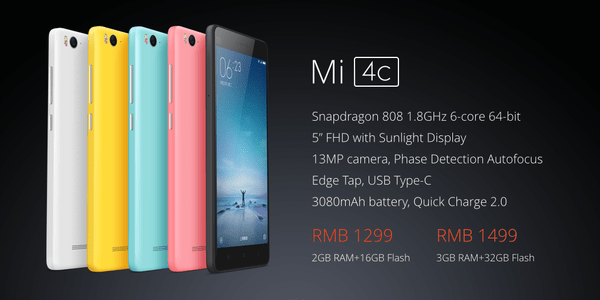
Probably the easiest way to root a Xiaomi Mi 4c device is to download a developer rom from the English MIUI website.
Select the download link, use the available filters to locate your device, and make sure to download the latest Developer ROM that is on the download page.
Why Developer rom? Because it is already rooted. We recommend using a download manager to speed up the download, as downloads from China can be extremely slow.
When the download is complete, connect your device to your computer. If your computer cannot detect the smartphone (Xiaomi Mi 4c) by default, you must first install the drivers.
An easy way to add the required driver to your system is by installing the official Mi PC Suite, which is available in English. Of course you can find the drivers on the device itself when you connect it to your computer.
Your device should be automatically recognized after installing the drivers. Move the ROM file you downloaded to the “downloaded_rom” folder on your device. You can use the PC Suite File Explorer and drag and drop it, or use Windows Explorer.
It would be good before we proceed to create a backup using PC Suite.
Let's proceed with the rooting of the Xiaomi Mi 4c
This particular rooting could not be simpler. You will need to open the Updater app on the device that is located in the Tools folder.
Select the app's menu icon and from there “select the updated version package.”
This will open a browser and will display the ROM you added to the downloaded_rom folder on your device.
It takes one to two minutes to install the new rom file and the device may automatically reboot during the installation.
Afterwards you can check that everything went well. Select Settings – About Phone, and make sure that the version displayed matches the ROM version you just installed.
Xiaomi Mi 4c After Rooting
You already have a rooted device, but you will need to take one final step to be able to use it.
Xiaomi blocks root for installed apps by default. Therefore you will need to grant root access also for third-party installed apps. You can do this by opening the security app on your device and selecting Permissions in this category.
There you can select “root access.” From there you can select which applications you want to enable root access.
Note that you will be presented with four or five “please wait five seconds, are you sure?” prompts before you can enable root access to the selected app.
