

We've known since WWDC in June that Apple is updating the Phone app experience in iOS 17. There are useful new features, like Live Voicemail, FaceTime voicemails, and of course, Contact Posters.
See also: Apple is investing in AI technology, according to Tim Cook
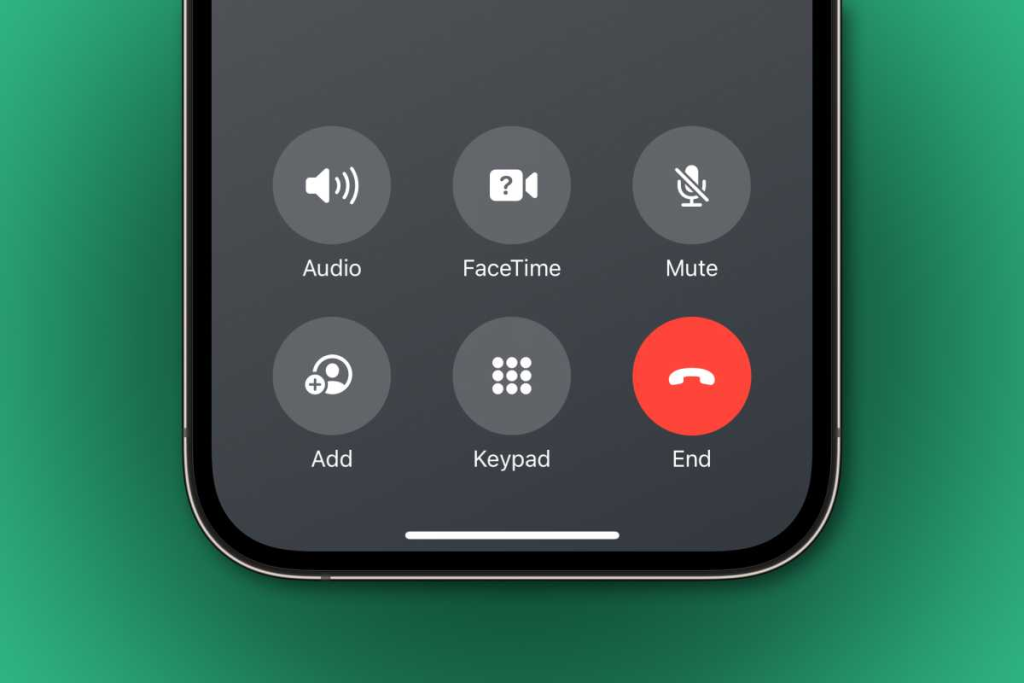
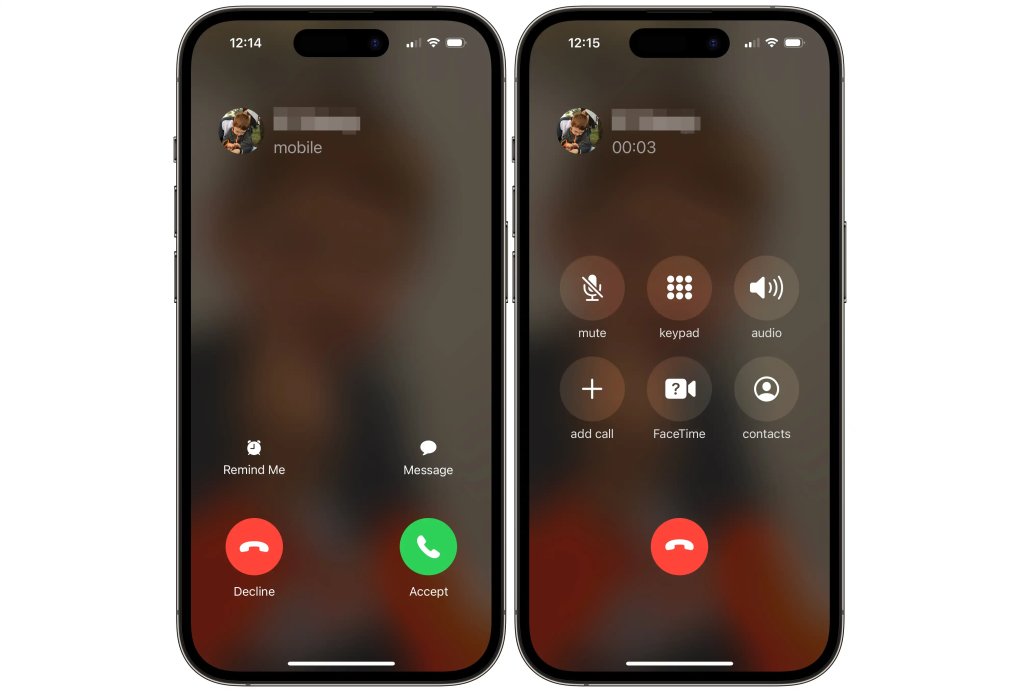
And there are also some UI improvements, one of which is the rearrangement of the buttons that appear when you're on a call. Instead of six buttons (two rows of three) in the middle of the screen and a red end call button below, there are only six buttons at the bottom of the screen, with the red end call button being the one in the bottom right.
Replaced the Contacts button – and other call buttons have new icons and their placement has changed.
The whole idea is to move the buttons down to make room for the large new contact posters that come with iOS 17 and streamline the experience with only the most useful features in more logical places.
Despite the fact that this change was made in the initial Developer Beta 1 release, it seems that some in the tech press decided to load the iOS 17 beta onto their phones and take a look, and they’re not happy. Gizmodo wonders, “If the functionality remains the same, why change the design?” (The answer is to simplify the interface and make room for Contact Posters.) CNBC writes, “It’s easy to imagine someone with muscle memory from years of hanging up on phone calls accidentally pressing where the button used to be.” ABC News joined in the hysteria. So did CBS.
And while there's some logic to "I accidentally tapped this area of the screen without even looking, and now I'm going to tap the wrong thing," I really don't think that's how it works. Despite all the whining about this change, almost no one claims to have personally mishandled the new interface.
Suggestion: Apple releases second public beta of iOS 17, watchOS 10, and macOS 14
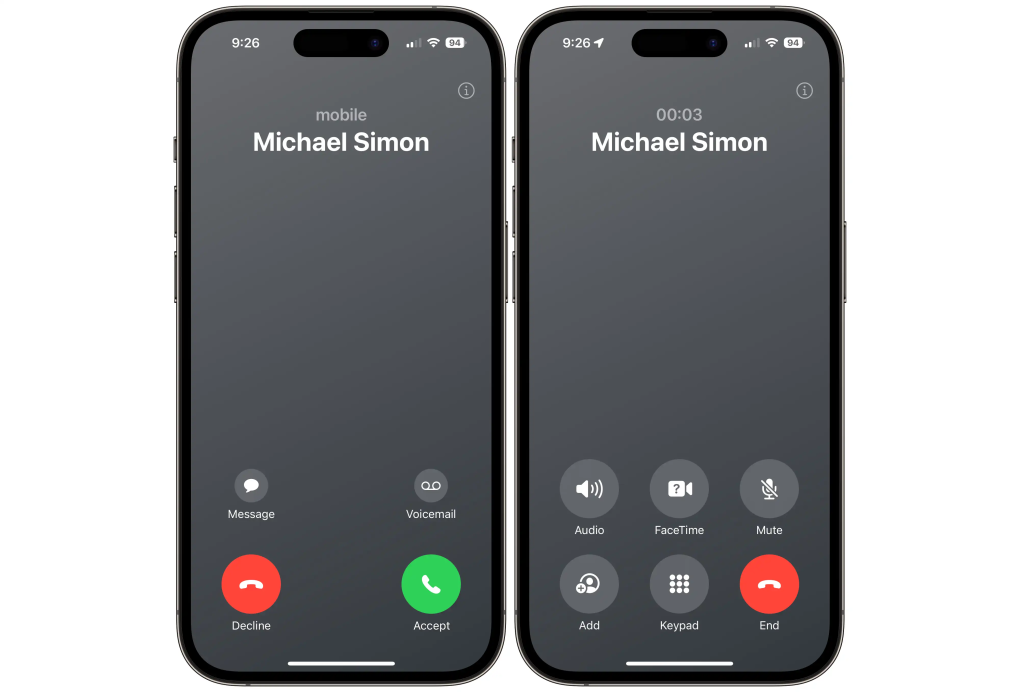
Perhaps this is because people don’t blindly tap an area of the screen, but the big red button. And the new interface still keeps that button as the only button with color – everything else is gray. In fact, in iOS 16 the end call button doesn’t even have a label! It now helpfully says “End.”
If there's one problem with the calling interface, it's that everything else has been moved around. For incoming calls, the Message button is now on the left, while the Reminder button has been replaced by a Voicemail button and moved to the right. This makes sense – few users have likely used the feature to "set a reminder to call this person back," and with Live Voicemail, many will likely want to control their calls by sending them to voicemail with the option to pick them up once they see what it's about.
When you're on a call, the Contacts button has disappeared (again, probably not used often by most people) and everything else has been rearranged. The mute and volume buttons have been repositioned, as have the keyboard and FaceTime buttons.
All of this is a much smaller paradigm shift and mental hurdle to overcome than when Apple moved Safari to the bottom of the screen in iOS 15. This went through many iterations and withdrawals and eventually became optional (but is still the default).
Everything will be fine. The first time you look at it you say, “Oh, they changed the buttons,” and then you hit the big red End button like you always did. You get used to it almost immediately and get on with your life because it’s not difficult or annoying at all, it’s just a little shocking at first because Apple has kept the same dialing interface for so long.
Read also: iOS 17: Which iPhones are compatible with the upcoming update?
source of information: macworld.com
