

Microsoft finally started testing a new dark mode for the Paint app on Windows 11. The software giant had initially teased a Dark Mode addition almost two years ago, and now it is being tested both in the Canary and Dev Channels for Windows Insiders.
See also: Microsoft: Brings Copilot to Windows 11!
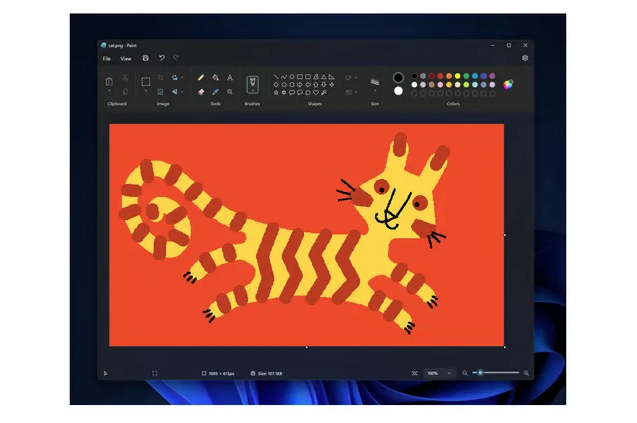
As with most other applications on Windows 11 that support dark mode, Paint will automatically change based on your system theme or you can manually enable dark mode on the new settings page within Paint.
See also: Windows 11: 8 Settings for Better Gaming
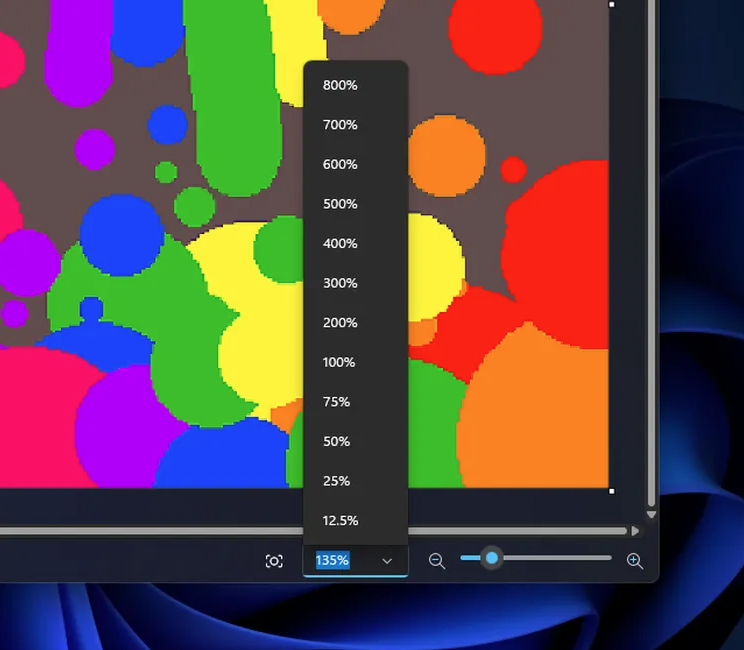
«We also offer improvements to the zoom control elements to give you greater flexibility and control over the display of your content on the canvas», explains Dave Grochocki, chief program manager for embedded Windows applications. Now you can zoom in and out with a custom setting and there is even a fit-to-screen button on the screen that will adjust the zoom to match the size of the Paint window and your resolution.
Other improvements in Paint include updated dialogs that match the Windows 10 style and improved accessibility shortcuts. Unfortunately, there is still no option for layers, so Paint remains largely the basic image editor we have had in Windows for decades. Microsoft had at one point planned to remove Paint from Windows 10 before deciding to keep it—instead, it introduced 3D Paint, a modernized version intended to replace the traditional Windows Paint application.
See also: How to download and install the Windows 11 2023 update
Microsoft is currently testing this updated version of Paint with Windows Insiders, which means it will be available to all Windows 11 users in the coming months.
Source of information: theverge.com
