

Do you like Memoji videos too a ? Apple sticker pack for each Memoji character, automatically creates which makes creating and sending them even more fun. Here's how to use Memoji stickers on iPhone and iPad.

First, you need to create your Memoji. Apple automatically creates the stickers. So they're available for use in both the Messages and the keyboard Emoji. This means you can send Memoji stickers to any supported third-party messaging app (like WhatsApp).
How to send Memoji stickers in iMessage?
How to send Memoji stickers in iMessage using the Messages app.
On your iPhone's home screen, swipe down to open “Spotlight Search.” From here, search for “Messages” and open the app.
After entering the app, select a conversation.
Once you're in the conversation, tap the "Memoji Stickers" app from the toolbar above the keyboard (it's an icon with a face with hearts).
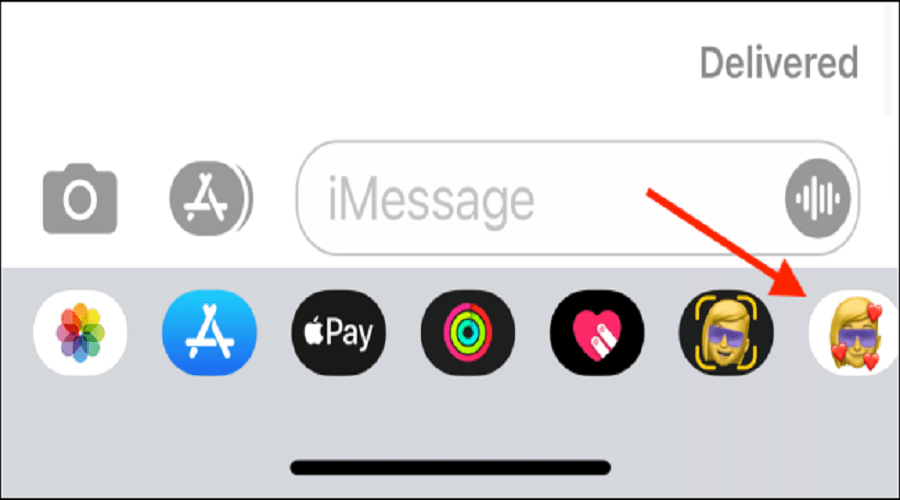
If you don't find this icon, tap the gray app (“A”), located between the text line and the camera icon.
Now, you will be able to see all the available Memoji and Animoji characters. Select the “Memoji” you want to use.
Swipe up to see all the stickers and select the one you want to send.
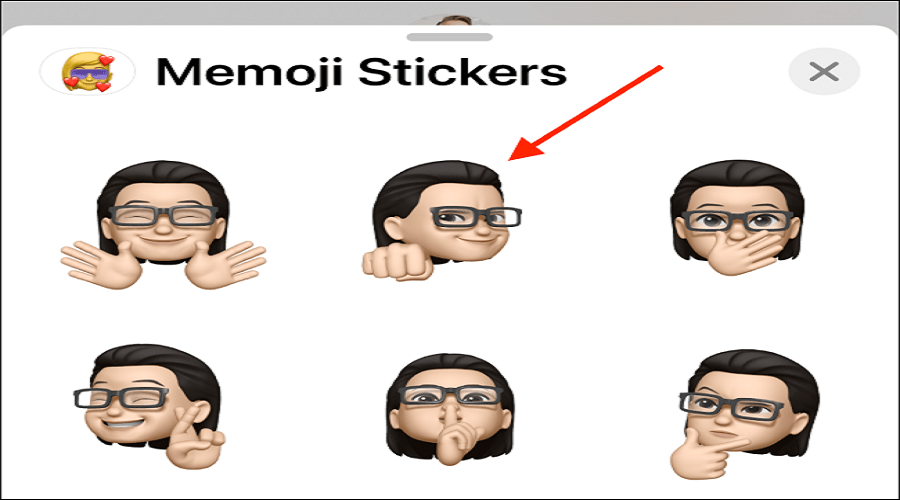
You will see the sticker in the text box. You can also add a message if you want. To send your sticker, simply tap the “Send” button.
The Memoji sticker will be sent to the iMessage conversation.
How to send Memoji stickers to third-party messaging apps?
As we mentioned above, Memoji stickers are built right into the keyboard, so they work with many messaging apps. WhatsApp is one of those apps.
To send Memoji stickers using WhatsApp, open a “WhatsApp” conversation and switch to the Emoji keyboard by pressing the “Emoji” button (smiley face), located to the left of the spacebar (the key that leaves a space between words).
Tapping it will show you various Memoji stickers (in the “Frequently Used” section). If you don’t see them, swipe left to access the “Frequently Used” section.
If you've used any Memoji stickers recently, you'll find them here. But to see all the stickers, tap the "Menu" button that looks like "..." (three dots).
Select a Memoji character and swipe up to see all available stickers.
Tap the sticker you want to send.
WhatsApp will prepare the sticker and display it in the conversation.
Source: Howtogeek
