

Debian is a free GNU/Linux operating system that provides more than 51,000 software packages, compiled and ready for installation and use on your machine.
It is the result of the Debian Project, and is one of the most popular Linux distributions.
A little about the History
The Debian project started on August 16, 1993 by Ian Murdock, then a student at Purdue University. At that time he wrote the Debian Manifest which called for the creation of a Linux distribution that would be developed in an open way in the spirit of GNU/Linux. Ian Murdock chose the name of the distribution by combining the name of his then-girlfriend Debra with his own (Ian).
Να αναφέρουμε ότι πάνω στο λειτουργικό σύστημα του Ian είναι βασισμένες πολύ μεγάλες και δημοφιλείς διανομές όπως το Ubuntu, και το Linux Mint. Σε αυτές μπορείτε να προσθέσετε σχεδόν άλλες 130 διανομές Linux.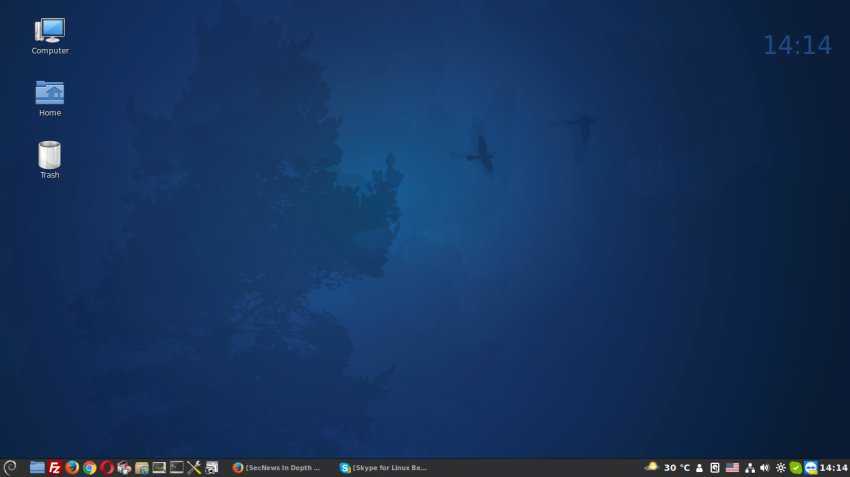
Below we will see what you can do immediately after installing the latest stable version of Debian 9.
“After 26 months of development, the Debiaη project presents the new stable release 9 (code name Stretch), which will be supported for the next 5 years thanks to the combined effort of the Debian Security team and the long‑term support of the Debiaη team.”
Read the release announcement and refer to the new release notes for more information.
Debian 9 Full DVD ISO (you only need the first one)
![[ISO]](https://cdimage.debian.org/icons2/media-optical.png "Debian 9.1 Stretch: After installation 2")
Version 9.1 contains all the improvements of the first version 9, and therefore you will not need to upgrade the packages as soon as you install your new system.
Let's tweak the Source List a bit
We will add the “contrib” and “non-free” repositories that are not 100% FOSS (Free and open-source software) according to the Debian Free Software Guidelines (DFSG).
“Contrib” repos contain DFSG-compliant packages, but they may depend on non-free packages or require non-free packages to build.
“Non-free” repos contain non-DFSG-compliant packages.
If you want your installation to be 100% FOSS as the Debian Free Software Guidelines state, then do not add the “contrib” & “non-free” to the source list.
__________________________________
We will open the sources.list for editing with nano:
First
so
provide the root password and
nano /etc/apt/sources.list
You will see the image below or perhaps the goal is to create the sources.list you use as it is edited in the image:
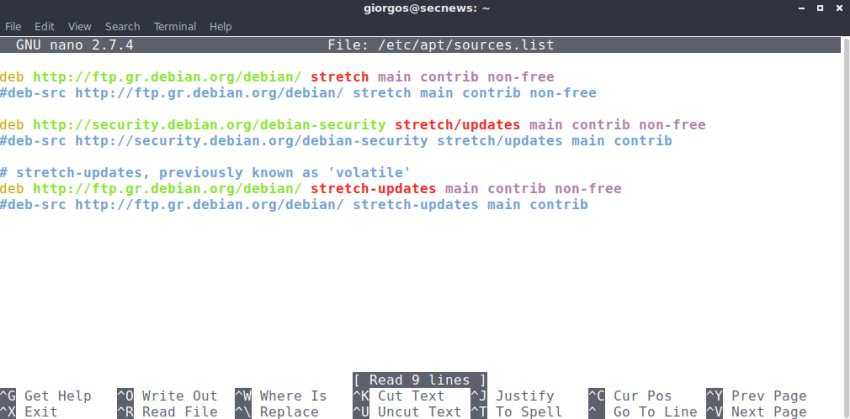
How can this be done?
First, remove the first lines that show the package installation path from the DVD, CD.
Your mouse in nano can be moved with the arrow keys…
After the 3 grouped links, check with # the second of each line to disable the source repos.
In the first rows of the 3 groups now add contrib non-free to the first and non-free to the second and third.
Save with CTRL+X, then y and then enter.
apt-get update
Give Sudo Access to your username
apt-get install sudo
usermod -a -G sudo your_username
Add some Package Managers (although synaptic should already be present)
apt-get install synaptic apt-xapian-index gdebi gksu
Add the Firmware Package
apt-get install firmware-linux
For additional drivers see the Debian wiki
Let's also add some applications
apt-get install file-roller evince geany pinta qalculate clementine vlc gimp shotwell gparted gnome-disk-utility libreoffice-writer libreoffice-calc libreoffice-impress
Installation of TeamViewer on Debian 9
We present the method of this specific installation because the application is i386 architecture.
dpkg --add-architecture i386
apt update
apt install libjpeg62-turbo:i386 wget gdebi-core
TeamViewer download and installation
wget https://download.teamviewer.com/download/teamviewer_i386.deb
gdebi teamviewer_i386.deb
If now you want to install other applications such as Skypeforlinux, Chrome, Opera etc., just download the .deb files and run them with gdebi, right-click on the package, open with..
Good luck!
