

Following the success of Pokémon Go, Super Mario Run has become Nintendo's hottest game for kids and adults alike. With 40 million downloads already, the game was released on iOS a week ago.
Of course, Android fans are disappointed since it is not officially compatible with their operating system yet. However, a simple search on the internet will convince you otherwise. If you search, you will find an executable apk file of the game that runs on Android and is not under the Google Play platform.
Have you already downloaded and run it on your phone? Congratulations!! You have malware. Super Mario Run has so far only been released for iOS devices and is not available on Google Play. Anything related to it circulating on the internet is malware.
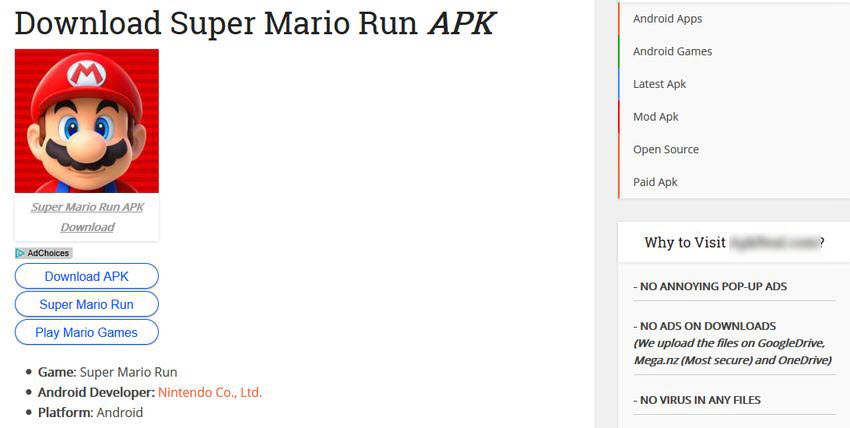
To install the malware, the user must go to the phone's security menu and set it to allow the installation of applications from "untrusted sources.".
Some of these malicious applications circulating on the internet have the ability to take complete control of your Android device, since the application requests access during installation to process, read, receive and send SMS messages, take photos and videos, and track your location using GPS.
However, one of the malicious apps titled “Super Mario” creates additional icons, displays pop-ups and banner ads, installs other malicious apps on the victim’s smartphone, and performs activities without user interaction. According to antivirus firm Trend Micro, its executives have detected the malicious Super Mario app 90,000 times this year.
Another app, also titled "Super Mario" discovered by the security firm, asks users to first install an app called 9Apps, which then requests more permissions, including recording audio, reading and modifying the calendar, and even accessing the SD card.
So, we recommend that instead of downloading apps from unknown third-party stores, Android users wait for the official release through Google Play.
We also recommend going to Settings → Security and making sure that the “Unknown sources” option is disabled.
