

iOS 17.2 Public Beta 3, as many of you will recognize, improves the user experience with better stability, greater flexibility, and new features to bring an improved experience to your daily routine.
What are the new important features?
The Journal App
With the help of Machine Learning, the Journal App recognizes the emotions and mood you express in your notes, to offer you a more personal and customizable experience.
Additionally, the Journal includes and offers built-in support for photos and videos.
Contact Key Verification in Messages
In the new iOS 17.2 Public Beta 3, Apple has added a new feature to verify contact keys in Messages. This is an important step to better protect your personal data.
See more: Flipper Zero: Still crashes iPhone (even with iOS 17)
Live Stickers
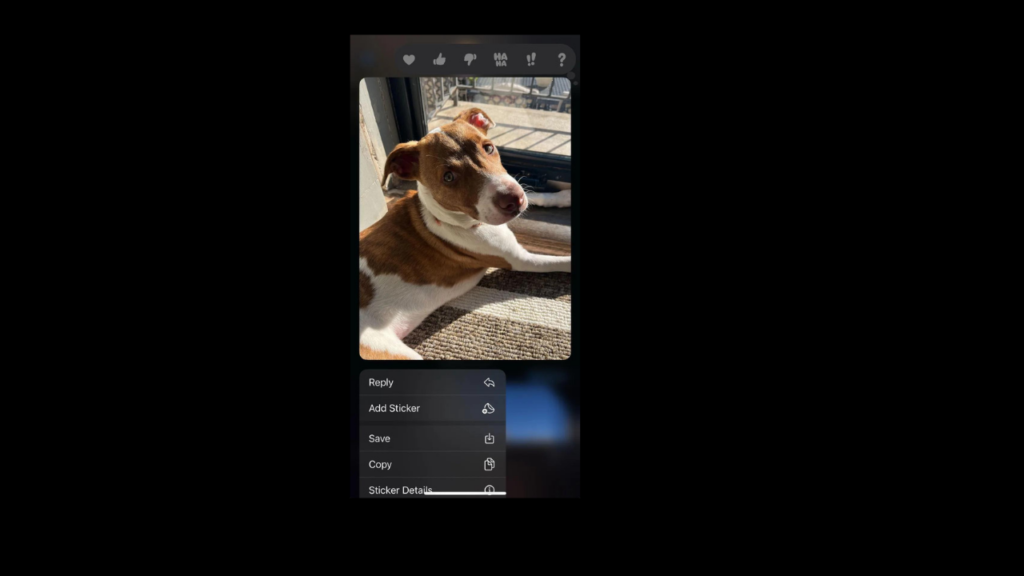
Live Stickers are a new approach to user interaction that takes private messaging features to a new level. Now you can add an extra personal touch to your conversations using live stickers.
Memoji
Looking for more control over your Memoji? With iOS 17.2 Public Beta 3, Apple has decided to increase the customizability of Memoji. This allows users to create more realistic and accurate images of themselves.
Contacts
Incorporating more customization options into Contact Posters means you can now create a unique chat experience for each person in your contacts.
You can choose a primary color, background shade, and font for each contact's text notifications. This means you can now create a truly personalized experience for your communication with each contact.
News application
With the latest update, iOS 17.2 Public Beta 3, comes to further enrich the experience of using Apple's news app. How? Through support for Live Activities, a new feature that Apple is set to launch soon.
Read more: iOS 17.1.2: Expected to be Released Very Soon
Apple TV
This update includes a series of changes to improve the user experience and allow them to enjoy their favorite series with greater comfort and convenience.
Emergency Notifications
In an effort to make iPhone even more useful in emergency situations, iOS 17.2 Public Beta 3 introduces a new option: Local Awareness for Emergency Alerts.
Digital clock widget
It may be a small addition, but the introduction of a new digital clock widget in iOS 17.2 Public Beta 3 delivers an even more personalized user experience. The new digital clock widget lets you easily access the current time from your home screen, with a personalized design that complements your home screen. – Control and Personalization
Weather widget
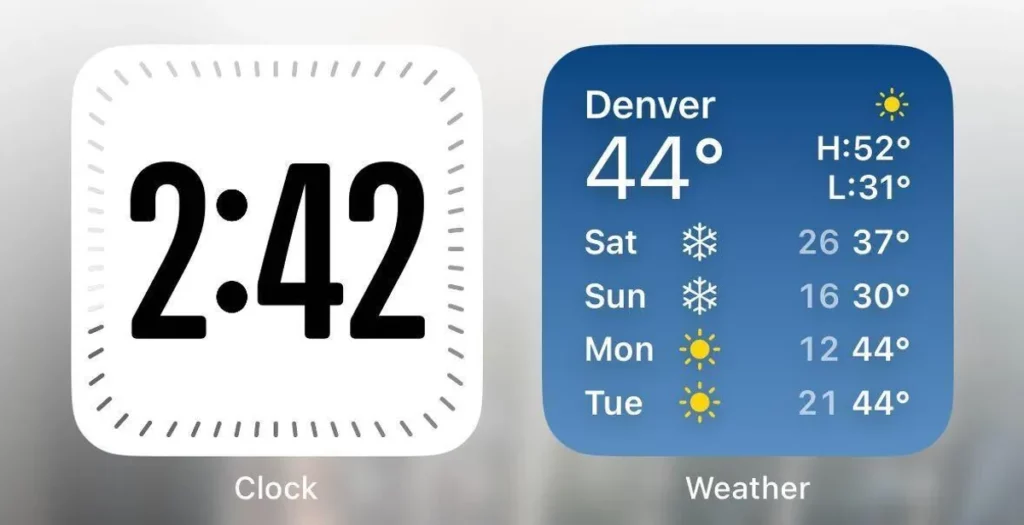
The new updated weather widget in iOS 17.2 Public Beta 3 comes with some impressive features that will enrich your user experience. This new widget is designed to give you the best possible weather forecast, with increased accuracy and visibility.
Apple Music
The new iOS 17.2 Public Beta 3 upgrades the Apple Music experience by adding the ability to create collaborative playlists. Now you can create playlists of your favorite songs and invite your friends to join in.
Siri
With the new version of iOS 17.2 Public Beta 3, iPhone becomes even smarter and more flexible thanks to Siri improvements.
Sensitive Content
iOS 17.2 Public Beta 3 protects you even more by strengthening warnings for sensitive content.
Keyboard
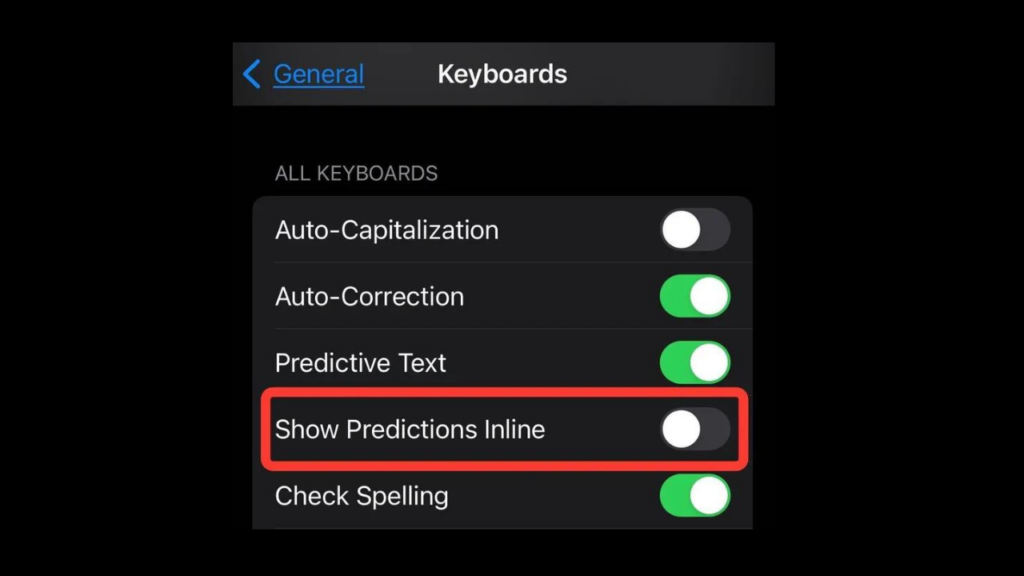
The feature on your keyboard lets you turn off word predictions while you type, giving you more control over your typing experience.
Video recording
Apple has decided to integrate Spatial Audio technology into the video recording function as well. Now, in the updated iOS, iPhone 15 Pro and Pro Max owners will be able to take advantage of the upgraded camera system.
Sharing content between iPhone and Apple Vision Pro
With iOS 17.2 Public Beta 3, you can easily share content between iPhone and Apple Vision Pro. This means that collaboration between your two devices becomes even more efficient.
Contact Posters
Apple's advanced technology ensures that you can easily share your contacts with friends and family. Its new update reveals new sharing options for Contact Posters.
Catch-up in Messages
The new “Catch-up arrow” option allows users to return to the top of a conversation with a simple click.
See also: Flipper Zero: Still crashes iPhone (even with iOS 17)
Photos and Apple Music
There's nothing more powerful than combining music and images. The updated iOS brings that experience even closer to you, allowing you to integrate the music you love with your photos, creating a truly complete experience.
Source: cnet.com
