

In iOS 12 and later, as well as iPadOS, you can create a Memoji that expresses your personality and mood, then send it in Messages and FaceTime. And with a compatible iPhone or iPad Pro, you can create an animated Memoji that uses your voice and reflects your facial expressions. Now you can use Memoji from your Apple Watch and turn your Memoji into a watch face that moves with the turn of your wrist. You can also send stickers from the Messages.
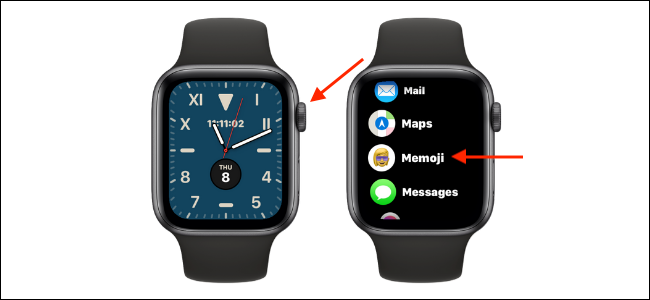
Apple Watch users running WatchOS 7 and later can use the new Memoji app to create, view, and customize their Memoji right from their Apple Watch. If you’ve already created a Memoji on your iPhone , you’ll find it on your Apple Watch. Press the Digital Crown on your Apple Watch to open the Apps screen and select the “Memoji” app .
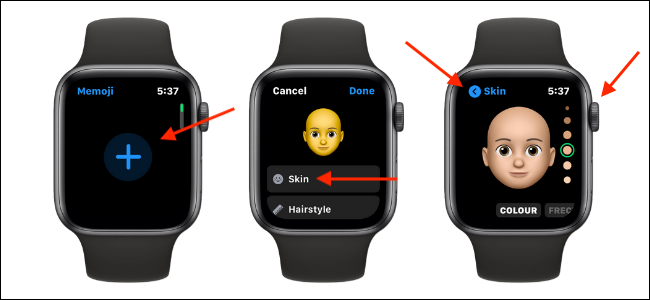
You will then be presented with a list of all available Memojis. If this is your first time using Memoji, go to the top of the screen and tap the “+”. Here, you will be presented with different features to customize. The first step you need to take is to tap on the “Skin” and then use the Digital Crown to try out different skin tones. Swipe left or right to change the avatar. For example, in the section , you can adjust the color, freckles, cheeks, and beauty marks.
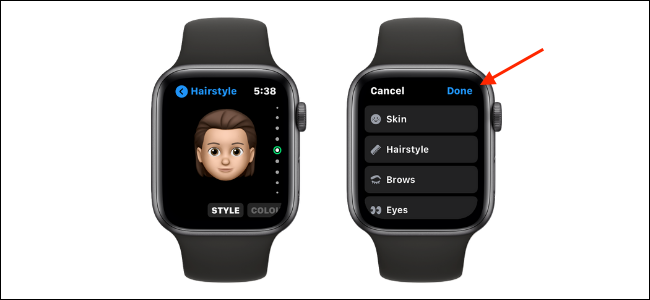
Press the “Back” to see all the customization options. You can customize the skin, hairstyle, eyebrow, eyes, head, nose, mouth, ears, hair, glasses, and headgear, each with their own unique characteristics.
Once you've customized your character, tap the "Done" in the top right corner to save the Memoji you created.
The new Memoji character will now be available in the Messages app and will sync to your iPhone. You'll also be able to use it in a FaceTime.
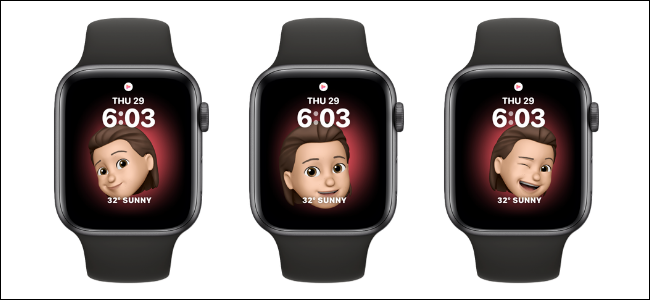
You can also set any Memoji as a watch face from the Memoji app. Open the Memoji on your Apple Watch and select Memoji. Scroll down and select “Create watch face.
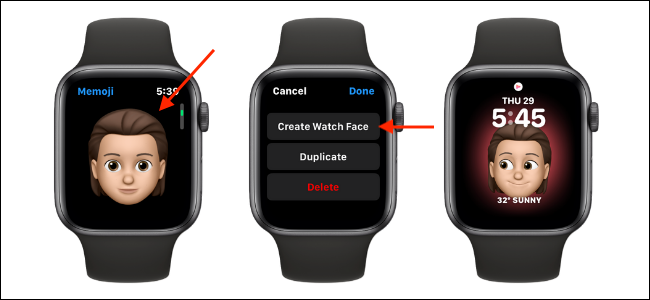
Once you've created a Memoji character, you can send Memoji stickers from the Messages app, using iMessage, and while replying to a message notification. To do this, open the Messages and select a conversation. Then, scroll down and tap the Memoji Stickers.
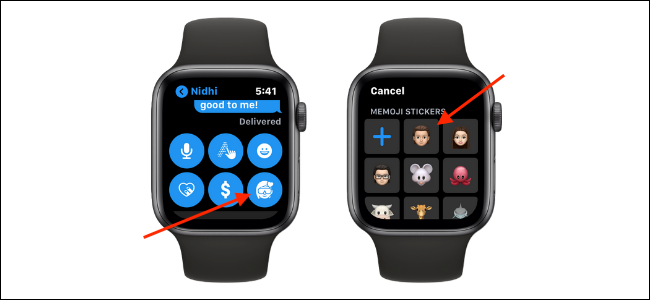
Now, select a Memoji character. You'll see all the available Memoji stickers. Tap a sticker to send it to a conversation.
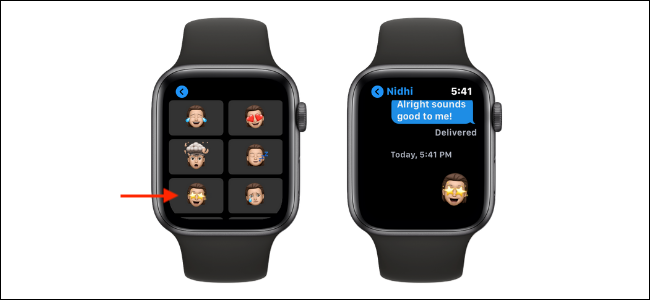
Image source: howtogeek.com
