

Twitter has decided to change one of its two-factor authentication for free users.

The reason is for verification via message. The company decided to convert this service - giving a deadline - from free and accessible for everyone only to those who have subscribed or are willing to do so on Twitter Blue. Below you will find how to customize your account.
See also: Twitter: Will notify you when a tweet you interacted with receives a comment from Community Note
In February, Twitter revealed that it would be making big changes to its two-factor authentication for accounts, moving the feature from being free for all users to only available to those willing to pay for a Twitter Blue subscription.
The company gave users until March 19 to switch from the messaging system to another, including using a verification app. Starting today, users who are not on Twitter Blue will find the verification automatically disabled, leaving their account protected only by their password until they decide to switch to another verification system.
Twitter promoted the deadline with a pop-up notification inviting users to upgrade.
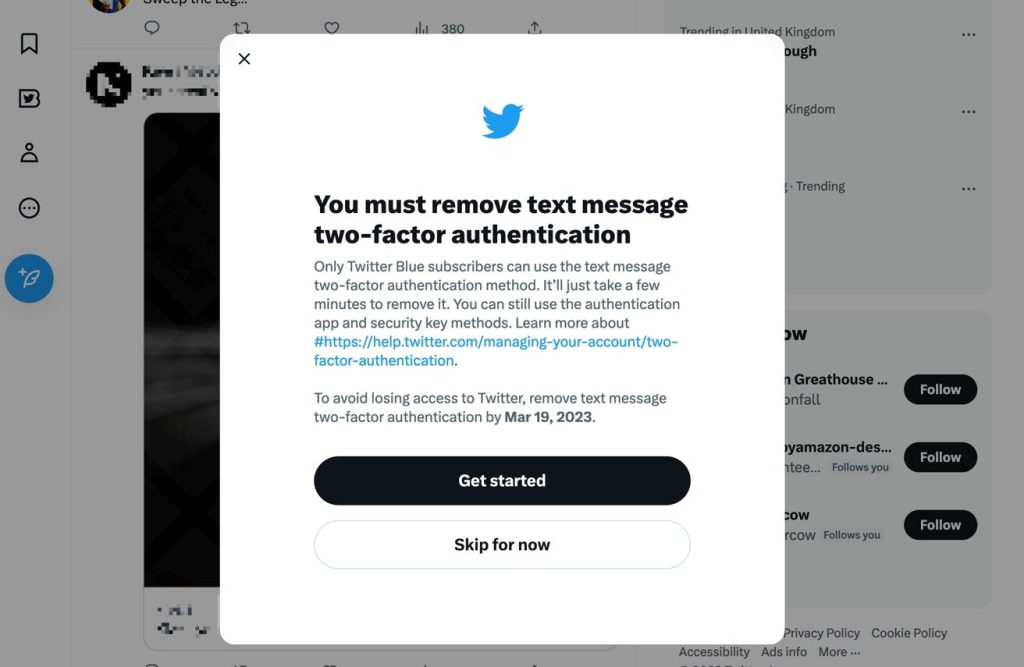
According to Twitter, message verification could be used and abused by hackers. However, it's a bit strange, since it considers message verification weak, to only provide it to those with a Twitter Blue subscription.
Suggestion: Twitter Blue introduces 4,000-character tweets
The process to change the 2FA form is simple, especially if you are using a verification app like Google Authenticator, if you see this notification via browser.
- After clicking Get Started, you will need to enter your password and click Confirm.
- On the screen you will see “Turn off two-factor authentication?” click Turn Off.
- You will then be asked to select your new verification method . If you have a security key , select it and follow the instructions, otherwise select Authentication App then Next followed by Get Started.
- A QR code will appear on the screen, which you can scan with your verification app to add it to your group. Then tap Next once you're done.
- To double-check, Twitter will ask you to enter the 6-digit code from the verification app. After that, it will offer you some one-time codes in case the app doesn't work.
- If the notification doesn't appear, you can adjust it from settings, under Security and Account Access , and then Two-factor authentication.
Read also: Twitter: End of 2FA via SMS for non-Blue users
source of information: appleinsider.com
