

Since the release of Windows 10 2004, users have reported performance issues and errors when installing Malwarebytes 4.1.

In many reports on the Malwarebytes support forums, users report many problems with the installed MBAM 4.1 from Windows 10 version 2004 (May 2020 Update)
These issues range from random freezes, general sluggishness, video, BSOD screen, or Windows 10 not responding.
While not all Windows 10 2004 users seem to be affected, there are many requests for help related to this issue on their forums, showing the scope of the problem.
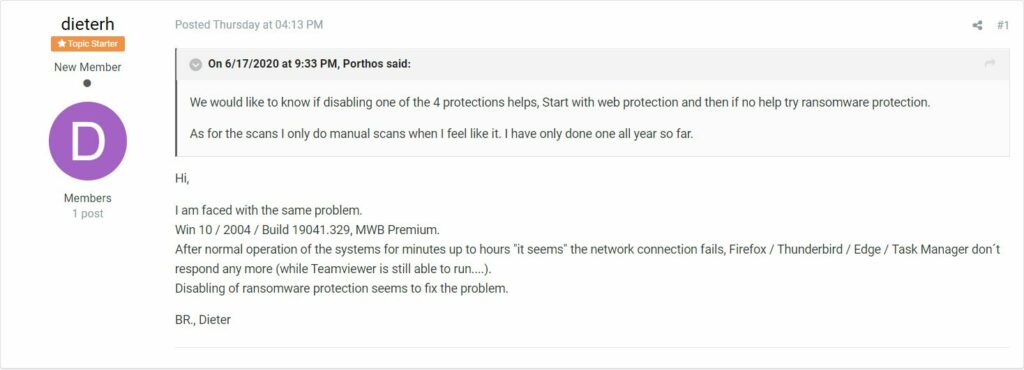
Some users reported that they were able to resolve the issue when they disabled the “Ransomware Protection” feature in Malwarebytes.
Malwarebytes also released Windows Beta version 4.1.1.71 in early June which appears to resolve this issue.
Users can install the Beta version by going to Settings > General and enabling the "Beta updates" setting.
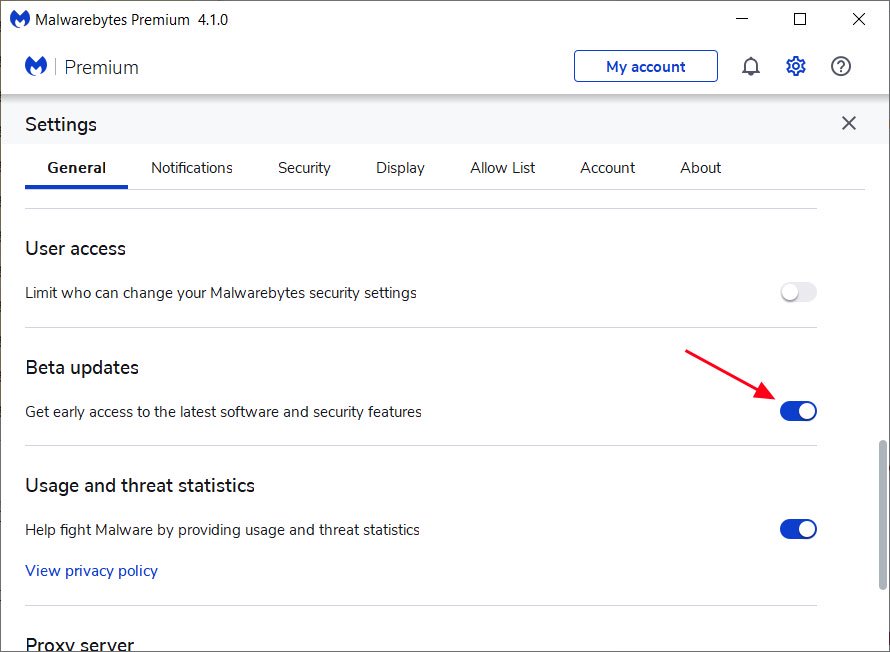
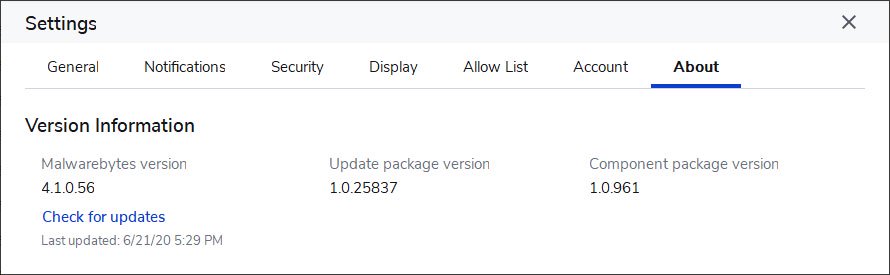
Once this setting is enabled, users must check for new updates to install the latest version and its component package .
If this does not resolve your issue, you should send a message to support on the Malwarebytes forums to get additional assistance
