

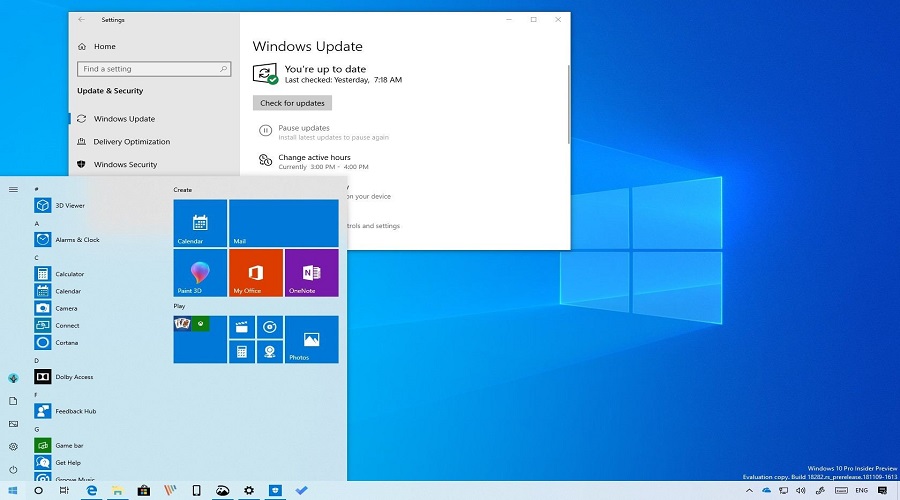
 With the arrival of the new version of Microsoft Windows 10 Pro and Enterprise in April, there will be significant changes to the interface. The new version will feature a new light theme to compensate for the dark theme. Some elements of the interface will also be simplified. For the IT department, the significant changes are elsewhere.
Some of the changes are the ability to remove some built-in applications, the ability to open and edit Linux files (thanks to improvements to the Windows System for Linux), a new troubleshooting feature, and the automatic uninstallation of problematic updates and restoring the system to a working state.
Other changes include how Windows manages your system, how you can manually sync your clock, and simplified Search.
As for security, a new Windows Sandbox is available, in which the Windows hypervisor will allow you to run a clean virtual machine that is isolated from the main operating system. You can use this in cases where you want to access a site or run some software that you are not sure about its security.
Windows Security Center also places the word “Defender” and adds breach protection as well as a protection history page.
Another new feature will be autofocus assist, which will be enabled on full-screen displays.
Windows Sandbox is one of the most important improvements. This is because it allows you to test applications that may have malware embedded in them. This can be done using a virtual machine.
The virtual machine uses the same Windows components as the main operating system. However, as mentioned above, it is isolated from the main operating system and therefore does not affect it.
However, Sandbox cannot save applications. This means that when Sandbox is closed, all the items it contains disappear.
Linux Docs
With the new version you will be able to view, open and edit Linux files without any problems. To do this you need to use File Explorer or the command line. However, you need to have the Linux distribution.
Changes to Security Center monitor and protect against malware and intruders. A notification feature has been added when security settings are changed. The added Protection History page can also help uncover suspicious activity after it has happened.
Changes to Windows sign-on allow the use of a phone number (in addition to email). This way, someone can link a phone number to Windows Hello.
Ability to restore to a previous state
The new version allows you to roll back to a previous state when an update is not successful. When an update fails, Windows Update removes the components that are not running properly so that Windows can start again. There is of course the option to remove the entire update. If the problem is resolved, you will be able to use the update later.
Another change is to reserve some disk space. Windows 1903 will allocate about 7 gigabytes of disk space. The reason for this is to ensure that there is always space available for new updates. This space is automatically reserved on new systems with 1903 installed, but you can enable it later yourself.
You can try the new version if you're a member of the Windows Insider program by downloading it here.
