Wget is the default download manager in the Unix world, and it's surprising that it's not installed on Macs by default.
However, there are several ways to install it, via: direct compilation, homebrew, macports etc. The best and easiest method we recommend is via direct compilation (immediate compilation).
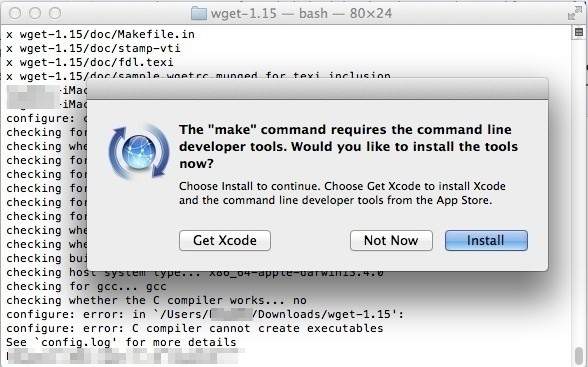
To add Wget, you will need to have Xcode from the Mac Apple Store. If you don't have it, it will be installed automatically at some point, don't worry!
So, let’s open the Terminal to copy and paste the following commands one by one.
* Also, the latest version is 1.15, but you should still use the latest version available here.
</>CODE
[alert]cd ~/Downloads
curl -O https://ftp.gnu.org/gnu/wget/wget-1.15.
tar.gz tar -zxvf wget-1.15.tar.gz
cd wget-1.15/
./configure –with-ssl=openssl
make
sudo make install
cd .. && rm -rf wget*[/alert]
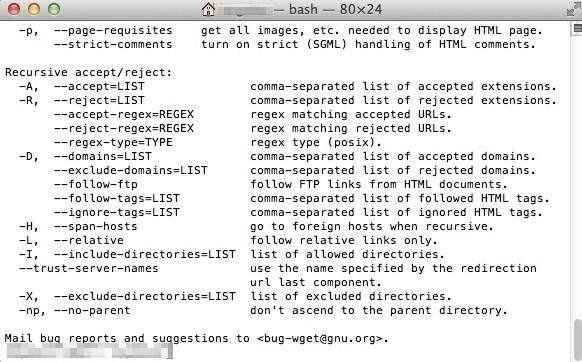
To check if the program is working:
</> CODE
[alert]wget — help [/alert]
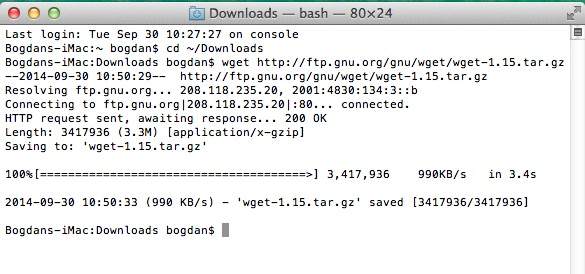
If you want to download:
</> CODE
[alert]cd ~/Downloads
wget https://ftp.gnu.org/gnu/wget/wget-1.15.tar.gz [/alert]