

The Google Play Store is the official app store from which Android device users download and update apps and games . In addition to apps, however, the Play Store itself also needs updating. Usually, the app store updates automatically, so you always have the latest features. If it doesn't update automatically, you can update the Google Play Store yourself.
See also: Google: Fixes critical vulnerabilities in Android devices

How to update Google Play Store (Android)?
To start the manual update process, open the Google Play Store app on Android phone.
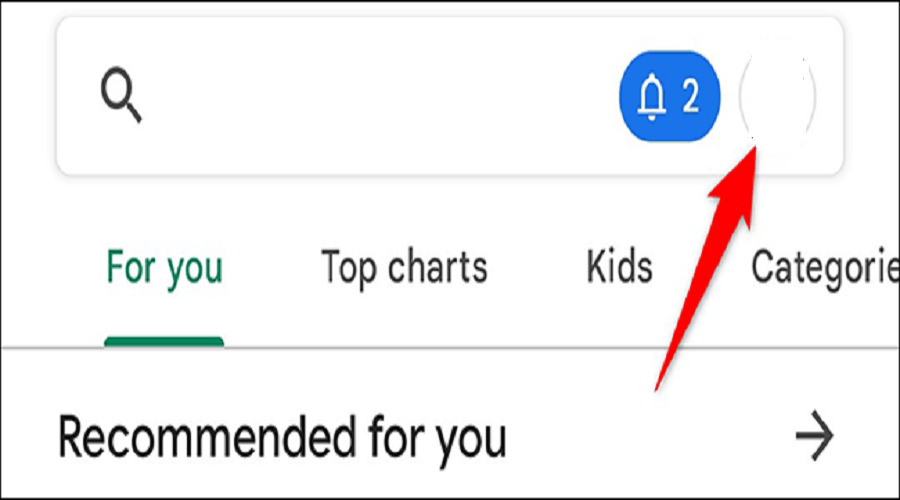
In the top right corner of the Store, there is profile icon . Tap on the icon.
A menu with various options will appear. Tap on the “Settings” option.
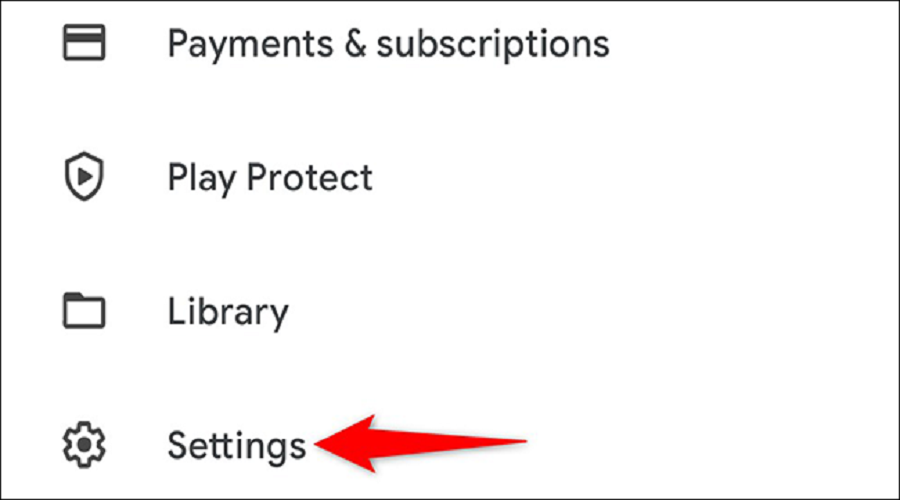
On the “Settings” page, scroll down and tap on the “About” option.
An “ About Google Play ” menu will open and various options will appear. Where it says “ Play Store Version ”, the current version is listed. Below there, tap “ Update Play Store ”.
See also: Google One VPN: The service is available to iPhone and iPad users
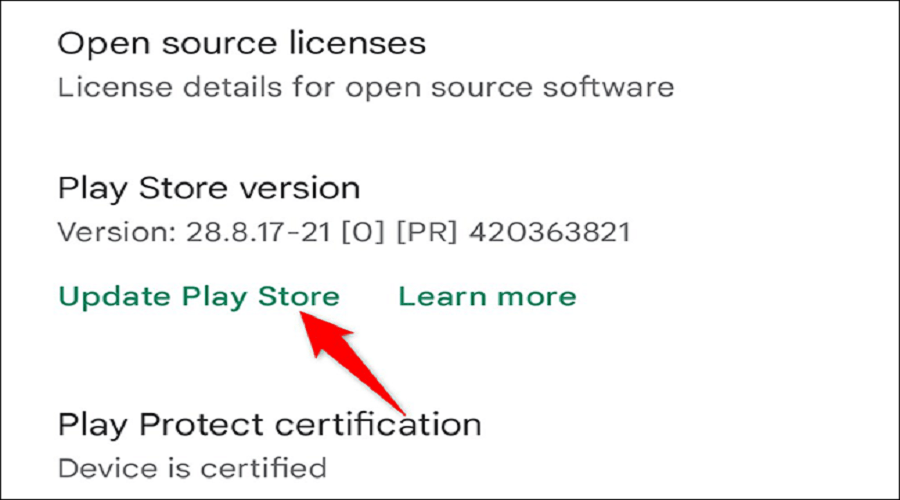
If the Play Store version is old, the update will begin. Conversely, if you are already using the latest version, you will see a message saying that the Google Play Store is already up to date.
To close this message, click on “I got it.”
See also: Google will limit free unlimited Drive storage for WhatsApp backups
This way, you can make sure you're running the latest Google Play Store update and staying safe. As we said above, Google's official app store updates automatically, but you can check it to ensure you're getting the best experience possible on your phone.
Source: How-to-geek
