

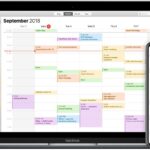
If you love Android devices and the Google, but you're also addicted to the world of Apple and iOS, see how you can combine them and make your everyday life easier. If you have an iCloud calendar that you want to access from Google Calendar on Android, follow step-by-step instructions.
- Open calendar.google.com in browser .
- In a separate tab, open icloud.com.
- Log in to each account and verify your identity as required.
- From icloud.com, click iCloud calendar.
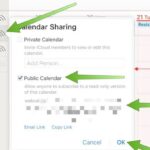
- Find the iCloud calendar you want to copy to Android and click the curved lines (which look like the Wi-Fi symbol) to the right of the calendar name.

- Click the checkbox in the public calendar.
- Below that, click Copy Link.
- Return to the Google Calendar tab .
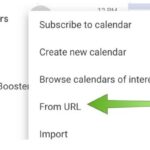
- From the left navigation bar, click the + symbol next to Other Calendars.
- When the dialog box, click From URL.
- Paste the calendar link you copied from iCloud.
- When the link is pasted, change the text at the front of the link from "webcal" to "http".
- Click Add Calendar and you will see the iCloud calendar appear in the Other Calendars of Android Calendar.
- If, for some reason, steps 11-12 don't work, you can paste the copied URL into a new tab.
- Then, click Add when the dialog box appears.
- You should see your new calendar appear in the Other Calendars of your Google Calendar.
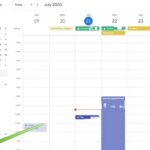
Now your iCloud calendar and the events you added earlier will appear in your Google Calendar view. However, if any subsequent changes to your iCloud calendar, you will need to repeat this process, as it does not stay in sync with Android. If you want to maintain a live connection between the ecosystems, you will need to download a app from the Google Play and follow the installation.
📧
Subscribe to the SecNews Newsletter
