

The “Detect Gym Equipment” option for Watch OS 4 GM (gold master) that was the main solution for battery issues in previous betas is no longer available. So we will look at some basic tips for improving the battery performance of your watch.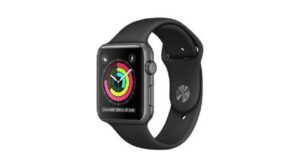
Since iOS 11 GM on the iPhone 7 Plus hasn't left many users happy, let's see what Watch OS 4 can bring to the Apple Watch (2) Nike Edition.
Initially, the installation process of Watch OS 4 GM is smooth.
With Watch OS 3 and the watch in constant use, at the end of the day the battery usually reaches 60%. With Watch OS 4 in the middle of the day the battery reaches 50% and gradually drops every minute. Even if you close all apps and re-evaluate your watch, nothing changes.
In the previous Watch OS 4 beta there was the option to “Detect Gym Equipment,” but it is now missing from the GM version.
So how can you improve your battery life?
- Turn off GPS usage. On iPhone, go to Settings – Privacy > location services > Apple watch faces -> Never.
- Disable the new Siri faces and remove them from your watch using the Watch app. If you use any of the astronomy features, disable them. Although this doesn't help, you'll need to reset and reconnect your watch to your iPhone.
- Always back up your iPhone as this will also back up your watch.
- Disconnect your Apple Watch and click the following options on your iPhone: General > Reset > Erase the Apple Watch Content and Settings.
- Reconnect your Apple Watch and iPhone and use your watch backup.
