

Opera 40 has been released, which, among other improvements, also contains a built-in VPN.
This news sounded particularly appealing to our ears in terms of improving privacy protection and your security while browsing, and we rushed to welcome the new version of Opera 40 by installing it on our computer.
Activating VPN (Virtual Private Network )is a very easy task as all you need to do is go to the settings and from there to the VPN section and simply click to activate it.
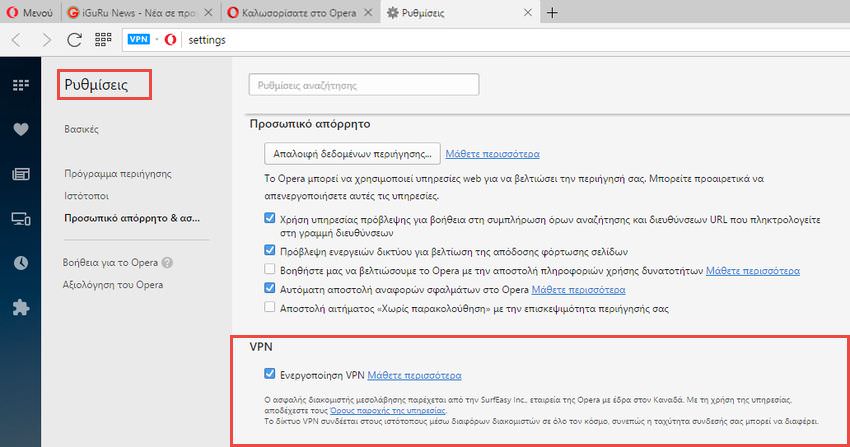
Secure proxying is provided by SurfEasy Inc., a subsidiary of Opera based in Canada. By using the service, you agree to the Terms of Use. The VPN connects to websites through various servers around the world, so your connection speed may be affected.
Activating the service adds a blue “VPN” badge to the address bar, which when clicked, displays the IP address you appear to be on the internet (essentially the VPN address), the virtual country, and your data usage. There are Virtual locations in Canada, Germany, the Netherlands, Singapore, or the United States that you can select, either manually or automatically. The automatic selection is done depending on where you are.
However, after a few test clicks, to our great disappointment, we discovered that Opera 40 did not run at all on https connections. That is, it could not display encrypted connections. In fact, websites like iguru, which for your security only uses https connections, were not able to display them.
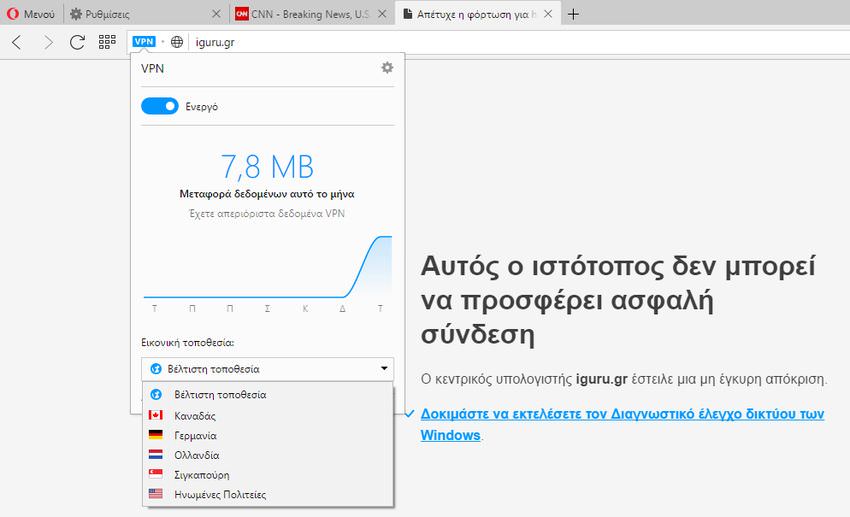
Yes, there is no problem with http connections (like CNN's), but you don't mean using a VPN for browsing security and not being able to connect to secure websites. Also, social media websites kicked us out without a second thought and so we were unable to navigate either Facebook or Twitter.
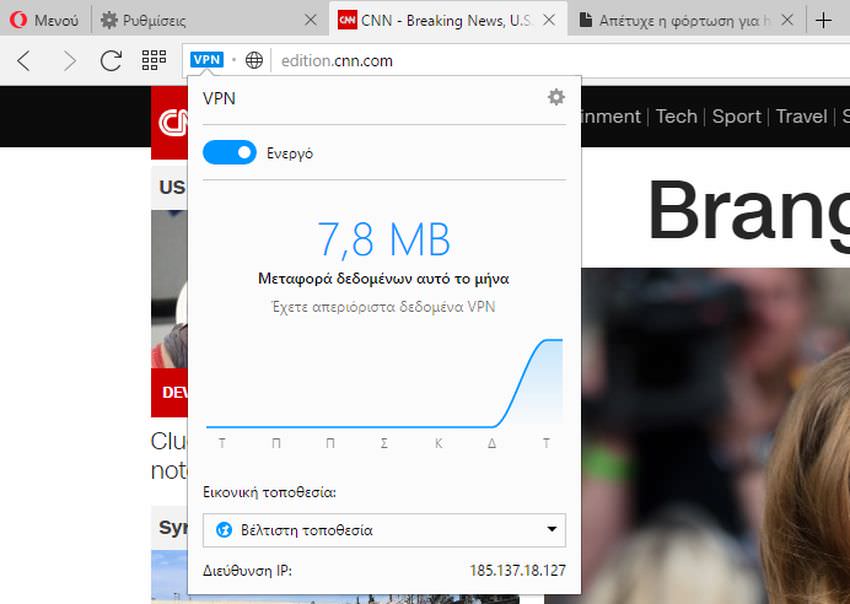
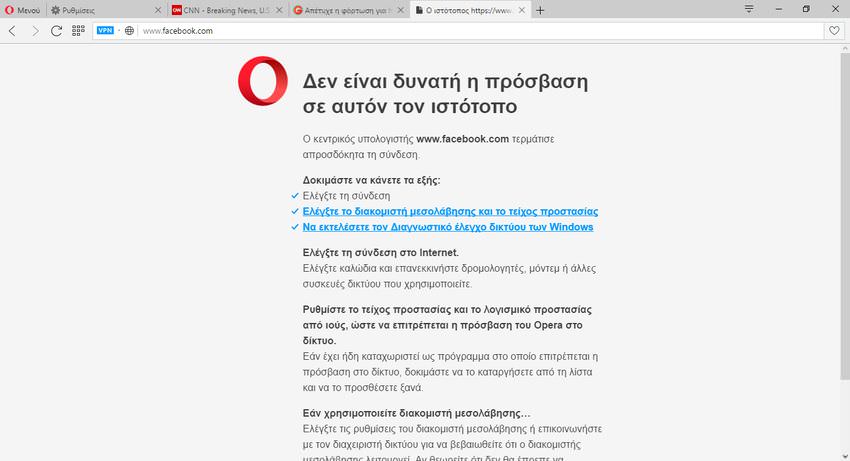
The VPN service, although something new and unique in the browser space, is disappointing in terms of its use.
Finally, the new Opera 40 also includes other improvements and features which you can read about on the official blog .
